On this page
Collecting customer feedback after support isn't just about chasing star ratings. It's your clearest window into whether your team actually solved the problem and how your customers feel about it. This guide is for support managers, team leads and business owners who want to stop guessing at customer happiness and start making decisions based on real data. Whether you're refining processes, boosting loyalty, or empowering your agents, you'll find practical steps here.
Quick Answer
- Send a one-question CSAT survey the moment a ticket closes, then a CES survey 48 hours later for the full picture.
- Keep surveys to 1–3 questions max; anything longer kills response rates and annoys people.
- Analyze feedback by categorizing themes (product, process, people, policy), then run a monthly Pareto analysis.
- Close the loop: show customers their feedback led to actual changes, or train your team based on patterns.
Why Post-Support Feedback Matters More Than You Think
Post-support feedback isn't just about collecting a star rating; it's your most direct line to understanding whether your support team actually solved the problem. When you ask for feedback immediately after a ticket closes, you capture how the customer feels in that moment, not a watered-down memory a week later. This data is what separates support teams that guess at their performance from teams that know exactly where they stand.
Feedback after support reveals blind spots your agents can't see: unclear messaging, long wait times, or solutions that didn't fully land. Customers who are asked for their opinion feel valued, which directly increases loyalty and repeat business. Without post-interaction feedback, you're measuring success by ticket volume and resolution time, neither of which tells you if the customer left happy. Even negative feedback is useful: it gives you a chance to recover the relationship before the customer churns.
Best Ways to Gather Feedback Post-Support Without Annoying Your Customers
The best feedback methods are those that fit naturally into the customer's existing flow, rather than pop-up requests that interrupt them. A single-question CSAT widget embedded in your email signature or help desk ticket closure works better than a 15-question survey. The key is to make it feel like a conversation, not an interrogation and to give customers a clear reason to respond.
In-chat feedback: Quick Was this helpful? Yes/no widget at the end of a live chat conversation works because it's contextual and immediate. Email surveys: A one-question CSAT link or a 1–5 scale embedded in the ticket-closing email (no login required) achieves higher completion rates. For support handled via WhatsApp, Telegram, or Instagram DMs, a brief follow-up message with a rating link keeps it light. The golden rule: never send a survey before the issue is resolved. Customers won't rate an unfinished experience.
Supplo's shared team inbox provides a unified space to manage all customer interactions, making it easy to integrate feedback requests directly into the customer journey.
Customer Feedback Strategies After a Help Desk Interaction
Strategy matters more than the tool. A planned feedback cadence, immediate after closure, then a follow-up 48 hours later, catches both emotional reaction and long-term satisfaction. You should also segment feedback by ticket type: technical support, billing issues and general inquiries, each of which requires slightly different question framing.
Immediate feedback (right after the ticket closes) captures raw satisfaction with the interaction itself. A 48-hour follow-up asks, "Did the solution actually work for you?" This catches cases where the fix didn't stick. Segmenting feedback by ticket priority (high vs. low) ensures you're not wasting high-value customer time with generic surveys. Use open-ended questions sparingly, one per survey max, because customers rarely write long answers unless they're frustrated.
When and How to Send a Survey After Customer Service
Send your survey too early and the customer hasn't had time to test the solution. Send it too late and you lose the emotional context. The sweet spot is immediately after ticket closure for CSAT and 48–72 hours post-closure for CES (Customer Effort Score). Automation is key here; manually tracking these windows is not scalable for any growing support team.
Immediate CSAT: Sent automatically the moment a support ticket status changes to resolved or closed in your system. Delayed CES: Sent 2–3 days later to measure how much effort the customer had to put in after the interaction ended. Avoid sending surveys on weekends or late in the evening; open rates drop significantly outside business hours. A/B test your send times: your audience's behavior might differ from generic best practices.
Automated survey triggers are essential for platforms handling high volumes of interactions, such as WhatsApp customer support.
Ready to automate your post-support surveys?
Stop chasing feedback manually. Supplo's shared inbox and AI agent can trigger automatic CSAT surveys the moment a ticket closes, across email, chat, WhatsApp and more. Start your 14-day free trial at Supplo.
Post-Support CSAT Questions: Templates That Actually Get Responses
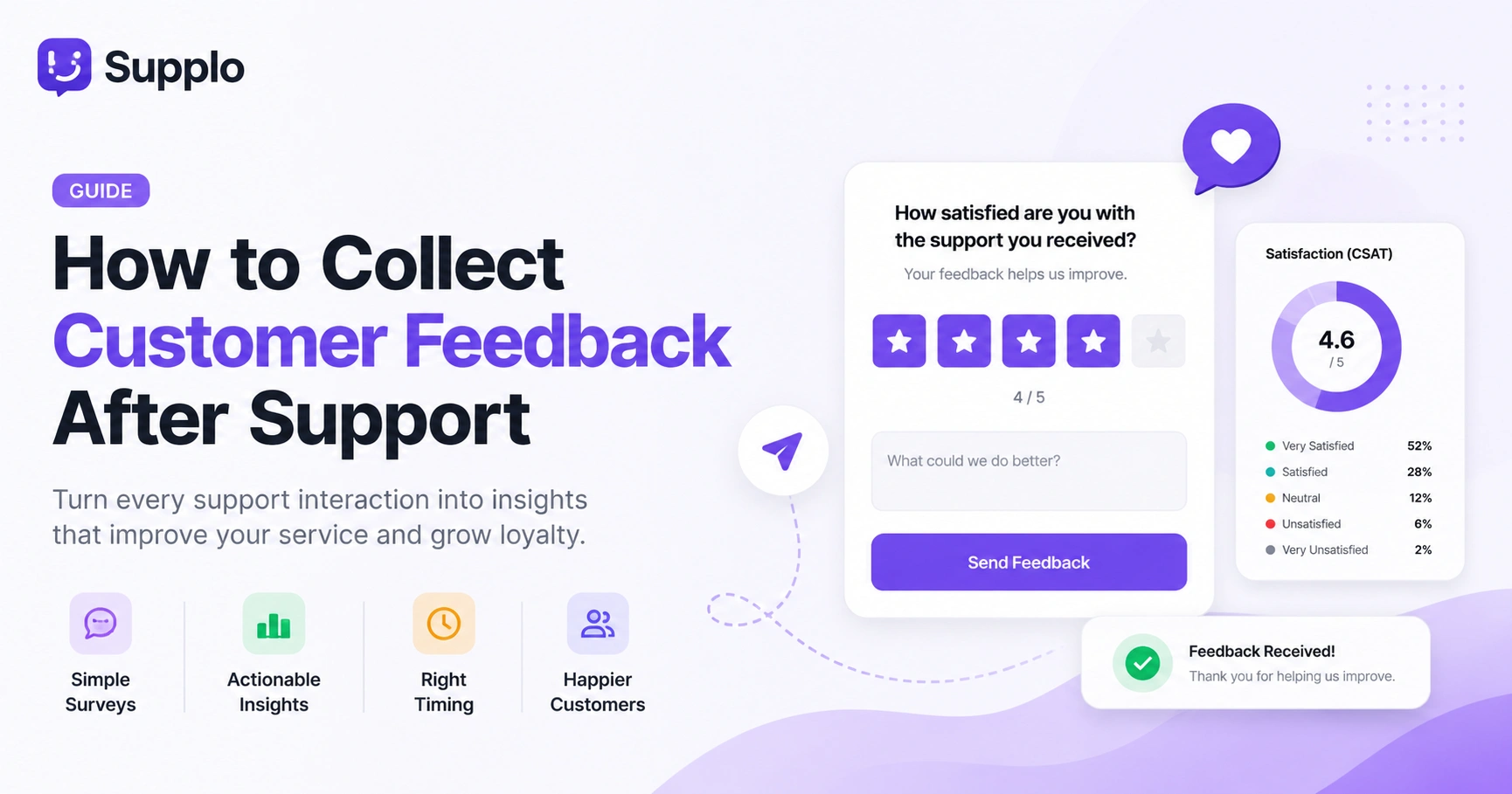
The best CSAT questions are straightforward, specific and take less than 10 seconds to answer. A simple scale question (How satisfied are you with the support you received? with options 1–5) combined with a single follow-up (What could we do better?) gives you both quantitative data and qualitative insight. Avoid leading questions like "You loved our support, right?" that skew results.
- Template 1 (CSAT): How satisfied are you with the support you received today? (1 = Very Unsatisfied, 5 = Very Satisfied)
- Template 2 (CES): How easy was it to get your issue resolved today? (1 = Very Difficult, 5 = Very Easy)
- Template 3 (Short answer): Is there anything we could have done to make this experience better?
- Always include a skip-or-not-now option; forced responses make customers resentful and skew data.
How to Measure Customer Satisfaction After a Support Interaction
CSAT is a starting point, but it doesn't tell the full story. You should also track Customer Effort Score (CES), Net Promoter Score (NPS) after high-touch interactions and First-Contact Resolution rate (FCR) as a behavioral measure. When you layer these metrics together, you get a 360-degree view of whether your support is truly working.
CES measures friction: How much effort did you have to put in to get your issue resolved? High effort correlates strongly with churn. NPS applied to support: Based on this interaction, how likely are you to recommend our company to a friend? FCR: Track whether the ticket was resolved on the first contact. If not, CSAT usually drops even if the agent was nice. Sentiment analysis from chat transcripts: AI can flag frustrated language in real time without requiring a survey. For global teams, utilizing a multilingual inbox can help analyze sentiment across different languages efficiently.
Customer Service Satisfaction Metrics: What to Track and Why
Not every metric deserves a dashboard. Focus on the ones that directly tie to customer retention and agent performance: CSAT score, average resolution time, ticket reopen rate and feedback response rate. Tracking everything dilutes your focus; instead, pick 3 core metrics and watch them like a hawk.
- CSAT score: Your baseline for customer happiness per interaction.
- Ticket reopen rate: A high reopen rate means your first resolution didn't actually work.
- Feedback response rate: If fewer than 10% of customers respond, your survey method is broken.
- Net Sentiment Score (NSS): A composite of CSAT, CES and NPS weighted by ticket type.
Using Customer Feedback to Improve Support
Collecting feedback without acting on it is worse than not collecting it at all; it tells customers you don't care. Closing the loop means reading every response, grouping themes and making changes that customers can actually see. When a customer complains about slow response times, you don't just nod; you audit your staffing and adjust.
Publicly acknowledge feedback: Respond to the customer directly (even automated), thanking them and noting what changed. Create feedback-driven playbooks: If 3 customers mention the same documentation gap, update your knowledge base. Track closed-loop rate: What percentage of feedback items resulted in a change? This is your team's improvement score. Share wins with your team: Customer X mentioned our new return policy saved them 20 minutes, here's why we're keeping it.
How to Analyze Support Feedback Data
Analysis starts with clean data and a simple categorization system. Tag feedback by type: product issue, agent behavior, policy confusion, or technical bug. Run a monthly trends report; if the same complaint shows up 5 times in a month, it's a pattern, not an outlier. You don't need advanced tools; a spreadsheet and consistent tagging will get you 80% of the way.
Categorize all feedback into 4–6 standard buckets (e.g., Product, Process, People, Policy). Use sentiment scoring: Positive, Neutral, Negative per category. Run a Pareto analysis: Identify the 20% of feedback categories that cause 80% of dissatisfaction. Share a monthly Feedback Insights report with your team, visual charts over raw numbers. An AI agent can resolve tickets and be trained to recognize and categorize these patterns, simplifying analysis.
Your feedback data is telling you something; listen with the right tools.
Supplo's self-learning AI doesn't just resolve tickets; it surfaces feedback patterns automatically so you don't have to dig through spreadsheets. Flat pricing, no per-seat surprises. Try it free at Supplo.
Support Team Training Based on Feedback: Turning Data Into Action
Your customer feedback is a free training manual if you're using it that way. When you see recurring pain points, like the agent not understanding my issue, that's a training gap, not a personality flaw. Create specific training modules based on actual feedback patterns and measure whether the training actually moves the CSAT needle.
Map feedback themes to specific skills: confusion about pricing → train on billing workflows; complaint about tone → soft skills refresher. Run bi-weekly feedback debrief sessions with agents, reviewing anonymized negative feedback without assigning blame. Test training effectiveness by comparing CSAT scores from agents before and after the training session. Reward pattern-spotting: When an agent identifies a feedback trend and proposes a fix, celebrate it publicly. Remember, pricing is flat per workspace at Supplo, allowing you to invest in training without worrying about ballooning costs.
Compliance Statement
Supplo is not affiliated with any app or website mentioned in this guide. Please follow each platform's terms and local regulations when collecting feedback.
From feedback to better support in one workspace.
You've got the strategy. Now get the tool that makes it happen. Supplo unifies your inbox, AI agent and knowledge base, so every piece of feedback leads to a real improvement. Accepts payments via Visa, Mastercard, Crypto, Binance Pay, Payeer, GCash and more. Start your 14-day trial at Supplo.
Key Takeaways
- Post-support feedback is crucial for identifying blind spots and building customer loyalty.
- Prioritize frictionless feedback methods, such as embedded single-question surveys.
- Automate immediate CSAT surveys and delayed CES surveys for timely insights.
- Use specific, non-leading questions to maximize response rates and data quality.
- Go beyond CSAT by tracking CES, NPS, FCR and sentiment for a holistic view.
- Act on feedback by updating processes, training staff and closing the loop with customers.
- Regularly analyze feedback themes and use them to inform agent training and operational improvements.
FAQ
When is the best time to send a customer feedback survey after support?
Send a CSAT survey immediately after the ticket is closed. This captures how the customer felt right after the interaction. For CES (effort score), wait 48–72 hours so the customer has time to see if the solution actually stuck. Avoid weekend or late-night sends.
How long should a post-support survey be?
Keep it to 1–3 questions max. A single rating question plus one open-ended follow-up is ideal. Longer surveys dramatically reduce response rates and annoy customers who want to move on with their day.
What's the difference between CSAT, CES and NPS in post-support?
CSAT measures satisfaction with the interaction itself. CES measures how much effort the customer had to put in. NPS measures loyalty and likelihood to recommend. Most teams should start with CSAT, then layer in CES for tickets involving complex problems.
What should I do if my feedback response rate is very low?
Low response rates usually mean your survey is too long, sent at the wrong time, or requires too much effort (like logging in). Try a single-click rating embedded directly in the email or chat widget and test sending the survey within 5 minutes of closure.
Should I ask for feedback in multiple languages?
Yes, if you support customers in different languages, your feedback form should match. Use translation tools or a multilingual inbox like Supplo that automatically translates customer responses so that you can analyze feedback in any language without manual translation.
How do I handle obviously fake or malicious feedback?
Set a threshold: if the feedback is non-constructive, purely abusive, or clearly unrelated to the support interaction, ignore it in your aggregate data. Do not respond aggressively; filter it out of your core metrics and move on.
Can I use AI to automatically analyze feedback?
Yes. AI tools can categorize feedback by sentiment and topic, flag recurring themes and even suggest knowledge base updates. Platforms like Supplo include built-in AI that learns from past conversations and feedback to automatically improve future responses.
Compliance line: Supplo is not affiliated with any app or website. Please follow each app's terms and local regulations.


