On this page
In the fast-paced world of customer support, speed and efficiency are paramount. But what if your support system could not only respond quickly but also resolve complex issues without human intervention? That's exactly what a resolution bot does and honestly? It's a game-changer for anyone running support at scale.
This guide covers everything you need to know about what a resolution bot is in customer support, how it works, what it can actually do and whether it's worth the investment. We're talking to support leaders and ops managers who are tired of ballooning costs and endless queues and are looking for a practical way to automate problem-solving without the fluff.
Quick Answer
- A resolution bot actively resolves customer issues (password resets, refunds, order updates), unlike passive chatbots that hand out info.
- It uses AI to understand intent, pull from your knowledge base and execute real actions through backend integrations.
- Good bots learn from every interaction, so they get sharper over time without constant manual tweaking.
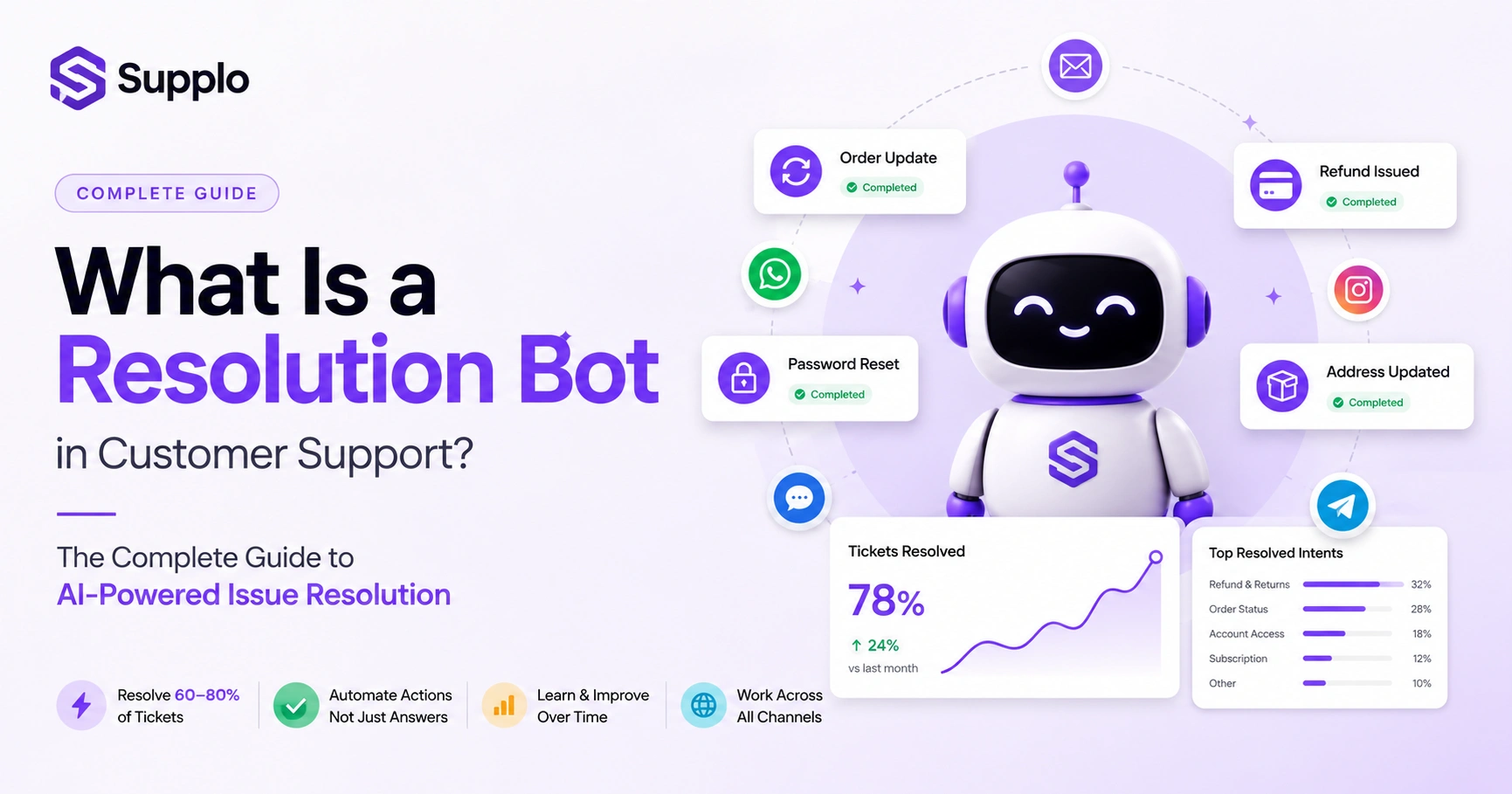
- They can deflect 60–80% of incoming tickets, freeing your human team to focus on the stuff that actually needs a brain.
- Pricing varies wildly: modern setups charge a flat workspace fee + roughly $0.04 per resolution. Compare that to legacy platforms hitting $0.99+ per AI-handled ticket.
What Is a Resolution Bot? A Clear Definition
A resolution bot is an AI-powered automation tool designed to resolve customer support issues fully, not just answer questions or route tickets. Think of it as the difference between someone handing you a map and someone actually driving you there.
Unlike basic chatbots that spit out information, a resolution bot does things. Resets passwords. Issues refunds. Updates orders. Escalates to a human when the task exceeds its capabilities. The key differentiator? Completion, not conversation.
These bots pull context from past tickets, knowledge bases and live interactions to understand intent before acting. They operate across channels, email, live chat, WhatsApp, Instagram and Telegram, without losing context. A proper resolution bot hands off cleanly to a human agent only when it can't complete the task, avoiding those frustrating dead-end transfers. The "resolution" metric matters way more than "response"; it's about fixed issues, not just replies. Our AI agent resolves up to 80% of incoming tickets automatically.
How Does a Resolution Bot Work?
A resolution bot works by combining intent recognition, knowledge retrieval and action execution into one continuous loop. Here's how it plays out:
When a ticket rolls in, say, via email or website chat, the bot analyzes the language, cross-references your knowledge base and past tickets, then decides whether it can handle the issue solo. If yes, it takes action (processes refunds, updates the shipping address). If no, it gathers whatever context it can and hands it off to your team with a full transcript.
It uses Natural Language Processing (NLP) to understand variations of the same request, "I need a password reset," "forgot my login," "can't access my account" and treats them as the same intent. Behind the scenes, it connects to backend systems (Shopify, Stripe, your CRM) via APIs to execute actions like refunds or order modifications. Each interaction trains the bot and missed intent flags tune the model over time. Best-in-class bots even translate messages in real time, so language never blocks resolution. And clean handoffs mean human agents get a prepared summary, not a blank ticket.
What Can a Resolution Bot Actually Do? Key Capabilities
A capable resolution bot handles most Level 1 and some Level 2 support tasks autonomously. We're talking password resets, order status updates, refund processing, subscription changes, shipping address edits and common FAQ loops. It also intelligently triages and escalates, so human agents only see tickets that genuinely require judgment or empathy.
Key capabilities include:
- Action execution: Initiates refunds, cancels orders and updates billing information through integrated systems.
- Contextual triage: Reads the conversation history to avoid asking for info the customer has already provided.
- Multichannel consistency: Applies the same resolution logic whether a customer emails, WhatsApps, or starts a live chat.
- Language translation: Resolves issues in 50+ languages without needing to hire translators.
- Escalation with context: Passes a summarized transcript to human agents, not a raw firehose of text.
Your inbox becomes the single source of truth for all these interactions, keeping everything organized across channels.
Resolution Bot Automation vs. Simple Chatbots: What's the Difference?
A simple chatbot gives answers. A resolution bot does things. That's the critical distinction. Chatbots are reactive text engines that pull from a script; resolution bots are action-oriented agents connected to your backend systems. The former reduces response time; the latter reduces ticket volume by closing issues outright.
Chatbots typically stop at "Here's how to reset your password." A resolution bot resets it for them. Resolution bots self-improve based on outcomes; if they misinterpret intent, they adjust. Simple chatbots require constant manual rule updates.
Handoff quality? Different universe. Chatbots often say "let me get a human" with zero context. Resolution bots pass everything the AI gathered. Statistically? Chatbots handle 10–20% of requests autonomously; resolution bots can handle 40–80% depending on integration depth. Multichannel bots that don't share state are common chatbots; unified resolution bots like Supplo share intent across all channels.
Key Benefits of Using a Resolution Bot for Customer Service
The primary advantage of a resolution bot is reliability: consistent, accurate issue resolution at scale. Customers get instant fixes without waiting for a human and your support team stops drowning in repetitive tickets. The result? Lower cost per resolution, higher customer satisfaction and a support team that actually works on hard problems instead of copy-pasting password reset instructions.
Benefits include:
- 24/7 Resolution: Customers get issues fixed at 2 AM without needing a night shift.
- Lower Costs: Dramatically lower cost per ticket compared to human-only support; some platforms charge as little as $0.04 per resolution.
- Consistency: The bot follows your exact policies every time, eliminating human error or inconsistency.
- Faster Handoffs: When escalation is needed, it happens with full context, so the human agent doesn't waste time catching up.
- Scalability: Your support capacity grows with your business, not headcount.
What Is a Self-Learning Resolution Bot and Why Does It Matter?
A self-learning resolution bot improves without manual reprogramming. Every time it misinterprets a request, fails to resolve an issue, or gets corrected by a human agent, it updates its model. Over time, it gets better at understanding intent, predicting the right action and recognizing edge cases, making your support operation smarter with each ticket.
Here's what that looks like in practice:
- It automatically learns from knowledge base updates, adds a new refund policy and adapts without a config change.
- It improves based on human feedback: if an agent overrides the bot's action, that override becomes training data.
- It handles long-tail queries better over time and the bot recognizes unusual phrasing patterns it would have failed on 100 tickets ago.
- This reduces maintenance overhead; you don't need a team updating bot scripts every time your product changes.
- Self-learning means the resolution rate climbs naturally without additional engineering work.
Where Resolution Bots Fit Into Your Support Stack
A resolution bot doesn't replace your support team; it replaces the grunt work your team is currently doing. It sits at the front of your support stack, triaging incoming tickets across email, live chat, WhatsApp, Telegram, Instagram DMs and Facebook Messenger. It resolves what it can and hands off what it can't, ensuring your human agents only see tickets that need their unique judgment.
It unifies multichannel requests into a single thread-based inbox so context doesn't fragment. It works alongside your existing knowledge base, drawing from it and learning from it. It integrates with your CRM and backend tools (Shopify, Stripe, HubSpot) to execute actions. It's not a layer you add on top of your team; it's the first point of contact your team supervises. The best setup? The bot handles 100% of incoming volume, deflects 60–80% of it and hands off the remainder. This includes a smart live chat widget on your website.
Compliance Line: Supplo is not affiliated with any app or website. Please follow each app's terms and local regulations.
What a Resolution Bot Cannot Do
Let's be real, no resolution bot handles everything well. Sensitive account security issues, complex billing disputes requiring human judgment, emotional support scenarios and brand-new, never-before-seen bug reports all warrant a human touch. A transparent bot will tell the customer it can't resolve the issue and hand off cleanly, not fake it.
Limitations to be aware of:
- Cannot make subjective decisions; "I feel this product is defective" requires human judgment.
- Cannot handle brand-new issues; it has zero training data (though self-learning helps here).
- Cannot perform actions that aren't integrated with. If you haven't connected Stripe, it can't issue refunds.
- Cannot replace empathy: for customers who need patience and emotional reassurance, humans are non-negotiable.
- A good bot knows its limits and surfaces them honestly rather than attempting a risky action.
How to Set Up a Reliable Resolution Bot Without the Headaches
The fastest, most reliable setup starts with one channel, usually live chat or email and one high-volume action (password resets or order tracking work great). Connect your knowledge base so the bot has a baseline of answers. Then, gradually add channels and actions as the bot learns. Avoid the temptation to over-configure on day one.
Steps for reliable setup:
- Start Small: Begin with a 14-day trial period using live traffic, with human override active; monitor where the bot is wrong.
- Knowledge First: Connect your FAQ knowledge base first, then add API integrations for actions (refunds, account changes).
- Train Smart: Train on historical tickets: import past conversations so the bot learns from real interactions, not guesswork.
- Test Handoffs: Use the "clean handoff" test: every escalated ticket should include a summary that a human agent can act on within 15 seconds.
- Track Metrics: Track resolution rate per action type, don't let "good overall" mask a broken specific flow.
Test a resolution bot on your real support flow, free for 14 days. See exactly what it resolves (and what it hands off) before committing a dollar. Start your free trial.
The Real Cost of Resolution Bot Automation
Here's where things get interesting. Legacy platforms like a public inbox site charge per resolution, typically $0.99 or more per AI-handled ticket, which scales terribly as volume grows. Modern alternatives like Supplo charge a flat workspace fee plus $0.04 per resolution, which makes the math very different for any team processing thousands of tickets monthly.
Supplo's pricing is flat per workspace, not per seat, so your bill stays stable as you add human agents. At $0.04 per resolution, 10,000 automated tickets cost $40, versus $990+ on per-resolution competitors. You can start your 14-day trial for free (no credit card required) to validate resolution rates before committing. There are no hidden "overage" fees; some platforms charge extra for resolutions beyond a certain limit. Transparent pricing means support remains a controllable cost center, not an escalating one.
Key Takeaways
- Resolution bots are action-oriented AI, distinct from information-giving chatbots.
- They provide 24/7, consistent issue resolution across multiple customer channels.
- Self-learning capabilities allow them to improve continuously with minimal manual intervention.
- Critical for deflecting repetitive tickets and allowing human agents to focus on complex, empathetic interactions.
- Pricing models vary significantly; compare flat workspace fees with per-resolution charges to find the most cost-effective solution for your volume.
Ready for support pricing that doesn't grow out of control? Supplo charges a flat workspace fee plus $0.04 per resolution, no per-seat creep, no surprise overage charges. Get started with your 14-day free trial.
FAQ
What is the difference between a chatbot and a resolution bot?
A chatbot answers questions; a resolution bot completes actions. If a customer says, "I want a refund," a chatbot explains the refund policy; a resolution bot processes the refund.
Can a resolution bot handle sensitive account security issues?
Not reliably. Security issues like compromised accounts or multi-factor authentication problems are best handled by a human agent with proper verification protocols. A reliable bot will escalate these immediately.
How long does it take to train a self-learning resolution bot?
Most bots achieve 50–70% accuracy within a few weeks when trained on historical ticket data. Full effectiveness typically takes 1–3 months as the model learns from live interactions and human feedback.
How do resolution bots avoid giving wrong answers when the knowledge base is incomplete?
They don't. If the knowledge base lacks coverage, the bot should hand it off to a human rather than guess. Self-learning bots flag missing topics so you can fill gaps.
Is a resolution bot safe to use with customer payment data?
Safe if the bot is integrated via secure APIs (no raw data processing) and the platform follows standard data protection practices. Never store credit card details in conversation logs.
What channels do resolution bots typically support?
Best-in-class bots support email, live chat widget, WhatsApp, Telegram, Instagram DMs and Facebook Messenger from a single unified inbox. Avoid bots that silo each channel.
How do I know if my support team needs a resolution bot?
If your team spends more than 40% of their time on repetitive tasks (password resets, order status, basic refunds) and you have over 500 tickets a month, a resolution bot will likely save you significant time and money.
Compliance line: Supplo is not affiliated with any app or website. Please follow each app's terms and local regulations.