On this page
Training an AI on your help documentation sounds intimidating, right? But honestly, it's one of the smartest moves you can make for modern customer support. This guide walks you through the whole process, how to take your existing knowledge base and turn it into a genuinely helpful self-learning AI agent. Whether you're a support manager, an automation enthusiast, or just someone tired of answering the same question for the hundredth time, this one's for you.
Here's the thing: training AI on your help docs isn't a mystical process reserved for PhD-holding engineers. It's about taking the knowledge you already have and feeding it to an AI in a way it actually understands. When done right, your static documents become a dynamic resolution engine, saving your team hours every week.
Quick Answer
- Feed clean, atomic documents: One topic per article, clear headings, active voice and keep it around 300–800 words.
- Train iteratively, not once: After initial ingestion, test queries, fix misses at the source and re-train.
- Include real support tickets: Anonymized ticket histories help the AI handle edge cases your formal docs might miss.
- Use a platform built for this: Supplo ingests your knowledge base and past conversations, resolves the bulk of tickets and cleanly hands off to humans, with transparent, flat pricing.
What is Self-Learning AI Documentation Training and Why Does It Matter?
Here's the straightforward version: self-learning AI document training is the process of feeding your company's documentation, help articles, support tickets and internal guides into an AI system so it can learn on its own. Unlike old-school chatbots that require manual updates whenever you add a new feature, a self-learning knowledge base improves without developer intervention. It analyzes real customer interactions and new content you publish, getting smarter over time.
For support teams, this changes everything. You're either answering the same questions manually forever, or you've got an AI handling them at scale. That's the real choice.
A self-learning AI knowledge base evolves as your products and FAQs change, reducing rework for your support agents. Skip the training, though and your AI will hallucinate or serve up outdated answers, a fast way to lose customer trust. The approach here is iterative: start with clean documentation, test it, review miss rates and re-train. Legacy tools charge per resolution (some hit $0.99 per ticket), which makes automated learning painfully expensive at scale.
Supplo is not affiliated with any app or website. Please follow each app's terms and local regulations.
How to Self-Train AI on Your Help Docs
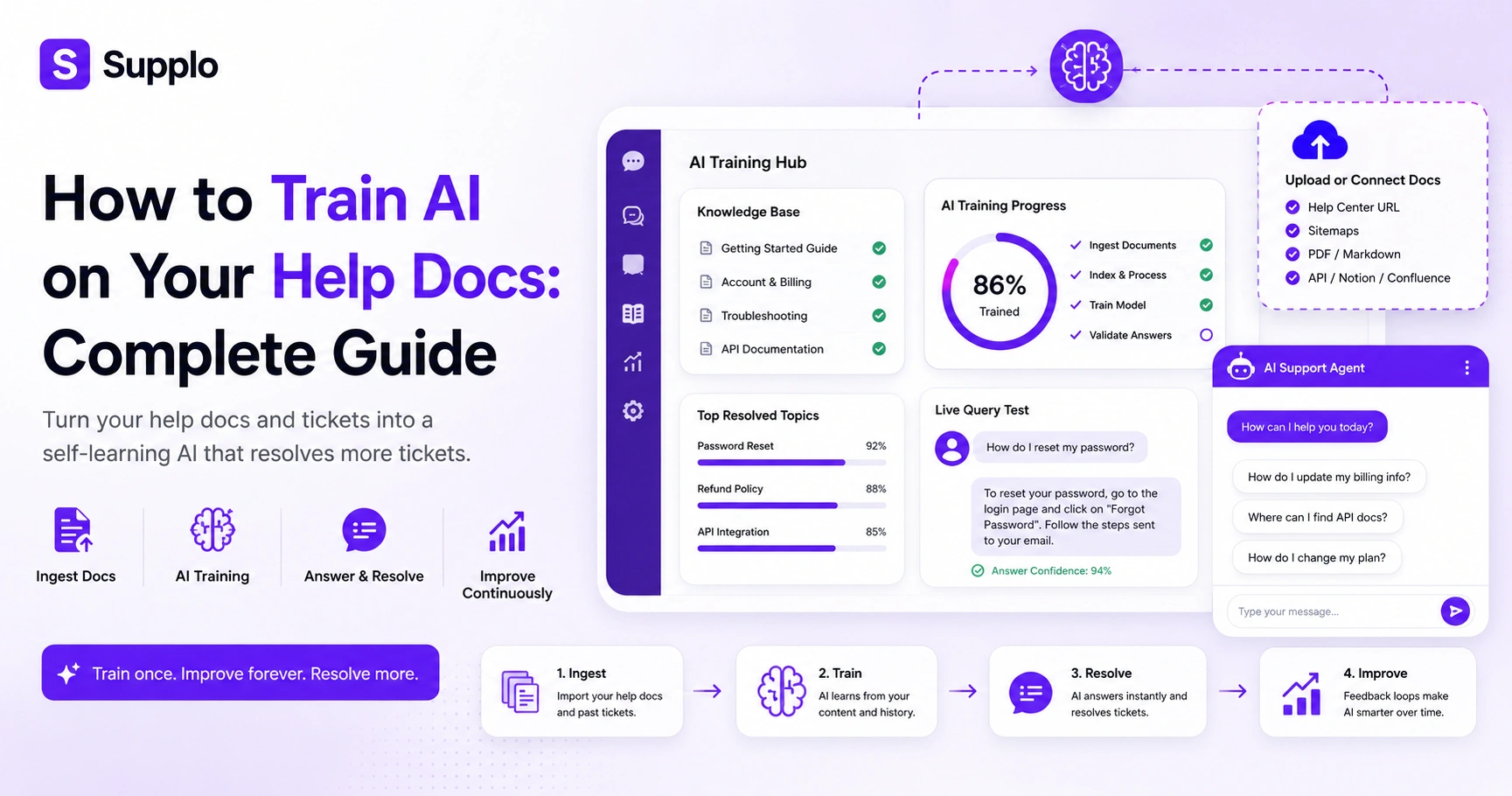
To self-train an AI on docs, you'll first want to gather all help articles, FAQs and product updates into one central spot. Most modern tools let you upload URLs or plain text and the AI indexes everything into a searchable knowledge graph. If your documentation is already organized, setup takes under an hour. If you're digging through scattered wikis, PDFs and Notion pages, budget a few days for cleanup.
Start with an audit. Go through your existing content and remove duplicates, outdated pages and anything with conflicting instructions. Your AI can only learn from what you feed it; garbage in, garbage out.
Pick an AI platform that supports automated ingestion via URL sitemaps, APIs, or direct uploads. You'll also want to define resolution confidence thresholds so the AI knows when to hand off to a human. Finally, run a sample batch of 20 common-support queries and adjust the training weight on low-confidence answers to fine-tune performance.
Structuring Your Knowledge Base for AI Training on Support Documents
This is where most people trip up. AI model training on support docs works best when your content is broken into small, focused chunks, one topic per article, not an encyclopedia-style page covering everything. Each document should have a clear title, a summary (2–3 sentences) and a hierarchy that mirrors how customers actually ask questions. If your knowledge base has 200-word paragraphs with zero headings, your AI will struggle to find the right answer.
Here's what works:
- Use consistent tagging like billing, account setup and troubleshooting so the AI routes intents accurately.
- Avoid overlap: if three articles answer "How to reset password," two of them will confuse your model and increase hallucination rates.
- Keep articles between 300 and 800 words. Too short and they lack context; too long and relevance gets diluted.
- Add a last reviewed date on every article so the AI can prioritize fresh information during knowledge base training.
Ready to test your docs in a live AI? Start a free 14-day trial at Supplo.io. Upload your knowledge base, let the agent handle the first 10 tickets and see how clean your documentation really is. No payment is required to start.
Document Formatting & Best Practices for Support Document AI Training
The format matters more than you'd think. AI training process documentation tools ingest plain text, Markdown, or HTML, but it's the semantic structure, clear H2S, bullet lists and tables that help the model understand relationships between concepts. Avoid PDF-only storage; most AI parsers lose layout fidelity on scanned documents. Write in plain language that matches how your customers speak: How do I get a refund? not the Refund Policy and Procedure.
Quick formatting checklist:
- Use active voice and direct steps (Click the Settings tab, not The Settings tab should be clicked)
- Include at least one real customer example per support article
- Aim for a Flesch-Kincaid grade level of 8 or lower
- Remove jargon and internal acronyms (or provide a glossary)
Honestly, writing for AI isn't that different from writing for humans, just clearer and more structured.
Learn more about our helpful self-learning AI agent.
Running Your First Model Training Session: AI Training Process Documentation
Once your documents are ingested, you kick off a training session where the AI processes everything and builds its internal model. Sessions can take minutes to hours, depending on how much content you've got. After training, test with 5–10 queries that represent your most common support tickets. Expect some misses early on; that's normal. Adjust by re-ranking documents or writing more precise article summaries.
Most platforms show you a training dashboard with which documents were indexed and which were skipped. If your AI can't answer a simple query correctly, the problem is almost always missing or contradictory source material. Schedule re-training after every significant product update or knowledge base refresh. And log all your test queries, over time, that log becomes your validation set.
Monitoring, Feedback Loops and Your AI Training Methodology
A self-learning AI knowledge base isn't something you set and forget. It needs a continuous feedback loop. When customers rate answers as unhelpful, or your agents correct the AI mid-chat, those signals should feed back into the training pipeline. Your AI training methodology should include weekly reviews of miss rates, quarterly documentation audits and a clear escalation path for when the AI consistently fails on a new topic.
Set up a dashboard that tracks:
- Resolution rate: how many tickets the AI handles successfully
- Escalation rate, how many get passed to humans
- Average customer satisfaction per AI answer
Use miss events to identify documentation gaps, then write a new article or expand an existing one. For nuanced topics like billing disputes or account recovery, keep the AI's confidence threshold high so human agents step in. The best approach is iterative: train, test, find the root cause of every failure, fix the doc and re-train.
Common Pitfalls in Documenting for AI Training And How to Avoid Them
Most failed AI document training comes down to three things: outdated content, inconsistent formatting and training on too much unstructured data. Your docs need active maintenance; abandoned wikis produce confident but wrong answers. Another trap is mixing customer-facing and internal documentation without labels, so the AI accidentally leaks terms like internal escalation SLA to customers.
Pitfall 1: Train it on everything we have. Prioritize high-volume support topics first.
Pitfall 2: No version control. The AI learns from an old refund policy while your team uses a new one.
Pitfall 3: Treating training as a one-time project. Schedule quarterly reviews.
Pitfall 4: Expecting the AI to figure it out. Clean, logical source material is non-negotiable for effective help docs AI training.
Troubleshooting: When Your AI Training on Company Documentation Fails
If your AI keeps giving incorrect or incomplete answers, start by checking which documents it cites. Most tools show source attribution per answer; if it's pulling from the wrong document, your content hierarchy needs restructuring. Common causes include duplicate articles, documents without clear summaries and formatting that the parser rejects (such as JavaScript-rendered pages or image-only PDFs).
Check your ingestion logs: did every document actually parse successfully? Run a null query test: ask the AI a question where the answer exists in two different places, does it combine them or pick one? If answers are too short, your articles probably lack sufficient context or a closing summary.
Supplo is not affiliated with any app or website. Please follow each app's terms and local regulations.
Training AI on Support Tickets for Smarter Resolutions
Help docs are the foundation, but customer support AI training documents should also include historical ticket data. Past conversations include the exact phrasing customers use, edge-case solutions and agent-written responses that your knowledge base might not cover. Some platforms (including Supplo) can learn from past ticket resolutions to improve accuracy, turning your support history into an active training asset.
A few things to keep in mind:
- Anonymize tickets before feeding them in, strip names, emails and sensitive account data
- Train on resolved tickets only; unresolved ones may contain incorrect information
- Ticket-based training is especially useful for product-specific bugs and workaround documentation
- Review the new ticket vs. AI answer accepted ratio monthly to gauge progress
Still struggling with low AI accuracy? It might be your source material, not the AI. Supplo offers a transparent self-learning agent that trains on your docs and ticket history, and if your code fails, our support team helps you fix the root cause. Try it free at Supplo.io.
The Practical Alternative: Using Supplo for Self-Learning AI Setup
Look, you could wrestle with open-source models or hire a machine learning engineer to stitch together your AI training pipeline. Or you could use a platform like Supplo that does it all, automatically ingesting your knowledge base and ticket history. Setup takes minutes, not weeks. And the AI resolves the bulk of incoming tickets at a flat $0.04 per resolution, not $0.99 like the legacy players charge. You can start your 14-day trial for free and see live results before committing.
Supplo unifies email, website chat, WhatsApp, Telegram, Instagram DMs and Facebook Messenger so the AI trains across channels into a shared thread-based inbox. The AI learns from your knowledge base AND past conversations, continuously improving with zero manual re-training. Pricing is flat per workspace, no per-seat inflation and payments include crypto (Binance Pay, Payeer), localized options (GCash, DOKU) and regional card coverage (Nigeria, South Africa). Handoff is clean: when the AI can't resolve, it transfers the entire thread to a human agent while preserving context.
Key Takeaways
- Self-learning AI is essential for scaling customer support without escalating costs.
- Well-structured, clean and consistently formatted documentation is the bedrock of effective AI training.
- An iterative AI training methodology with continuous feedback loops ensures ongoing accuracy and relevance.
- Beyond help docs, historical support tickets offer invaluable real-world training data.
- Platforms like Supplo simplify the entire process, offering a practical, cost-effective solution for setting up self-learning AI.
Want ongoing, accurate AI resolution without the $ 0.99-per-ticket fees? Supplo handles self-learning AI setup, multichannel inbox and human handoff at a flat $0.04 per resolution, no per-seat surprise billing. Pay with crypto (Binance Pay, Payeer), GCash, DOKU, or regional cards. Start your 14-day free trial at Supplo.io.
FAQ
Can I train a self-learning AI on my existing help docs without starting from scratch?
Yes. Most AI platforms, including Supplo, ingest existing documentation via URL sitemap, API, or file upload. The key is to ensure your documents are clean, up to date and consistently formatted before ingestion.
How long does it take to train an AI on company documentation?
Initial setup typically takes 30–60 minutes for ingestion and indexing. Full model training may take a few hours, depending on document volume. Achieving reliable accuracy usually requires 1–2 weeks of tuning the feedback loop.
Does training AI on support documents require coding or ML expertise?
No. Modern self-learning AI tools handle the entire training pipeline. You only need to provide clean documentation and review a test query set, no Python, no model architecture knowledge.
Why does my AI sometimes give wrong answers even with good documentation?
The most common cause is overlapping or contradictory source content. Check if two articles cover the same topic differently, or if your AI is pulling from an outdated document. Also, verify that formatting is parser-friendly.
How often should I retrain my AI knowledge base?
Every time your products, policies, or pricing change. At a minimum, schedule a full quarterly re-training with updated documentation. For fast-moving companies, monthly re-training is recommended.
Can AI training on support tickets improve resolution rates?
Yes. Historical ticket data teaches the AI real customer phrasing and edge-case resolutions that may not be covered in your help docs. It's one of the most effective ways to reduce escalation rates.
Is it safe to use customer data for AI training?
Only if you anonymize or strip personally identifiable information (PII) before feeding tickets into training, Supplo and other compliant platforms handle this automatically. Always check your local data privacy regulations.
Compliance line: Supplo is not affiliated with any app or website. Please follow each app's terms and local regulations.


