On this page
Customer service automation chatbot examples are everywhere these days. Everyone's talking about AI this, chatbot that. But the ones that actually work? Those are harder to find.
When you get it right, automation can seriously upgrade your support game. Faster resolutions, happier customers, lower costs. This article walks through nine real-world examples that deliver, from resolving tickets automatically to juggling conversations across a dozen channels without breaking a sweat.
Quick Answer
- Reliable AI pulls answers from a connected knowledge base and leaves a clear audit trail. No guesswork.
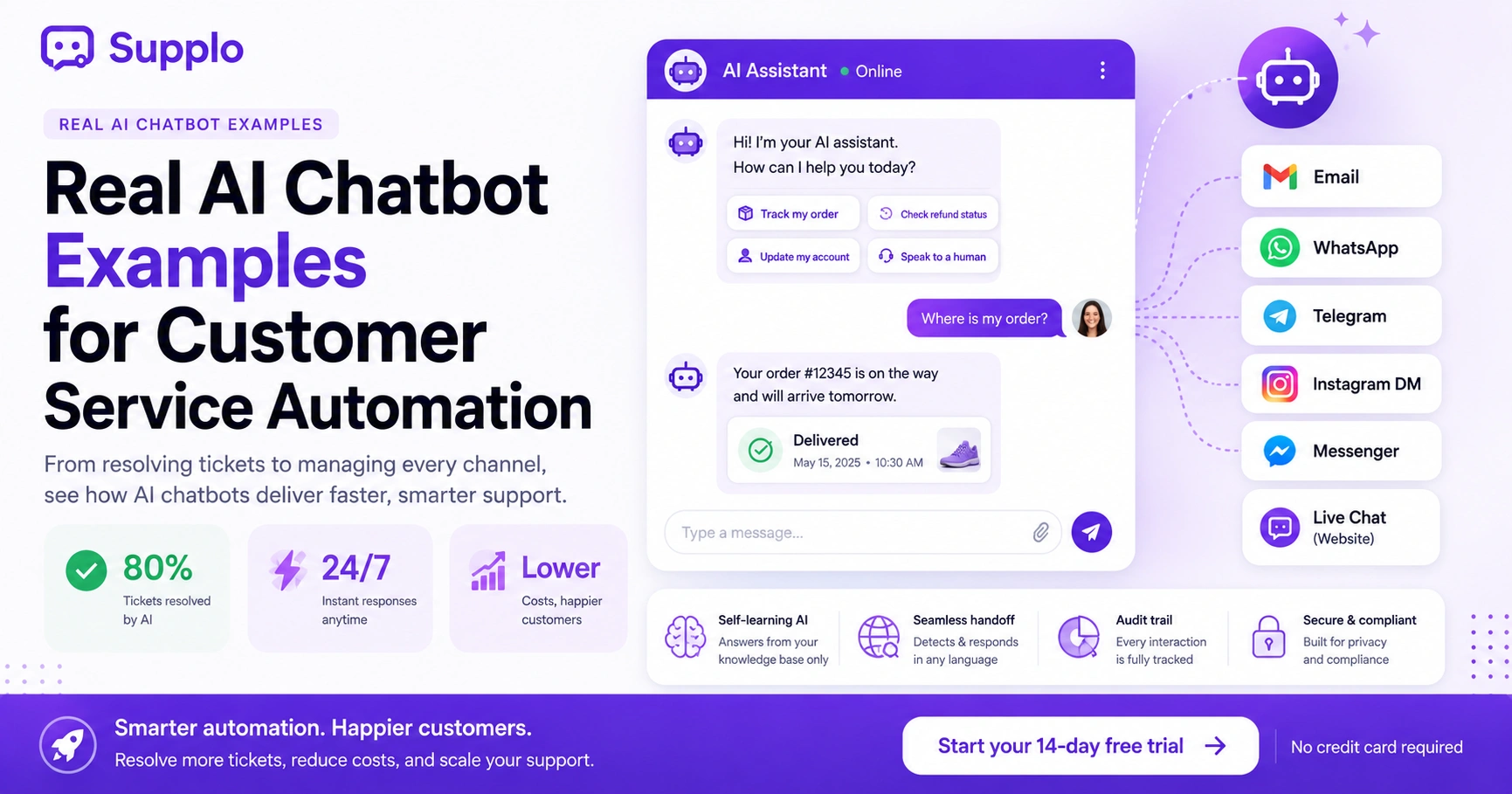
- Good chatbots can resolve up to 80% of tickets before a human ever sees them.
- Multichannel automation integrates email, WhatsApp, Telegram, Instagram DMs and Facebook Messenger.
- Smart pricing charges per resolution (like $0.04), not per seat.
- Track the right things: resolution rate, handoff rate and CSAT after bot interactions.
- Avoid common mistakes by keeping your knowledge base up to date and planning for smooth handoffs.
What Makes a Customer Service Automation Example Reliable
Here's the thing: a reliable automation example isn't just a chatbot that says "I'll escalate this" and calls it a day. It actually resolves the issue from start to finish. When it gets stuck, it hands off cleanly. And it doesn't make stuff up.
Look for examples where the AI connects to your existing docs, FAQs and past tickets and translates accurately across languages, where every interaction leaves a trail you can trace.
- Reliable AI leans on what you've already written, not random internet knowledge.
- The best examples are hand off conversations without losing context. The human never has to ask "so what happened before?"
- Skip examples where automation breaks after a language switch or a complex request.
Want to test these automation examples with your own team?
Start Your Free 14-Day Trial.
AI Chatbot Customer Service Examples: Resolving Tickets Before a Human Sees Them
So what does this look like in practice? Think routine stuff, password resets, order status, shipping times; the kind of questions that eat up your team's morning. A solid AI agent can handle up to 80% of those incoming tickets without ever touching your human inbox.
And it's not just about deflection. The bot actually resolves things. Customers get answers. Tickets close. Your team breathes.
- Common resolutions: refund eligibility checks, account updates, basic troubleshooting steps.
- The bot should admit when it doesn't know something. No fake confidence. Just a clean handoff.
- Pricing smart: look for models that charge per resolution (think $0.04) instead of per seat. Your bill stays flat as you scale.
Customer Service Email Automation Examples That End the Inbox Chaos
Email inboxes can be a disaster zone. But automation changes that. Smart tools can triage, categorize and even reply to common inquiries without a person typing a single word.
Imagine auto-responders that pull order details straight from your CRM, not just a static "thanks for your email." Or auto-tagging that sorts refund requests from technical issues. Suddenly, your team sees priority first.
- Smart auto-replies use real data, not templates that feel robotic.
- Auto-tagging by intent (refund, technical, billing) so humans know what's urgent.
- Time-based escalation: no reply within X hours? Bump it up automatically.
WhatsApp Automation Customer Service Examples for High-Volume Conversations
WhatsApp is massive for business communication. And automation there? It handles hundreds of order inquiries daily without breaking a sweat.
A typical setup uses an AI agent to answer FAQs, send tracking links and collect basic details before handing off to a human, all within WhatsApp's encrypted environment. Fast, secure, efficient.
- Quick reply buttons let customers tap "track order" or "speak to someone" instantly.
- Automated after-hours confirmations with expected reply times. No one feels ghosted.
- Multi-language detection is huge here. The bot spots the language, translates and responds appropriately.
Supplo is not affiliated with any app or website. Please follow each app's terms and local regulations.
Facebook Messenger Automation Examples That Keep Your Brand Responsive
Messenger bots get a bad rap sometimes. But done right, they're gold for lead qualification and simple order tracking.
Reliable setups use a bot to ask qualifying questions- name, email, issue type- then route the conversation to the right department. The thread never breaks. The customer never repeats themselves.
- Automated greeting sequences capture the basics before a human jumps in.
- Integration with your shared inbox means messages don't get lost in Facebook's separate notification hell.
- Bot-to-human switch mid-conversation without losing context. That's the magic.
Multichannel Customer Service Automation Examples
Here's where it gets interesting. True omnichannel automation doesn't mean running a separate bot for each channel. That's chaos.
Real examples unify email, website chat widget, WhatsApp, Telegram, Instagram DMs and Facebook Messenger into one thread-based inbox. So a customer can start on chat, switch to email and finish on WhatsApp, without repeating anything.
- The AI reads across channels and never asks the same question twice.
- Each customer gets a persistent thread, even switching devices mid-conversation.
- Automation rules apply globally. Write the flow once and it works everywhere.
For teams with global customers, Supplo also supports less common payment options, including Crypto, Binance Pay, Payeer, GCash, AmanPay, QIWI Wallet, DOKU, cards from Nigeria and South Africa, Skrill and Payoneer, so you can pay in a way that fits your business.
Customer Service Workflow Automation Examples for Complex Requests
Simple Q&A is great. But workflow automation? That's where things get powerful.
Picture this: a customer submits a damage claim. The AI pulls the order, verifies the shipping address, assigns a priority level and creates a ticket in the team inbox, all before a human even says "I'll look into that."
- Conditional logic: if the claim value exceeds $100, send to senior agent. Else auto-refund.
- Multi-step approvals: the bot collects photos or documents and then routes them to the right team.
- Audit trail: every action is logged for training, compliance and improvement.
Email Ticketing Automation Examples That Turn Messages into Trackable Tickets
Good email ticketing automation transforms any inbound email into a structured ticket: tags, priority level, assigned owner, the whole package.
Think auto-creating tickets from support@, billing@ and info@ addresses, each with different routing rules and response templates. No more "which inbox is this in?"
- Rule-based routing: tech questions go to Tier 2, billing goes to finance.
- Auto-reply with ticket ID and expected resolution time. Customers know what's happening.
- Collision detection: prevents two agents from replying to the same email simultaneously.
Examples of AI in Customer Support That Actually Save Money vs. Legacy Tools
Money talk. The most cost-effective AI examples charge per resolution, not per seat. Your bill stays flat even as your team adds 10 more agents.
Compare that to legacy tools charging up to $0.99 per AI resolution. Modern alternatives like Supplo charge around $0.04. On high-volume support, that difference saves thousands.
- Flat pricing per workspace means no surprise per-agent surcharges as you scale.
- The AI agent resolves tickets independently, reducing headcount needed for Level 1 support.
- No hidden fees for translations, channel integrations, or advanced automation.
How to Measure If Your Chatbot Automation Customer Service Examples Are Working
Track the right numbers: resolution rate (how many issues ended without human touch), handoff rate (how often the bot gave up) and customer sentiment post-interaction.
An example that resolves 70% of tickets but has a 30% negative sentiment score? Needs work. Dig into why.
- Use CSAT surveys after bot interactions, not just human conversations.
- Monitor escalation reasons; if the bot consistently fails on the same topic, update its knowledge base.
- Compare cost per resolution before vs. after automation to justify the investment.
Common Pitfalls When Scaling AI Customer Service Automation and How to Avoid Them
Two big mistakes: training the AI on outdated content and failing to plan for graceful handoffs.
Reliable automation examples update their knowledge base in real time. They have clearly defined "I don't know" fallbacks that connect to a human without friction.
- Hallucination risk: always set confidence thresholds below which the bot must escalate.
- Channel inconsistency: if your WhatsApp bot works differently than your email bot, customers get confused.
- Forgetting compliance: ensure the bot never claims to be human or stores sensitive data without clear disclosure.
If an automation example fails your stress test, it might be your tool, not your process.
See Supplo’s flat pricing.
Key Takeaways
- Reliable AI uses self-learning models that answer only from your verified knowledge base, not from general web data.
- The best omnichannel examples unify email, WhatsApp, Telegram, Instagram and Facebook Messenger into one thread-based inbox.
- Cost-effective automation charges per resolution ($0.04) instead of per seat. Your bill doesn't grow with your team.
- Always measure resolution rate, handoff rate and CSAT after bot interactions to verify reliability.
- Avoid pitfalls by updating your knowledge base in real time and planning for graceful handoffs.
FAQ
Can AI customer service chatbots handle complex refund disputes?
Yes, but only if a knowledge base and workflow automation backs them. The bot can collect details and verify eligibility, then hand off the final approval to a human. The key is a clean handoff that preserves the whole conversation.
How much does AI customer service automation typically cost?
It varies. Legacy tools can charge up to $0.99 per AI resolution. Modern platforms like Supplo charge a flat $0.04 per resolution. Per-seat pricing inflates quickly as your team grows, so look for per-workspace or per-resolution models.
What channels should my automation support for omnichannel service?
At minimum: email, live website chat, WhatsApp, Telegram, Instagram DMs and Facebook Messenger. A single shared inbox ensures no message gets lost and the AI can track context across channels.
How do I prevent my AI chatbot from giving wrong answers?
Use a self-learning AI that draws only from your verified knowledge base and past conversations. Set a low confidence threshold for escalation and always log failed responses for manual review.
Is it safe to let automation handle payment-related conversations?
For common inquiries such as billing dates, invoice requests, or payment method changes, yes. For sensitive actions like refund processing or account deletions, automation should collect data and route to a human.
Can automation handle multi-language support out of the box?
Many modern AI agents include automatic translation. Your bot can detect the customer's language, translate their message, answer in their language if trained, or escalate to a human who speaks it if needed.
How long does it take to set up a reliable customer service automation example?
A few hours for basic FAQs and auto-replies. Full omnichannel setup with workflow automation and knowledge base training can take 1–2 days if your content is ready.
How can I ensure my chatbot adheres to data compliance standards?
Ensure your chatbot is transparent about its data-handling practices, provides clear disclosures and complies with GDPR or CCPA guidelines. Regularly audit bot interactions to verify compliance.
Compliance line: Supplo is not affiliated with any app or website. Please follow each app's terms and local regulations.