On this page
Who This Article Is For
If you're tired of chatbots that sound like bad translators and solve nothing, you're in the right place. This article walks through 10 real-world AI customer support chatbot examples that actually handle problems, the kind your customers actually throw at you every day. Whether you're running a two-person shop or a growing team, these setups can save you time and headaches.
Quick Answer
- Reliable AI chatbots learn from your knowledge base, not public data.
- Unified shared inbox keeps all channels in one thread.
- Per-resolution pricing ($0.04/resolution) is more predictable than per-seat models.
- Test any AI chatbot on your hardest tickets before committing.
- Look for transparency in training data and escalation paths.
- Supplo offers a free 14-day trial to test the AI on your real tickets.
What makes an AI customer support chatbot reliable vs. risky
Here's the simple test: does it know when to say "I don't know"? A reliable chatbot answers accurately, hands off gracefully when it's out of its depth, and trains exclusively on your data, not random internet noise. The risky ones? They'll confidently guess wrong, frustrate your customers, and charge you per-seat fees that skyrocket every time you hire someone new.
- Real-time learning from past conversations and uploaded docs, not just canned responses.
- Honest escalation to human agents when confidence is low (no fake "solved" tickets).
- Flat workspace pricing vs. per-seat pricing that penalizes team growth.
- Security: encryption, compliance with data regs, no training on your private conversations.
To ensure reliability, choose a chatbot that is trained exclusively on your data, such as Supplo’s AI agent, which resolves tickets automatically.
Live chat examples that turn stalled conversations into closed tickets
The magic isn't in the bot itself; it's in the handoff. A banking bot that authenticates a user, then passes the verified context (account number, issue summary) directly to an agent without the customer repeating themselves? That's gold. An ecommerce bot that captures shipping preferences in chat, then moves the entire thread (with a clean AI summary) to the shared inbox for final approval? Also gold.
- Authentication flow: bot collects identity → hands verified session to human.
- Cart recovery: the bot asks, "Did you find everything?" → agent gets exact product + hesitation reason.
- Escalation markers: bot flags sentiment (angry, confused) so agent knows tone to use.
- Cross-platform continuity: user starts on web chat → continues same thread on WhatsApp.
Why a shared inbox is the hidden backbone of good chatbot automation
A shared inbox turns chaos into one chronological thread. Without it, your chatbot scatters customer history across platforms, email says one thing, chat says another, and agents waste time piecing it together. The best setups give every agent a single pane of glass: AI-suggested replies, collision detection (no two agents typing at once), and threaded history that survives channel switches.
- Thread consolidation: one customer, one ticket, even if they email and DM simultaneously.
- Agent assignment: auto-route based on expertise or previous interaction.
- Collision prevention: lock a ticket while an agent is typing.
- Audit trail: who said what, when, and where, without toggling between tools.
Supplo's shared inbox is a prime example of how a unified inbox can streamline your support process.
Self-learning AI examples: how a bot gets smarter without you lifting a finger
Imagine a bot that learns from its mistakes automatically. A hardware vendor's bot fails to answer "my device won't power on." An agent resolves it with a power cycle guide. Next time? The AI answers correctly, no manual retraining. That's self-learning done right. The catch: it learns only from your data, not from public forums or unverified sources.
- Auto-discovery: AI scans new knowledge base articles and updates its response logic.
- Resolution feedback loop: after a ticket is solved, AI reviews the resolution path to improve future answers.
- Confidence thresholds: bot answers only from learned patterns with confidence above 90%; otherwise, escalates.
- Data isolation: learns exclusively from your company's content, no public-garden cross-pollination.
Chatbot automation examples that handle the bottom 80% of tickets
Repetitive stuff is what bots are built for. Password resets, order status, shipping updates, appointment scheduling- the bottom 80% of your ticket volume can run on autopilot. A logistics bot pulls real-time tracking data automatically and only escalates if it shows "delayed." A SaaS bot handles trial extensions, billing address changes, and cancellation requests without an agent ever touching it.
- Password reset flow: bot verifies identity → sends reset link → marks ticket resolved.
- Order status ping: pulls API data → formats as clean update → closes ticket automatically.
- Billing changes: bot updates payment method via secure token → confirms in thread.
- Appointment reschedule: checks calendar → offers alternatives → books new slot.
Virtual assistant examples for email, social, and web chat
A virtual assistant shouldn't live only on your website. The best ones manage Instagram DMs about product availability, process email complaints, and answer web chat questions, all from one inbox. The customer never repeats themselves because the AI can see the full conversation history, regardless of channel.
- Email parsing: bot extracts intent (refund, complaint, query) from unstructured email text.
- Social DM integration: Instagram and Facebook replies happen within the same inbox as email.
- Language consistency: AI translates inbound messages and outbound replies in 50+ languages.
- Time-zone awareness: the bot can defer human handoff based on local business hours.
Supplo's chat widget embed for your website is a great way to start unifying your support channels.
Customer service automation examples that scale without breaking your budget
Here's the math that matters: a mid-market SaaS company automates 80% of its tier-1 tickets using AI trained on its help center. The platform charges $0.04 per automated resolution, not $0.99 like legacy tools. Adding three new support agents doesn't triple the software bill because there's no per-seat fee. More volume, less cost. That's the goal.
- Per-resolution pricing: you only pay for automation that actually works, not for every query received.
- No seat licensing: add as many human agents as needed, with no incremental per-user costs.
- Supports crypto payments: Binance Pay, Payeer, GCash, and local methods for global teams.
- Flat workspace model: predictable monthly bill regardless of ticket volume or team size.
Supplo offers transparent flat pricing that scales with your business, not against it.
Multichannel support examples: from WhatsApp to Telegram in a single thread
This is the holy grail: a customer starts a ticket on WhatsApp, sends a follow-up via email, and attaches a screenshot through Instagram DM, all in one thread, in order, with timestamps. A travel booking agency's AI handles flight delay queries across Telegram, WhatsApp, and email; the bot updates all channels when a ticket status changes. The agent steps in only when rebooking is needed, and they can see the full multichannel history.
- Channel-merged timeline: messages from different apps appear chronologically in one list.
- Outbound consistency: the agent's reply automatically returns to the original channel.
- No context loss: customer doesn't repeat "I emailed earlier" because agent can see the email above.
- WhatsApp-specific features: rich media sharing, template messages, quick reply buttons.
Supplo's connect WhatsApp customer support feature ensures seamless multichannel support.
How to choose the right AI chatbot for business based on reliability
Three things to check before you commit: training transparency (does it learn from your knowledge base alone?), escalation honesty (does it hand off cleanly when confused?), and pricing simplicity (does the bill grow with your team or with your success?). Avoid tools that claim 100% automation; no AI catches everything. Instead, look for platforms that publish their confidence thresholds and let you test them on your own data first.
- Test with your worst tickets: feed it your top 10 hardest customer queries.
- Examine fallback logic: what happens when AI says "I don't know"? (should go to human, not dead-end).
- Read the fine print: per-seat vs. per-resolution vs. flat workspace, calculate for your team size.
- Look for self-learning boundaries: does it train only on your data, or also on aggregated customer data?
Getting started with Supplo: the most transparent automated customer support example.
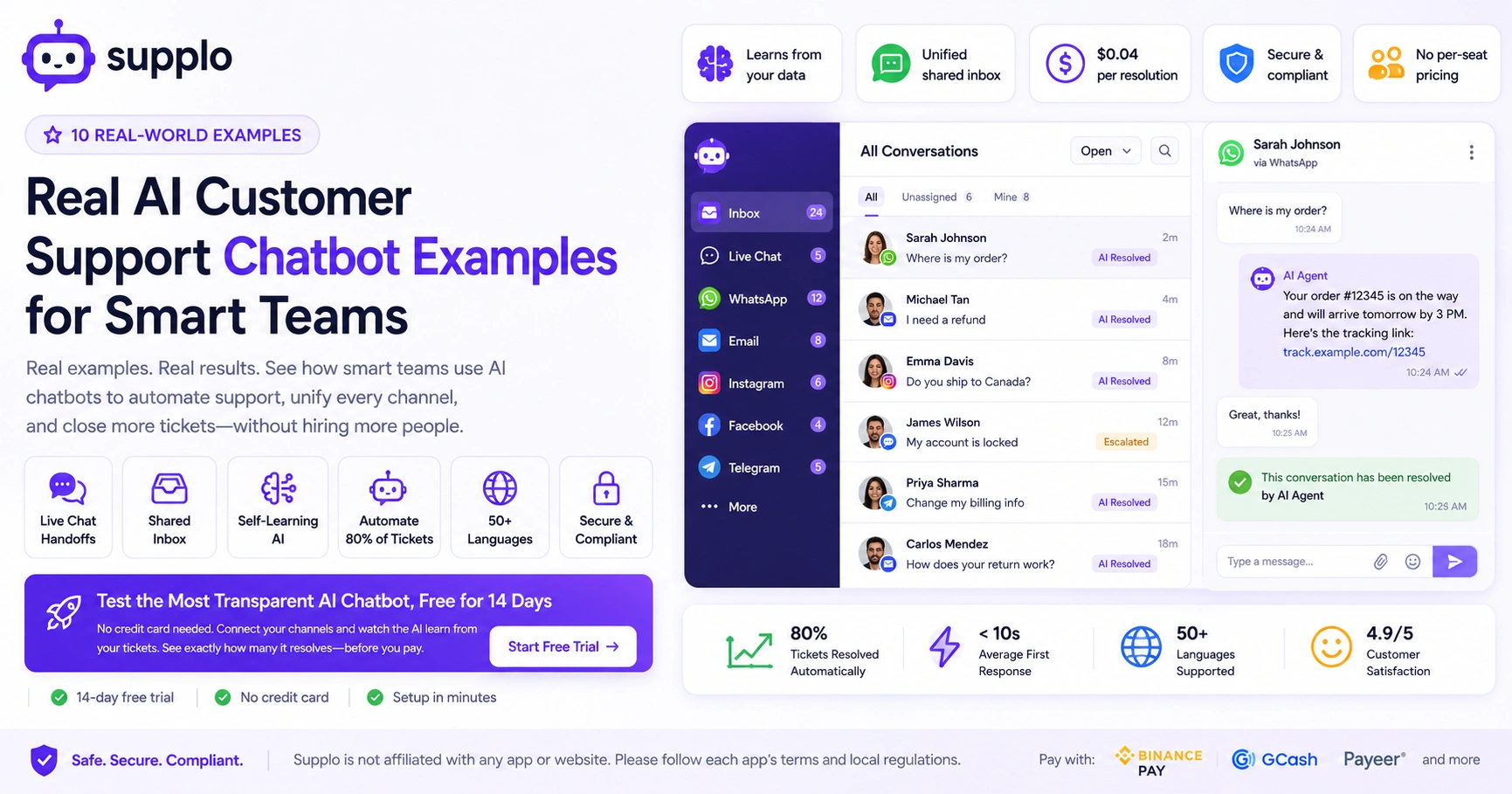
Supplo was built as the practical alternative to bloated tools that charge per seat and hide their training methods. You get a shared inbox that merges live chat, email, social DMs, and WhatsApp into one thread, plus an AI agent that resolves up to 80% of tickets at a flat $0.04 per resolution. Setup takes minutes: connect your email, embed the widget, link your knowledge base, and the AI starts learning from your existing tickets. Start free with a 14-day trial; no credit card required.
- Connect everything: email, widget, WhatsApp, Telegram, Instagram, Facebook, one dashboard.
- AI learns in minutes: upload your knowledge base or connect past threads, and it's operational.
- Flat workspace pricing: your bill doesn't multiply as you add human agents or channels.
- Free trial: explore all features for 14 days, test with your real customer volume.
Test the Most Transparent AI Chatbot, Free for 14 Days
No credit card needed. Connect your email, embed the widget, and watch the AI start learning from your existing tickets. See exactly how many it resolves, and how many it hands off, before paying a dime. → Start Free Trial.
Key Takeaways
- Reliable AI chatbots learn from your knowledge base, not public data.
- A shared inbox unifies all customer messages into one thread.
- Self-learning AI improves over time with no manual retraining.
- Automation handles the bottom 80% of repetitive tickets.
- Virtual assistants can manage email, social DMs, and web chat from one inbox.
- Per-resolution pricing is more budget-friendly than per-seat models.
- Test any AI chatbot on your real tickets before committing.
- Choose platforms with transparent training data and clear escalation paths.
FAQ
How reliable are AI customer support chatbots for sensitive issues like billing?
Reliable chatbots can handle basic billing queries (checking payment status, updating cards) by working with tokenized payment data. They should never store or ask for full card numbers or passwords. For any billing dispute, the AI should hand off to a human agent with full context and never attempt to resolve it on its own.
Can an AI chatbot replace human agents completely?
No credible chatbot replaces humans entirely. The best automation handles the bottom 80% of repetitive queries (password resets, order status, FAQ answers) and escalates the rest. Any tool claiming 100% automation is either exaggerating or risking bad customer experiences.
How does a shared inbox improve bot reliability?
A shared inbox preserves the full customer history across email, chat, and social DMs. The AI reads that history before answering, so it doesn't contradict previous conversations. It also prevents two agents from replying to the same ticket, which is a common source of confusion.
Do AI chatbots learn from my data or from public sources?
Self-learning AI in customer support should train exclusively on your knowledge base documents, past resolved tickets, and any content you explicitly provide. Reputable platforms do not train on aggregated customer data or public internet content.
What should I do if an AI chatbot gives a wrong answer?
Immediately review the ticket for root cause: was the knowledge base missing the answer? Was the AI's confidence threshold set too low? Most platforms let you adjust confidence levels and retrain the bot on specific failures. Then update your knowledge base so it learns correctly.
Is AI chatbot support compliant with data privacy regulations?
It depends on the platform. Look for encryption at rest and in transit, data processing agreements (DPAs) for GDPR compliance, and ensure that training data isn't shared with external LLMs. Supplo is not affiliated with any app or website. Please follow each app's terms and local regulations.
How do I measure if chatbot automation is actually working?
Track resolution rate (percentage of tickets solved without handoff), deflection rate (how many tickets were prevented), and customer satisfaction (CSAT) on both bot-resolved and human-resolved tickets. Rising CSAT on automated tickets is the strongest indicator of success.
How do I ensure a smooth transition to using an AI chatbot?
Start with a small, manageable set of tickets and gradually scale. Test the chatbot on your most repetitive queries first. Communicate changes to your customers and provide a clear escalation path if they need human assistance. Monitor performance closely and adjust settings as needed.
Compliance line: Supplo is not affiliated with any app or website. Please follow each app's terms and local regulations.


