On this page
Choosing the best customer support software isn't just about picking a tool with flashy features. It's about investing in the long-term reliability of your customer experience, and honestly, that's something too many buyers overlook until it's too late.
This guide is designed for customer support managers, founders, and anyone trying to streamline support operations, cut costs, and give their agents technology that actually works (rather than technology that gets in the way).
You know you need customer support software when your current setup, maybe a shared email inbox, a few scattered channel tools, or that one spreadsheet you swear you'll retire next month, starts creating friction. Response times slow down. Customer context disappears. Agents waste time hunting for information instead of helping people.
You don't need new software if your current setup is perfectly efficient, agents have full context of every interaction, and costs are completely predictable. But let's be real: for most growing businesses, that's rarely the case.
Quick Answer
- Reliability First: Prioritise stable uptime, consistent performance under load, and real-time sync across agents
- Audit Your Workflow: Understand your current bottlenecks and pain points before evaluating any software.
- Unified Omnichannel: Look for a single inbox that consolidates all channels into one customer thread
- Smart AI Agents: Choose AI that learns from your knowledge base, resolves common tickets automatically, and offers clean human handoffs
- Growth-Friendly Pricing: Opt for flat per-workspace pricing over per-seat models to avoid escalating costs
- Test Thoroughly: Use free trials to test platforms with real conversations and team members before committing.
What Makes Customer Support Software Reliable?
Here's the thing about reliability: it's not just about uptime percentages on a status page. Real reliability is whether your team can consistently resolve tickets without dropped conversations, delayed responses, or platform lag that makes you want to throw your laptop out the window.
A reliable tool keeps your conversation history intact. It routes messages correctly, every time, not just when the stars align. And it doesn't add friction when you scale from five agents to fifty. The AI should work predictably, not like a lucky black box that works one day and fails the next.
What to look for:
- Guaranteed uptime (99.9% or better) with a transparent status page, not vague promises
- Redundant infrastructure, so if one server goes down, your inbox stays up.
- Real-time sync across devices and team members (non-negotiable for avoiding duplicate replies)
- Consistent performance under load, the real test is a busy Monday morning when 500 conversations hit at once
- Vendor reputation backed by public case studies showing consistent performance over years, not months
How to Audit Your Own Support Workflow Before Buying
Before you even think about evaluating customer support software, you need to understand where your current process breaks down. Map out every step of a ticket, from the moment a customer sends a message to the moment it is resolved.
Are you losing context in email chains? Are agents copying and pasting the same answers over and over? That friction is actually your buying criteria in disguise, and it's crucial for creating a truly effective guide to choosing customer support software.
Your pre-purchase audit checklist:
- Count your current resolution time and identify the single biggest bottleneck (first response? internal handoffs?)
- Determine how many channels you actually use today versus how many you plan to use in six months.
- Check if your team answers the same questions repeatedly; that's your readiness signal for AI automation.
- Ask agents what frustrates them about the current tool; the pain points you ignore now will become your next support crisis.
- Document your must-have vs. nice-to-have features before talking to any sales rep; it keeps you objective.
Must-Have Features in a Modern Customer Support Platform
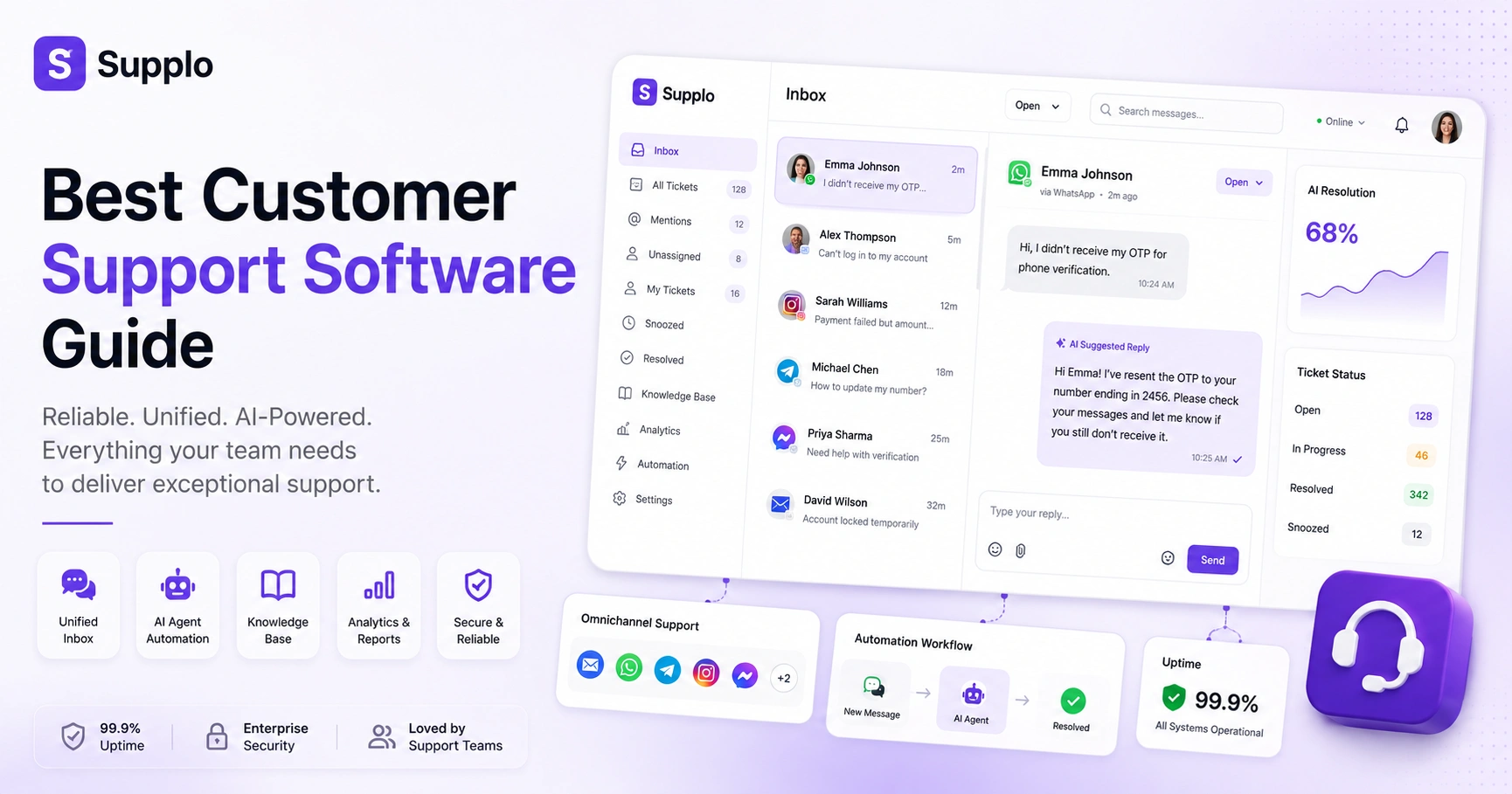
Any modern customer support platform guide worth its salt will tell you the same thing: you need tools that unify your channels into a single thread-based inbox. No more toggling between email tabs and WhatsApp windows like it's 2015.
You need a shared team inbox that shows who's handling what, and a knowledge base that your AI can actually read and learn from. If a platform can't handle Instagram DMs or Telegram alongside email, it's not modern; it's just another legacy tool wearing new paint.
The non-negotiables:
- Unified inbox that collapses email, live chat, WhatsApp, Telegram, Instagram, and Facebook Messenger into one chronological view. This centralised unified thread-based inbox is key to maintaining context.
- An AI agent that resolves common tickets automatically and hands off cleanly when a human is needed. A robust AI agent learns from interaction history.
- Built-in knowledge base that your AI uses for answers, and your team can update in real time. A comprehensive knowledge base significantly reduces repetitive queries.
- Multilingual support, not just translation, but the ability to serve and respond in your customer's language
- Role-based permissions so your junior agents can't accidentally delete resolved tickets or export sensitive data
The Hidden Costs of Cheap or Legacy Customer Support Tools
Cheap customer support software usually shows its true cost in wasted agent hours and silent customer churn. Legacy tools charge per seat, so adding one new hire means paying for another license, and another, and another. It's a tax on growth that nobody talks about until their bill doubles.
Worse, these platforms often nickel-and-dime you for premium features like email ticketing, API access, or basic analytics that should be standard in 2026.
Watch out for:
- Per-seat pricing that punishes you for growing your team (instead, look for flat per-workspace models)
- Hidden add-ons for WhatsApp integration, custom reporting, or removing their branding
- Low-end tools that lack proper audit trails make compliance harder during security reviews.
- No AI means every human agent handles repetitive questions instead of complex issues.
- Migration costs (data export, retraining, downtime) can exceed the tool's annual subscription fee if you pick the wrong one.
For businesses operating globally, payment flexibility matters. Supplo supports payments via crypto, Binance Pay, Payeer, GCash, AmanPay, QIWI Wallet, DOKU, cards from Nigeria and South Africa, Skrill, and Payoneer, so you aren't locked out by banking restrictions.
Omnichannel vs. Multichannel: Why It Matters for Reliability
A multichannel platform lets customers contact you across different channels, but here's the catch: each channel lives in its own silo. Your WhatsApp team has no idea what the customer already said in an email. Your live chat agents start from scratch every time.
Omnichannel means that your WhatsApp conversation, email thread, and website chat are all connected around the same customer, not scattered across separate windows. If your tool is merely multichannel, reliability suffers because agents lose context every time a customer switches from email to Instagram.
The difference in plain English:
- Multichannel = you're present on many channels, but each channel has its own inbox or assigned agent.
- Omnichannel: a single thread automatically links all interactions for the same customer, regardless of channel.
- Without omnichannel, customers have to repeat their identity and problems every time they switch platforms.
- Reliable omnichannel tools preserve message history, attachments, and internal notes across all touchpoints.
- True omnichannel also lets a customer start on live chat and continue via email without breaking context.
How AI Agents Are Changing the Support Game Without Breaking It
Modern AI agents learn from your knowledge base and past conversations to answer common questions instantly, no scripts, no embarrassing I don't understand fallbacks. The best ones automatically resolve the bulk of incoming tickets and hand off complex issues to a human with full context attached.
When it works right, AI doesn't replace your team. It makes them faster, less stressed, and more focused on the problems that actually need human judgment. This is critical for any best customer support software guide.
What to look for in AI agents:
- Self-learning AI that improves over time by analysing which answers worked and which needed human escalation. A truly effective self-learning AI agent becomes more accurate with each interaction.
- Transparency about what it knows and what it doesn't, no hallucinating fake answers
- Clean handoff: your AI should summarise the conversation so the human doesn't ask the customer to repeat everything
- Multi-language capability reduces the need for bilingual hiring.
- Predictable pricing: some tools charge up to $0.99 per resolution, but flat-rate models keep costs under control
Want an AI that actually learns from your support history? Supplo's self-learning AI Agent handles repetitive questions, hands off complex ones, and costs a flat $0.04 per resolution, not $0.99 like legacy tools. Try Supplo for free →
Onboarding & Setup: How Fast Can You Actually Get Running?
Setup speed is one of those things that separates modern platforms from legacy monsters that require weeks of configuration and a dedicated IT team.
You should be able to import your FAQ, connect your first channel, and have an AI agent answering questions within hours, not weeks. The platform should also offer a simple integration path for your existing knowledge base or help centre articles.
Red flags vs. green flags:
- Green flag: drag-and-drop widget customisation and one-click channel connectors for WhatsApp, Telegram, and Instagram. Modern website widgets make setup genuinely easy.
- Green flag: AI can be trained on your existing documents without rewriting everything from scratch
- Red flag: Onboarding is a 100-page manual, and no guided setup
- Green flag: invite your team and set permissions in minutes, not days
- Green flag: migration support that can import old tickets without losing history
Ready to test how fast a modern platform can come together? Supplo's 14-day free trial includes full access to the AI agent, unified inbox, and all channel integrations, no credit card required. Start your free trial →
Pricing Models That Don't Punish Growth: What to Look For
Most legacy support tools charge per agent per month, which means your bill grows linearly with every hire. It's a model that actively punishes you for growing your team.
A growth-friendly model uses a flat per-workspace price, so you can add as many team members as you need without a cost explosion. And please, be wary of platforms that hide fees for channels, AI usage, or integrations behind add-on tiers.
Pricing models compared:
- Per-seat pricing: pay for each human agent, it gets expensive fast as your team scales
- Flat workspace pricing: one price covers your entire team, regardless of size
- Watch for AI usage caps or per-resolution fees that surprise you at the end of the month
- Transparent pricing means you should know exactly what you'll pay before you sign up, no sales calls required
- Startup-friendly pricing often includes a free trial so you can validate before spending
Explore flat per-workspace pricing to understand potential savings for your team.
Security, Compliance & Data Privacy in Customer Support Tools
Every support tool handles sensitive customer data, including names, emails, payment info, and account details. Security should be table stakes, not a premium feature you have to pay extra for.
Look for platforms that encrypt data in transit and at rest, offer role-based permissions, and provide clear audit trails. Compliance with GDPR, CCPA, or similar regulations should be clearly documented, not hidden in fine print that requires a lawyer to decode.
What security actually looks like:
- Encryption: data protected both when being sent (TLS) and when stored (AES-256)
- Access controls: limit what junior agents or contractors can see (like payment details)
- Audit logs: reliable platforms log who viewed or edited a ticket so that you can trace accountability
- Data residency: check if you can choose where your data is stored (US, EU, Asia, etc.)
- Vendor due diligence: the platform should publish a security whitepaper or SOC 2 report on request
Supplo is not affiliated with any app or website. Please follow each app's terms and local regulations.
How to Test Drive a Support Platform Before Committing
The best way to evaluate a support platform is to actually set it up with real conversations, not just watch a polished demo where everything works perfectly.
Start a free trial. Connect two or three of your actual channels. Let your team handle live tickets for a week. Pay attention to how easy it is to train the AI and how transparent the handoff feels. If it frustrates your team during a trial, it will only get worse with full deployment. This is a critical step in any customer support solution buying guide.
Your test drive checklist:
- Most modern platforms (including Supplo) offer a 14-day free trial, use it fully, not just a quick login
- Test the AI with your actual knowledge base articles or FAQs, not sample data
- Invite at least two team members to use the shared inbox simultaneously to test collaboration features
- Try the mobile experience; your agents might need to respond on the go. Seamless WhatsApp integration, Telegram support, and Instagram DMs are critical for agent mobility
- Check the cancellation policy; a reliable platform lets you cancel easily without a sales call
Key Takeaways
- Reliable customer support software is the backbone of efficient customer service, ensuring consistent performance
- A thorough audit of your existing workflow is crucial to identifying the right features and avoiding wasted investment
- Modern platforms demand unified omnichannel capabilities, consolidating all customer interactions into one view
- AI agents are transformative, automating routine tasks and improving agent efficiency, not replacing them
- Beware hidden costs; prioritise transparent pricing models that support your growth, such as flat per-workspace rates
- Always test-drive a platform using its free trial with real data and team members to ensure a good fit
FAQ
Is it safe to use a customer support platform for sensitive customer data?
Yes, provided the platform uses encryption (TLS in transit, AES-256 at rest) and offers role-based access controls. Always verify that the vendor publishes clear security documentation and complies with regulations like GDPR or CCPA.
What does it mean if my live chat widget keeps failing to load?
That usually points to a server-side issue with the platform, not your website. A reliable service should have a public status page and a guaranteed uptime of 99.9% or higher. If the widget fails frequently, it's a reliability red flag.
Should I buy a per-seat plan or a flat-rate plan?
If your team will grow over time, a flat per-workspace plan (which covers unlimited agents) is far more cost-predictable than paying per human seat. Per-seat pricing punishes you for hiring.
Can a single platform handle email, WhatsApp, Instagram, and live chat simultaneously?
Only if the platform is truly omnichannel, meaning it merges all conversations into a single thread-based inbox per customer. Multichannel tools separate them, making context loss inevitable.
What happens if my AI agent can't answer a customer's question?
A reliable AI agent detects uncertainty and hands the conversation to a human agent, with a clear summary of what was already discussed. If the AI sends a " Sorry, I don't understand message without escalation, keep looking.
How long does it take to set up customer support software from scratch?
With a modern platform, you can usually connect your first channel and have the AI answering FAQs within a few hours. Legacy tools can take weeks of configuration and training.
What should I NOT use customer support AI for?
Never use AI to handle sensitive account changes (password resets, payment disputes) without human verification. AI should support customers, not impersonate agents for critical security actions.
Compliance line: Supplo is not affiliated with any app or website. Please follow each app's terms and local regulations.