On this page
To enhance customer support with AI means strategically deploying intelligent automation to handle routine queries, freeing human agents to focus on complex, high-value interactions. This guide is for customer service managers, operations leaders, and business owners looking to implement AI effectively to ensure both efficiency and customer satisfaction.
It's particularly useful for those struggling with agent burnout, lengthy response times, or ballooning support costs, and who are ready to embrace practical, scalable solutions,
Quick Answer
- Strategise first: Map your support workflow to identify common, automatable questions before deploying AI.
- Clean data is key: Feed your AI a well-organised, accurate knowledge base. The AI is only as good as its training data.
- Prioritise seamless hand-offs: Configure clear rules for when AI escalates to a human, ensuring full context is transferred.
- Unify channels: Deploy AI across all customer touchpoints (chat, email, social) and consolidate them into a single inbox.
- Focus on metrics: Track First Contact Resolution (FCR), response times, and agent satisfaction to measure AI's impact.
Why Improve Support with Automation Is the Smartest Move
Here's the thing about automation that most people miss: it's not really about replacing humans. It's about letting them do what they're best at.
When you improve support with automation, you empower your human team to handle intricate, emotionally nuanced conversations. The tricky ones. The ones that need empathy and judgment. Meanwhile, your AI agent takes on the repetitive stuff- order status checks, password resets, shipping updates, and delivers instant, consistent responses.
This cuts response times from hours to seconds. That's not a small improvement. That's transformative.
And here's the kicker: unlike legacy tools that often charge per resolution and per seat (leading to unpredictable expenses), a transparent, flat-priced model keeps your budget controlled as your operations scale.
- Understand the real math: Evaluate solutions based on flat per-resolution or per-workspace pricing versus escalating per-seat billing.
- The tipping point: The maturity of AI technology and growing customer expectations for instant service make this the year for widespread adoption of automated customer service.
- Shrink key cost centres: Immediately reduce agent overtime, eliminate ticket backlogs, and lower software overhead by automating routine tasks.
- Align with evolving expectations: Automation directly addresses customers' growing demand for instant replies and 24/7 availability.
The Real Benefits of AI in Customer Support Beyond Cost-Cutting
Sure, saving money is nice. But the deeper benefits of AI in customer support go way beyond the bottom line.
Think about consistency. A human agent might have an off day. They might miss a policy update. They might be tired. AI doesn't have that problem. It delivers the same accurate, on-brand answers every single time.
And multilingual support? That usually requires hiring translators or building separate teams. With AI, it's built in, one configuration, dozens of languages.
- Consistency: AI delivers consistent answers and brand voice across all interactions, unaffected by agent fatigue or individual knowledge gaps.
- Translation: AI effortlessly bridges language barriers, enabling your business to support customers in any language through real-time communication.
- Learning loop: Each interaction, whether resolved by AI or a human, contributes to the AI's learning, improving its accuracy and predictive capabilities over time.
- Team satisfaction: Agents are freed from monotonous, repetitive tasks, allowing them to focus on challenging and rewarding interactions.
Map Your Support Workflow to Identify Automation Candidates
Before you even think about deploying AI, take an afternoon to do some old-fashioned homework.
List every question your team answers frequently. Frequently, more than twice a day is a good benchmark. These are your prime candidates for automation. Group them into logical categories: order status, password resets, billing inquiries, product specs. Whatever makes sense for your business.
Then note which questions typically require human intervention. This map will be your blueprint. It turns AI deployment from a guessing game into a targeted strategy.
- Analyse past tickets: Review the last 90 days of support tickets to identify patterns in volume, type, and complexity.
- Spot easy wins: Prioritise questions that require no specific customer context and have a single, definitive answer.
- Define escalation triggers: Understand when and why tickets escalate to a human agent, to teach the AI when to hand off gracefully.
- Avoid sensitive topics: Do not automate responses to sensitive issues such as account security or complex refund disputes, which require human empathy and judgment.
Ready to test the waters? Grab a free 14-day trial of Supplo and see how our AI agent handles your real-world tickets, no credit card required. No fluff. Just transparent automation.
Choose the Right AI Channel – Chat, Email, Social DM, and Beyond
Remember when customer support was just... email and phone? Simpler times. But your customers aren't living in 2015 anymore.
They're on Instagram. They're on WhatsApp. They're on Telegram. They expect to reach you wherever they already are. So if you want to enhance customer support with AI, you need to meet them where they are.
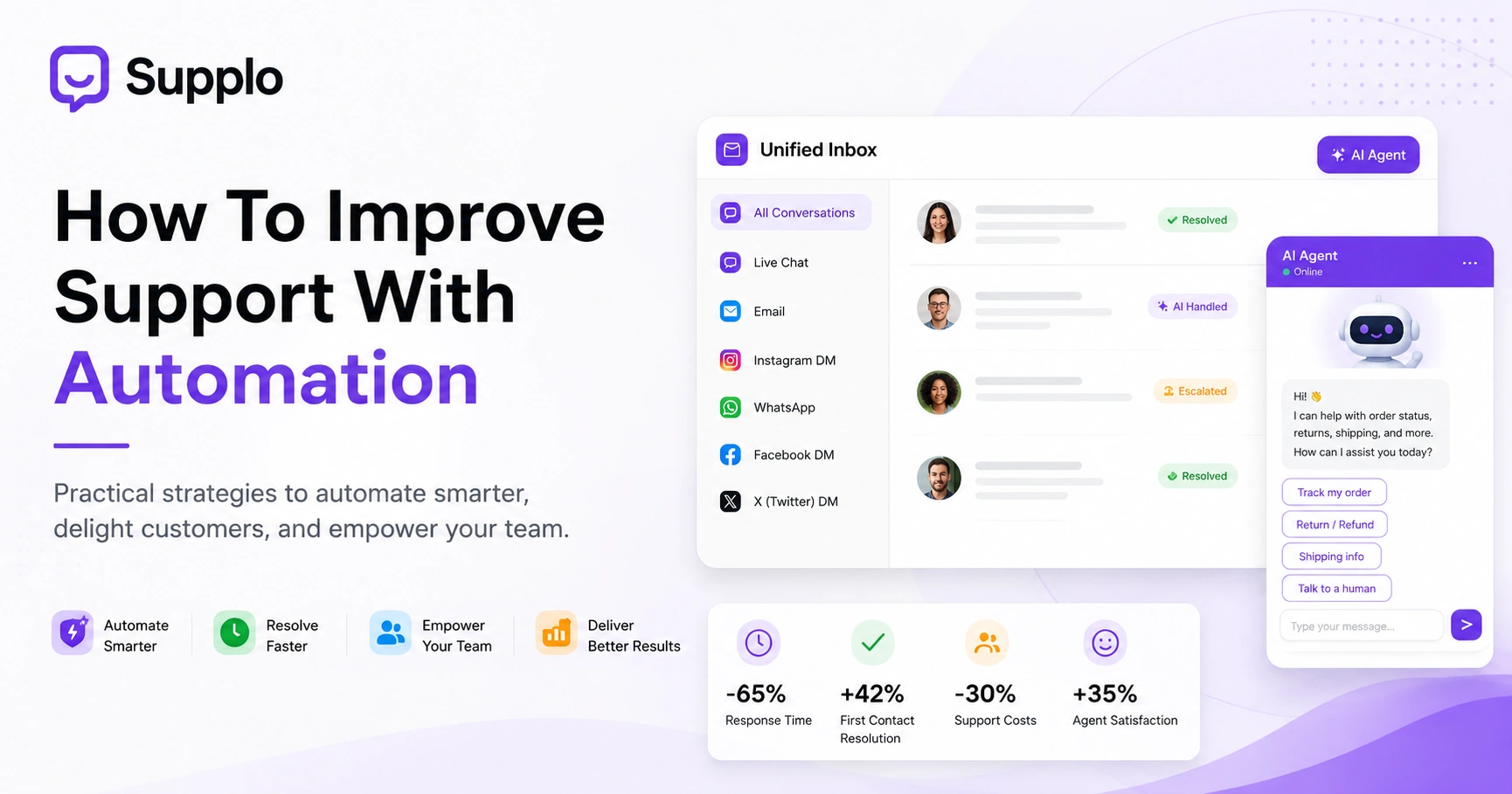
The trick is unifying everything into a single, thread-based inbox. That way, the AI sees the full conversation history, no matter where it started. No lost context. No frustrated customers repeating themselves.
- A live chat widget on your website offers immediate, front-line assistance to visitors.
- Email ticketing with AI auto-reply efficiently handles non-urgent but frequent requests. For more on this, see how Supplo handles email ticketing.
- Social DMs integrate AI into platforms such as WhatsApp, Telegram, and Instagram to enable native customer engagement.
- Avoid channel fragmentation: Disconnected channels lead to lost context and frustrate customers. A unified approach is critical.
- The power of a shared inbox: A single inbox consolidates all channels, providing your team with a holistic view. Consider adding a widget to your website to provide immediate access to support.
Feed Your AI a Clean Knowledge Base for Reliable Answers
This is where most people screw up.
An AI is only as smart as the information you give it. If your knowledge base has outdated policies, contradictory answers, or incomplete instructions, your AI will confidently give wrong answers. And customers hate that.
So audit your help docs. Remove anything obsolete. Structure answers as clear question-answer pairs. Write conversationally, like a real person, because that's how you want your AI to sound. For more details on knowledge base best practices, consult our guide to building an effective knowledge base.
Supplo is not affiliated with any app or website. Please follow each app's terms and local regulations.
- Write conversationally: Ensure answers are phrased in the same natural, conversational voice you want your AI to adopt.
- Include fallback phrases: Implement options such as "I'm not sure how to help with that." Let me connect you to a human expert.
- Regular updates: Update your knowledge base weekly, especially after product launches, policy changes, or when new FAQs are added.
- Internal notes: Use internal-only notes to provide context for human agents that the AI should not share with customers.
Set Up Seamless Hand-Off from AI to Human Agents
Here's the golden rule of AI customer support: the hand-off should feel like a handshake, not a brick wall.
The goal isn't for AI to handle every single ticket. That's unrealistic and, honestly, not even desirable. The goal is for AI to handle the easy stuff and hand off the complex stuff, gracefully, completely, without making the customer repeat themselves.
Configure your AI to detect escalation keywords, cancel my account, complain, I want to speak to a human, and transfer the entire conversation thread. No gaps. No awkward transitions.
- Define clear escalation triggers: Use sentiment analysis, specific keywords, or repeated questions to prompt escalation.
- Ensure full context transfer: Verify that the human agent receives the complete conversation log, including all previous AI interactions.
- AI as a silent assistant: Have the AI remain in the background during human conversations to suggest replies or retrieve relevant information.
- Regular hand-off testing: Conduct monthly tests with real or simulated challenging tickets to ensure the hand-off process is flawless.
The Advantages of Automated Customer Service for Customer Support Efficiency Gains
Let's talk numbers, not fake ones, but the kind that actually matter.
A well-configured AI, like Supplo's AI Agent, can independently resolve up to 80% of incoming tickets. That means your human team spends their energy on the remaining 20%, the complex, high-stakes cases that actually need their expertise.
The results? First response time drops from minutes to seconds. Overall resolution time shrinks. Agent satisfaction increases because burnout decreases. It's a virtuous cycle.
- Track First Contact Resolution (FCR): Monitor FCR rates before and after automation; a well-implemented AI typically leads to a significant increase in FCR.
- Measure handle time: Differentiate between AI-handled and human-handled resolution times to pinpoint areas for AI training or process improvement.
- Monitor CSAT at hand-off: Pay close attention to customer satisfaction scores, specifically at points where interactions transition from AI to human.
- AI resolution reports: Use these reports to identify knowledge base deficiencies and inform future content updates.
Next-Gen Support Solutions and Evolving Customer Expectations
Here's where things get interesting.
The future of customer service isn't reactive, it's proactive. Imagine your AI sending a shipping delay notification before the customer even thinks to ask. Or analysing a query and instantly routing it to the best-suited human agent based on skill set.
Customers expect instantaneous, contextual answers across every platform they use. No friction. No delays. Just help when they need it, how they want it. Next-gen support solutions will feature deeper integrations with CRM systems, order management platforms, and internal tools, enabling AI to access customer history and preferences without explicit prompting.
This is the cutting edge: technology moving beyond reactive problem-solving to deliver intuitive, foresightful assistance.
- Proactive support: Imagine AI sending a shipping delay notification before the customer even thinks to ask.
- Predictive routing: AI analyses the initial query to determine the best human agent for escalation, based on skill set.
- Hyper-personalisation: AI integrates past purchases and preferences into its replies, creating a highly customised experience.
- Voice and video integration: Expect these channels to become the next natural frontiers for AI-powered customer support.
One Common Pitfall That Wrecks AI Reliability And How to Fix It
This is the big one, the mistake I see over and over.
Teams deploy an AI and assume it can handle everything. Then the AI gets stuck in an endless loop of unhelpful auto-replies, customers get frustrated, and suddenly everyone hates the AI.
True AI reliability doesn't come from comprehensiveness alone. It comes from knowing when to say I don't know and hand it off to a human. Always view the AI as a first responder, never the sole responder.
Supplo is not affiliated with any app or website. Please follow each app's terms and local regulations.
- The hallucination trap: Combat this by configuring your AI to admit when it doesn't know the answer, rather than generating incorrect information.
- Confidence thresholds: Set a minimum confidence score (e.g., if below 80% certainty, escalate to a human) for AI-generated answers.
- Audit AI conversations: Regularly review AI interactions for inaccuracies or awkward responses, using these insights for retraining.
- Continuous learning: Establish a process for your team to flag incorrect AI answers and feed these corrections back into the AI's learning model.
If your current AI tool leaves customers stuck in a loop, you're not alone. Switch to a platform that's built for reliability, with clean hand-offs, transparent pricing, and a knowledge base you control. Supplo is the practical alternative.
How Supplo Delivers Reliable AI Support Without the Bloat
Look, I'm not going to pretend Supplo does everything. It doesn't. But what it does do, it does well.
Our AI agent efficiently resolves repetitive tickets and ensures smooth hand-offs to human agents when complex situations arise. All interactions are consolidated in a unified, thread-based inbox that integrates email, live chat, WhatsApp, Telegram, Instagram, and Facebook Messenger.
And the pricing? Transparent. Flat $0.04 per resolution, compared to the typical $0.99. Flat per-workspace fee, no per-seat nonsense that inflates your bill as you grow. You can start for free with a 14-day trial. Learn more about our pricing structure.
- Smart learning: Our AI learns from your knowledge base and past conversations, ensuring accurate, contextually relevant answers.
- Multilingual capabilities: Support customers in any language, eliminating the need for extensive translation services.
- Transparent pricing: Flat per workspace, no hidden fees, and transparent per-resolution costs.
- Seamless human hand-off: Preserve full conversation context during transfers to human agents, preventing customer frustration.
- Honest approach: We provide realistic expectations about our AI's capabilities, fostering trust and clarity.
Ready to enhance your customer support with AI that actually works? Supplo brings live chat, email, WhatsApp, Instagram, Telegram, and Facebook Messenger into a single inbox with a self-learning AI that handles the easy stuff so your team can focus on what matters. Flat pricing. No seat limits. Try it free for 14 days.
Key Takeaways
- Strategic AI deployment: Focus on automating repetitive tasks to free human agents for complex issues.
- Data quality is paramount: A clean, up-to-date knowledge base is essential for reliable AI performance.
- Unified channel approach: Integrate AI across all customer communication channels into a single inbox for comprehensive context.
- Seamless human-AI collaboration: Design clear hand-off processes to ensure smooth transitions and maintain customer satisfaction.
- Focus on measurable impact: Monitor metrics such as FCR and resolution times to quantify the efficiency gains AI delivers.
FAQ
What does it mean to enhance customer support with AI?
It means using intelligent automation to handle routine inquiries, order status, password resets, and shipping questions, so your human team can focus on complex issues. An AI agent learns from your knowledge base, replies across multiple channels, and hands off to a human when needed. The goal is faster, more consistent support, not replacement.
Is AI customer support safe for handling sensitive data?
Yes, when configured properly with encryption and access controls. Reputable AI support platforms treat customer data with the same security standards as human-handled interactions. That said, never configure your AI to answer questions about account security, payment details, or refund disputes without human oversight. Always review your platform's compliance certifications and data policies.
Why do some AI support bots give wrong answers?
Usually, because the knowledge base feeding the AI is outdated, incomplete, or poorly structured. An AI can only retrieve and paraphrase the information you give it. Regular audits of your help docs, clear fallback instructions, and a confidence threshold (e.g., below 80% certainty = hand off) prevent the AI from guessing answers. Supplo is not affiliated with any app or website. Please follow each app's terms and local regulations.
What's the difference between a one-time AI setup and a continuously learning AI?
A one-time setup is configured once and doesn't improve unless you manually update it. A continuously learning AI, such as Supplo's self-learning agent, improves by analysing past conversations and feedback, refining its answers over time. The latter requires less ongoing effort and delivers better accuracy as your business evolves.
What should I NOT use AI support for?
Avoid using AI for sensitive actions such as password changes, account recovery, billing refunds, or anything that requires explicit user verification. These tasks carry too much risk if an AI gets it wrong. High-stakes complaints and legal or compliance questions are also best handled by a human from the first interaction.
How do I troubleshoot if my AI is resolving too few tickets?
Check your knowledge base first, and ensure it covers the most frequent questions in clear, simple language. Then review the AI's confidence threshold; lowering it slightly may increase resolution rates, but watch for accuracy. Also, audit recent AI conversation logs to spot patterns where the AI is failing and update your docs accordingly.
Does AI support work for chat, email, and social media all at once?
It can, but only if your platform offers unified channel management. A tool like Supplo brings email, website live chat, WhatsApp, Telegram, Instagram, and Facebook Messenger into one thread-based inbox. That way, the AI sees the full conversation no matter where the customer started, preventing fragmented context and frustrated customers.
Compliance line: Supplo is not affiliated with any app or website. Please follow each app's terms and local regulations.