On this page
Customer frustration can escalate quickly, turning a minor issue into a lost customer. Traditional methods of detecting this frustration often fall short, missing subtle cues or reacting too late. This guide explores how AI-powered sentiment analysis offers a practical solution, enabling real-time detection and proactive intervention.
This article is for customer support managers, CX leaders, and operations teams looking to improve customer satisfaction and retention. You'll learn how to leverage AI to identify unhappy customers, prevent churn, and optimise your support workflows.
Quick Answer
- AI frustration detection monitors tone, message length, reply timing, and word repetition, not just curse words.
- False positives are common at first; run a two-week shadow mode before going live with alerts.
- Set tiered thresholds: yellow (annoyed) vs red (frustrated) to avoid alert fatigue.
- Best results come from training the AI on your own past escalated tickets rather than generic sentiment data.
Why Traditional Sentiment Analysis Fails and AI Fixes It
Here's the truth: most old-school sentiment tools are pretty terrible at reading the room. They treat angry words as negative in the absence of context, so sarcasm reads as rage and technical jargon gets flagged as a meltdown. That's not helpful. It's just noise.
Modern AI, like Supplo's self-learning agent, actually understands nuance. It can tell the difference between a customer frustrated about a delayed order and someone who's just repeating their tracking number because they're anxious. That contextual shift changes everything. You start trusting your alerts instead of ignoring them.
Legacy tools also miss tone shifts across long threads. AI tracks the emotional arc of an entire conversation, not just individual messages. Self-learning models adapt to your product's specific jargon, too, so this piece is broken and won't trigger the same alarm as your team is incompetent. Real-time processing means you catch anger in the moment, not in a weekly dashboard report that's already stale. Combine that with response time data, and you get a much fuller picture of customer mood.
The Key Signs of a Frustrated Customer AI Can Catch
It's rarely the all-caps rant that tells you someone's about to churn. More often, frustration hides in subtle cues: repeated questions, abrupt switches to shorter sentences, or sudden silence after four messages. AI monitors these micro-behaviours across the chat history and flags patterns that a busy agent would scroll right past. Think of it as your support team's sixth sense for bad vibes.
A sudden drop in message length, from three paragraphs to one word, is a classic red flag. Repetitive phrases like as I said or like I mentioned signal the customer feels unheard. Even punctuation clusters matter: multiple question marks or excessive ellipses often correlate with rising anger. And timing gaps? A customer who types for ten minutes then submits a one-liner is probably boiling over.
Setting Up Real-Time Customer Frustration Monitoring in Your Support Inbox
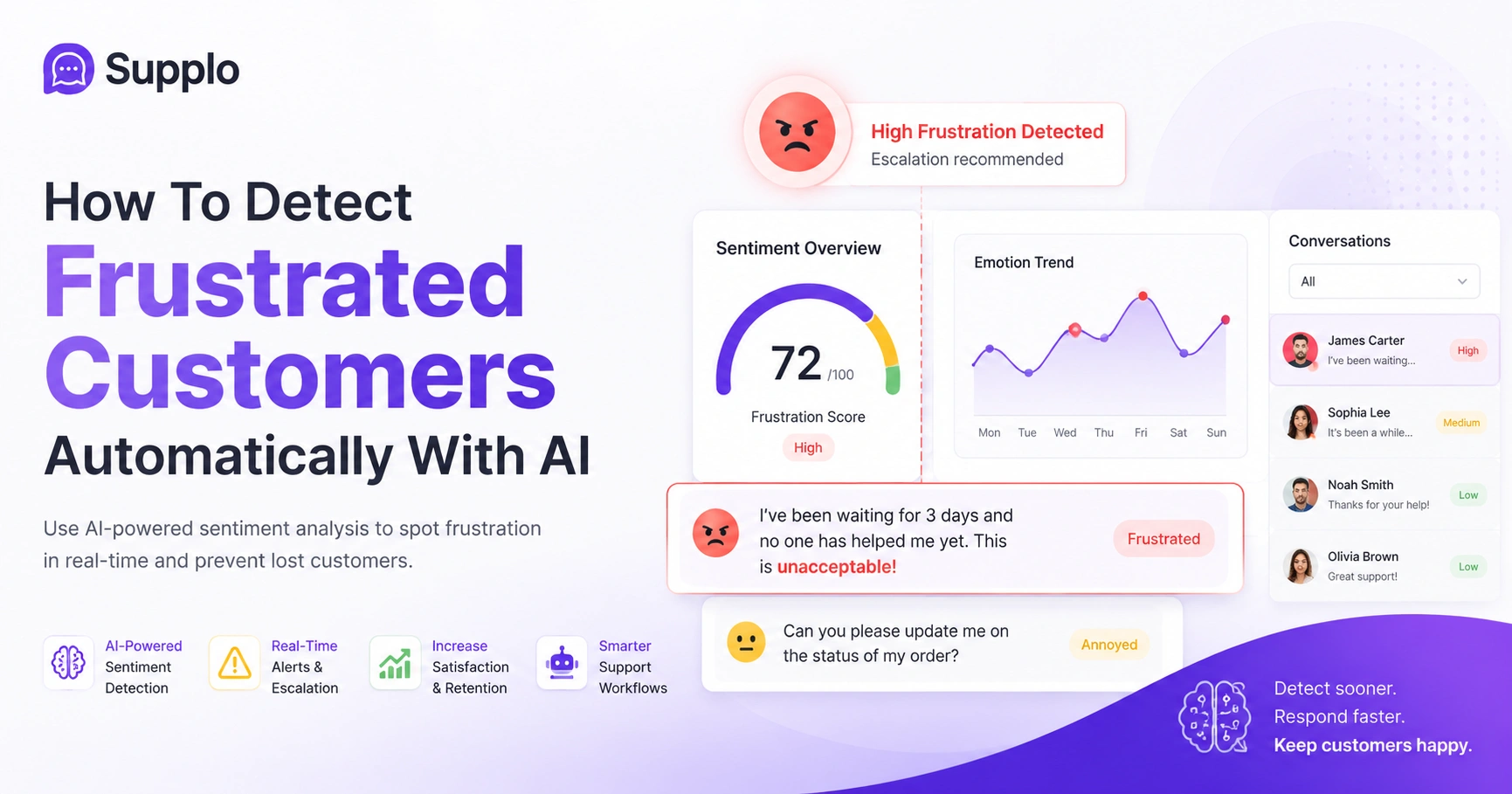
Start by connecting your main support channels, email, live chat, and social DMs to a unified inbox like Supplo's. Then apply sentiment detection rules to every incoming message. The system should automatically tag messages with an escalation risk score so frustrated conversations rise to the top. You'll see a live feed of mood shifts, not a dusty analytics report.
It's crucial to use a tool that supports threaded conversations so that sentiment analysis runs across the entire history, not just a single message. Set up real-time dashboards that show per-agent frustration levels, great for identifying coaching opportunities. Integrate your knowledge base with your inbox; AI can auto-suggest replies based on detected intent. And prioritise channels where frustration peaks, often email and social media, not just live chat.
Steps to Set Up Real-Time Monitoring:
- Integrate all channels: Connect all customer communication channels (email, chat, social media) to a central platform.
- Enable sentiment analysis: Activate the sentiment detection feature for all incoming and outgoing messages.
- Define escalation tiers: Create rules for different levels of frustration (e.g., mild, moderate, severe).
- Configure alerts: Set up real-time notifications for agents or managers based on the defined tiers.
- Build dashboards: Create visual dashboards to track global and individual agent frustration levels.
Ready to see real-time sentiment in action? Start your free 14-day trial of Supplo, no credit card needed, and connect your first support channel in under 5 minutes. You'll see frustration flags appear as conversations unfold. Try Supplo Free.
Training Your AI to Recognise Upset Customers with Chat Analysis
Feed your AI about 50 to 100 real past conversations that ended with a refund, an escalation, or a bad CSAT score. Mark the exact messages that turned sour, then let the model learn those patterns. The more you repeat this with new data, the better it gets at catching frustration before an agent does.
Start with your closed ticket history: manually label frustrated versus neutral conversations. Use a tool with a feedback loop, so when an agent dismisses a false alert, the AI learns from that correction. Don't over-index on negative words alone; also consider patterns like repeated support requests or time-of-day trends. Retrain monthly on fresh chat logs to keep the model tuned to your current customer base and to help it leverage your knowledge base.
Immediate Customer Dissatisfaction Alerts: How to Set Thresholds That Work
Don't alert on every sad emoji, you'll drown in noise. Instead, set severity tiers: yellow for mild annoyance (get to it within 15 minutes), red for full-blown frustration (interrupt whatever you're doing). Best practice is to tie alert thresholds to concrete criteria, such as negative sentiment scores above 80% coupled with a pending ticket duration of over 2 minutes.
Start with a high threshold (e.g., 90% sentiment negativity) and lower it only as team capacity grows. Use time since the last response as a secondary alert condition; long pauses from a frustrated customer are dangerous. Create automatic assignment rules: red alerts should go to a senior agent or manager first. Test your thresholds with a one-week dry run before turning them live for your whole team.
Worried your current tool will drown you in false alerts? Supplo's AI agent is trained to learn your chat history, so threshold tuning takes days, not months. Plus, it costs a flat $0.04 per AI resolution, not a per-seat fee that balloons. See Pricing & Plans
Proactive Customer Service AI: Intervening Before a Chat Goes South
Instead of waiting for a customer to type I want a refund, set your AI to offer a discount code or a priority escalation link the moment frustration hits a certain threshold. This shifts your support from reactive flailing to graceful deflection. Supplo's AI agent, for example, can auto-route the chat to a human rep with a summary of the tension attached.
Program nudge actions: if sentiment dips below 60%, have the AI offer to connect the customer to a senior agent. Use contextual knowledge base suggestions (like a troubleshooting step) precisely when frustration peaks. Let the AI trigger internal notifications (e.g., message the manager) without interrupting the customer side. Track how many interventions actually de-escalate, then refine your triggers based on success rate.
Monitoring Customer Support Interactions Across WhatsApp, Instagram, and Email
AI customer frustration detection is only as good as the channels it covers. If you only monitor live chat, you'll miss plenty of edge cases. Supplo unifies WhatsApp, Instagram DMs, Telegram, Facebook Messenger, and email into one thread-based inbox, so all sentiment detection runs across every channel. That way, a frustrated DM on Instagram doesn't slip through just because your team was watching the chat widget.
Each channel has different frustration signals, short Instagram DMs vs long email paragraphs, so calibrate thresholds per channel. Cross-channel monitoring lets you spot channel hopping (a customer who got mad on WhatsApp then emailed angrily). Use the unified inbox to view sentiment history across channels for a single customer. Ensure your AI tool translates non-English messages for sentiment detection, not just for agents.
Supplo is not affiliated with any app or website. Please follow each app's terms and local regulations.
Analysing Customer Chat for Frustration: The Top Words and Patterns to Flag
Beyond obvious curse words, watch for phrases like are you kidding me, come on, unbelievable, and any repeated use of I need to speak to a manager. The AI should also flag message timing (such as typing for a long time and then submitting a four-word reply) and changes in capitalisation patterns. The key is to look for conversational friction, not just cursing.
Build a custom stop-and-flag list of terms specific to your product, like error 404 AGAIN if you're SaaS. Flag any message sequence where the customer says the same thing happened last time. Track emoji regressions: going from happy to angry in three messages is a clearer signal than a single angry sentence. Look for frustration loops: customer asks a question, agent gives a generic answer, customer asks more forcefully.
Privacy, Compliance, and the Ethics of Automated Sentiment Analysis
You're allowed to analyse customer messages to improve service, but you need to tell them you're doing it (most terms of service require disclosure). Avoid storing emotional data outside the conversation context, and never share sentiment scores with third parties.
Supplo is not affiliated with any app or website. Please follow each app's terms and local regulations.
GDPR counts automated sentiment flags as personal data if they infer emotional state, so make sure you have a lawful basis. Don't use sentiment scores for performance reviews of agents without their consent (that's a privacy nightmare). Consider anonymising customer data before running large-scale sentiment trend reports. If you're serving high-risk sectors (e.g., healthcare, finance), get an explicit legal review before deploying.
Testing Your Detection System: Calibration and Avoiding False Positives
Start with a two-week shadow mode in which AI flags frustration but doesn't take action and logs predictions. Then manually review a random 20% of flagged conversations to see how often the AI was wrong. Adjust word weightings and threshold scores until false positives drop below 20%, then turn on real-time alerts.
Common false-positive triggers include technical jargon sounding angry (e.g., "this is a broken pipeline") or auto-translated messages losing tone. Run an A/B test on two thresholds (high vs moderate sensitivity) for one week each and compare team response rates. Calibrate per language; English sarcasm differs from German bluntness or Japanese indirect frustration. Keep a false-alert log and review it with your team monthly to spot drift in AI behaviour.
Done calibrating? Take your frustration detection system live with confidence. Supplo handles email, chat, WhatsApp, Telegram, Instagram, and Facebook Messenger in one place, with built-in sentiment tracking. Start for free today. Get Started at Supplo.io.
Key Takeaways
- AI revolutionises frustration detection by analysing context, not just keywords.
- Subtle cues like message length, punctuation, and timing are key indicators.
- Real-time monitoring across all channels is crucial for comprehensive coverage.
- Training your AI with specific past conversations improves accuracy significantly.
- Setting tiered alert thresholds prevents alert fatigue and prioritises critical issues.
- Proactive intervention with AI can de-escalate situations before they worsen.
- Always prioritise customer privacy and ensure compliance with regulations.
- Thorough testing and calibration are essential to minimise false positives.
FAQ
Is it legal to analyse customer chats and emails for signs of frustration?
Yes, in most jurisdictions, as long as you have disclosed this in your privacy policy and obtained consent where required (e.g., GDPR countries). Never share sentiment data with third parties without explicit customer permission.
Why does my current tool miss frustrated customers?
Legacy tools often rely on keyword matching (angry, hate) but miss sarcasm, tone shifts, or polite rage. Modern AI analyses conversation flow, punctuation patterns, and timing gaps, catching frustration that keyword filters would skip.
Can I use automated sentiment analysis on WhatsApp and Instagram DMs?
Yes, provided you have a business API connection that allows message monitoring. Supplo integrates these channels natively and applies sentiment analysis across all incoming messages.
How much customer data do I need to train the AI properly?
At a minimum, 50–100 labelled conversations that include both neutral and escalated threads. More data improves precision, but you can start small and improve over time.
Should I alert agents every time a customer seems slightly annoyed?
No. Set different thresholds: mild annoyance triggers a suggestion queue, while strong frustration triggers an immediate alert. Otherwise, your team will learn to ignore the system entirely.
What should I NOT use frustration detection for?
Do not use it as a sole basis for agent performance reviews, and never allow AI to send automated apologies without human review, as it can accidentally escalate certain situations.
Can the AI detect frustration in languages I don't speak?
Yes, if your tool supports multilingual sentiment models. Supplo translates messages for detection and response so that you can catch mood shifts even in languages your team doesn't speak.
Compliance line: Supplo is not affiliated with any app or website. Please follow each app's terms and local regulations.


