On this page
What Does Handling 1,000 Tickets a Day Actually Look Like?
Let's be real for a second. When people say they want to handle 1000 support tickets a day, they're usually picturing a room full of agents furiously typing away. That's the old way. Smart teams know that scaling support isn't about throwing more bodies at the problem; it's about building a system that eats repetitive questions for breakfast and surfaces only the tricky stuff to humans.
Here's the reality check:
- Most high-volume teams see 60–80% of their tickets repeat the same questions. Password resets. Order status. Shipping delays; the boring stuff.
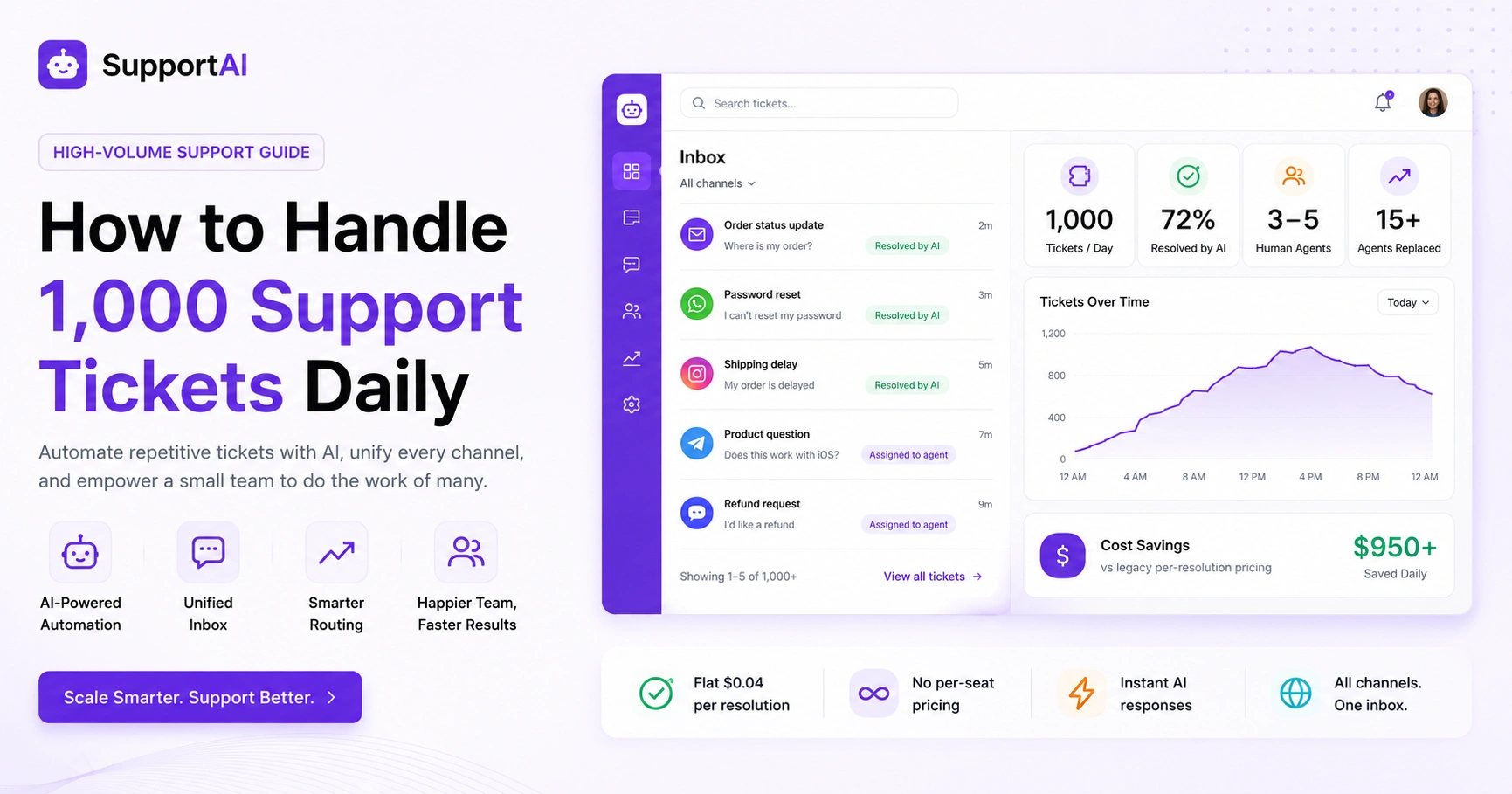
- A lean crew of 3–5 humans plus a capable AI agent can match the output of 15+ agents stuck on legacy tools. That's not hype; that's math.
- Here's the key: handling a ticket doesn't mean typing a custom reply to every single message. Pointing someone to a self-help link or letting an auto-response resolve it? That counts. And it should.
The goal isn't to manually answer every ticket. The goal is to resolve every ticket without drowning your team.
Quick Answer
- Handling 1,000 tickets daily means 60–80% are repetitive; automate those with an AI agent.
- AI resolves tickets at a flat $0.04 per resolution, not $0.99 per resolution like legacy tools.
- A unified inbox (email, WhatsApp, Instagram, Telegram, chat widget) keeps everything in one thread.
- A team of 3–5 humans plus AI can replace 15+ agents using old-school help desk tools.
Audit Your Ticket Volume Before You Try to Scale Support
You can't effectively handle 1,000 support tickets a day if you have no clue what's actually in them. I've seen teams jump straight to hiring or buying expensive tools, only to realize later that 70% of their tickets were the same three questions. That's a painful way to learn.
So do yourself a favour: grab your last 500 tickets and categorize them. Simple questions. Account issues. Technical bugs. Escalations. This audit tells you exactly how many tickets can be automated and which need a specialist.
- Tag tickets manually or use whatever reporting tool you have. The goal is to spot patterns.
- If 60%+ of your tickets are the same handful of questions, you don't need more agents. You need better self-service or automation.
- Track your first response time, resolution time and ticket reopening rate. These numbers will show you where the bottlenecks are hiding.
Automate Support Tickets with AI Without Losing the Human Touch
Here's the thing about automating support tickets with AI: it only works well if the AI has something to learn from. You can't just flip a switch and expect magic. Your AI needs access to your knowledge base and past conversations so it can learn from the real answers your team has already given.
The smart approach: let the AI handle what it knows confidently and hand off cleanly when it's unsure. Your customers should never feel stuck talking to a bot that can't help. That's how you lose trust fast.
- Pick an AI agent that actually integrates with your tools like email, chat, WhatsApp, Instagram; the whole picture.
- Set clear triggers: the AI handles password resets, order lookups and FAQs automatically. No hesitation.
- Start small. Train the AI on your top 20 most common tickets first, then expand as it proves itself.
Use Machine Learning for Ticket Handling to Route, Tag and Prioritize
Machine learning for ticket handling sounds fancy, but it's really just about using your ticket history to predict what a new message needs. Modern platforms use ML to auto-tag tickets by topic, route urgent issues to senior agents and suggest replies based on past resolutions. The result? You cut manual sorting time roughly in half.
- ML models get smarter as your team corrects them. The more you edit tags or re-route tickets, the better the system becomes.
- Prioritize by intent detection: angry messages or customers with multiple past tickets get bumped to the front.
- Use intent-based routing to send billing questions to finance and technical issues to product support. Simple, but effective.
Build a Support Team for 1,000 Tickets per Day Without Burning Out
Expanding your support team for high ticket volume doesn't mean hiring 20 people and hoping for the best. It means hiring the right people and giving them tools that actually make them faster. A team of 3–5 full-time agents, backed by an AI agent, can comfortably handle 1,000 tickets a day, as long as the AI handles the heavy lifting on first-line volume.
Focus on quality over headcount. Seriously.
- Hire for judgment, not typing speed. Your agents should handle only tickets that require nuance and human empathy.
- Set realistic caps. No agent should handle more than 30 complex tickets per shift. Burnout helps no one.
- Rotate shifts and use asynchronous support to cover time zones without running your team ragged.
Why AI for Ticket Volume Reduction Is Cheaper and Faster Than Hiring
AI for ticket volume reduction changes the economics of support. Instead of paying per-agent seat or per-answer (which adds up fast), you pay a single, predictable workspace fee. Your AI handles thousands of tickets and your cost stays the same. That's the kind of math that makes CFOs happy.
- Legacy tools can charge up to $0.99 per AI resolution. Do that math at 1,000 tickets daily and it hurts.
- A flat workspace model means your cost stays the same whether the AI handles 100 or 10,000 tickets.
- No per-seat pricing means you can bring in part-time or seasonal agents without surprise cost spikes.
How to Manage 1,000 Customer Tickets Daily with a Unified Inbox
To manage 1,000 customer tickets daily, you need one place where everything lives. A single thread-based inbox that pulls messages from email, chat widget, WhatsApp, Telegram, Instagram DMs and Facebook Messenger into one view. Without this, your team wastes time switching tabs and re-reading context. It's a productivity killer.
- Every message across all channels becomes one thread. No context lost. No repetition.
- Agents never answer the same question twice across different channels. Huge time saver.
- The inbox surfaces unresolved or overdue tickets so nothing slips through the cracks.
The Real Cost of Scaling Customer Support for 1,000 Tickets Daily
The real cost of scaling customer support to handle 1,000 tickets daily includes tool subscriptions, agent salaries and the hidden cost of ticket mishandling. With a flat workspace pricing model, you control every variable; no surprise per-seat fees or per-resolution charges. Plan for the AI to carry the volume and your humans to handle the edge cases.
- Include training time in your budget. Good onboarding costs upfront but cuts ticket handling time by weeks.
- Account for overflow coverage. Weekends and holidays require extra planning.
- Track ticket resolution value. A resolved ticket saves churn, but a mishandled one costs future revenue.
How to Handle 1,000 Support Tickets a Day with Supplo
Supplo is built as the practical alternative to legacy tools. No fluff, no hidden fees. You start by connecting your channels (email, chat widget, WhatsApp, Instagram, Telegram, Facebook Messenger) into one shared inbox. Then turn on the self-learning AI agent, which learns from your knowledge base and past conversations to resolve up to 80% of tickets automatically, at a flat $0.04 per resolution.
Here's how it works in practice:
- Create a knowledge base with your most common answers.
- Connect channels through email ticketing, WhatsApp integration and Instagram DMs.
- Set the AI to auto-resolve top ticket categories (password resets, order status, shipping FAQs).
- Human agents handle flagged or escalated tickets in the shared inbox.
Monitor your ticket volume dashboard to see how many the AI resolved vs. how many it handed off. It's that straightforward. Most teams are up and running within a day.
Common Mistakes Teams Make When They Try to Handle 1,000 Tickets a Day
The biggest mistake? Trying to automate everything on day one without auditing what your tickets actually look like. I've watched teams burn through budgets doing this. Other pitfalls include ignoring multilingual support, failing to train the AI on past tickets and hiring too many agents before automating the obvious stuff.
Start small. Measure. Then scale.
- Mistake 1: Turning on AI without a proper knowledge base. It guesses and frustrates customers. Bad all around.
- Mistake 2: Routing all tickets to one agent because there's no priority system in place.
- Mistake 3: Forgetting to set up handoff rules, so the AI holds onto tickets it can't answer.
- Mistake 4: Not auditing first. You can't scale a broken system; you just make it faster at breaking.
Key Takeaways
- Audit your ticket volume to identify automation opportunities.
- Use AI to handle repetitive tickets and route complex ones to human agents.
- Implement a unified inbox to streamline multi-channel support.
- Focus on quality over quantity when building your support team.
- Choose a flat pricing model to control costs as you scale.
- Avoid common mistakes by starting small and scaling gradually.
FAQ
Can one AI agent really handle 1,000 tickets a day?
Yes, but only if it has access to your knowledge base and past conversations. The AI resolves repetitive questions instantly, while human agents handle nuanced requests.
What happens if the AI doesn't know the answer?
It hands off cleanly to a human agent with full context, so the customer doesn't have to repeat themselves.
Is it safe to automate support for sensitive accounts, such as billing or security?
Yes, as long as you set boundaries. You can configure the AI to answer only non-sensitive questions and to escalate payment or security issues to humans.
How much does it cost to manage 1,000 tickets daily with AI?
With Supplo, you pay a flat workspace fee. The AI resolves tickets at $0.04 per resolution, not $0.99 like legacy tools.
Does the AI support multiple languages?
Yes. Supplo translates messages automatically so you can support customers in any language.
What channels can I connect to a unified inbox?
Email, website chat widget, WhatsApp, Telegram, Instagram DMs and Facebook Messenger all merge into one thread-based inbox.
How fast can I set this up?
Most teams are handling tickets within a day. No onboarding fees or complex migrations are required.
Compliance line: Supplo is not affiliated with any app or website. Please follow each app's terms and local regulations.


