On this page
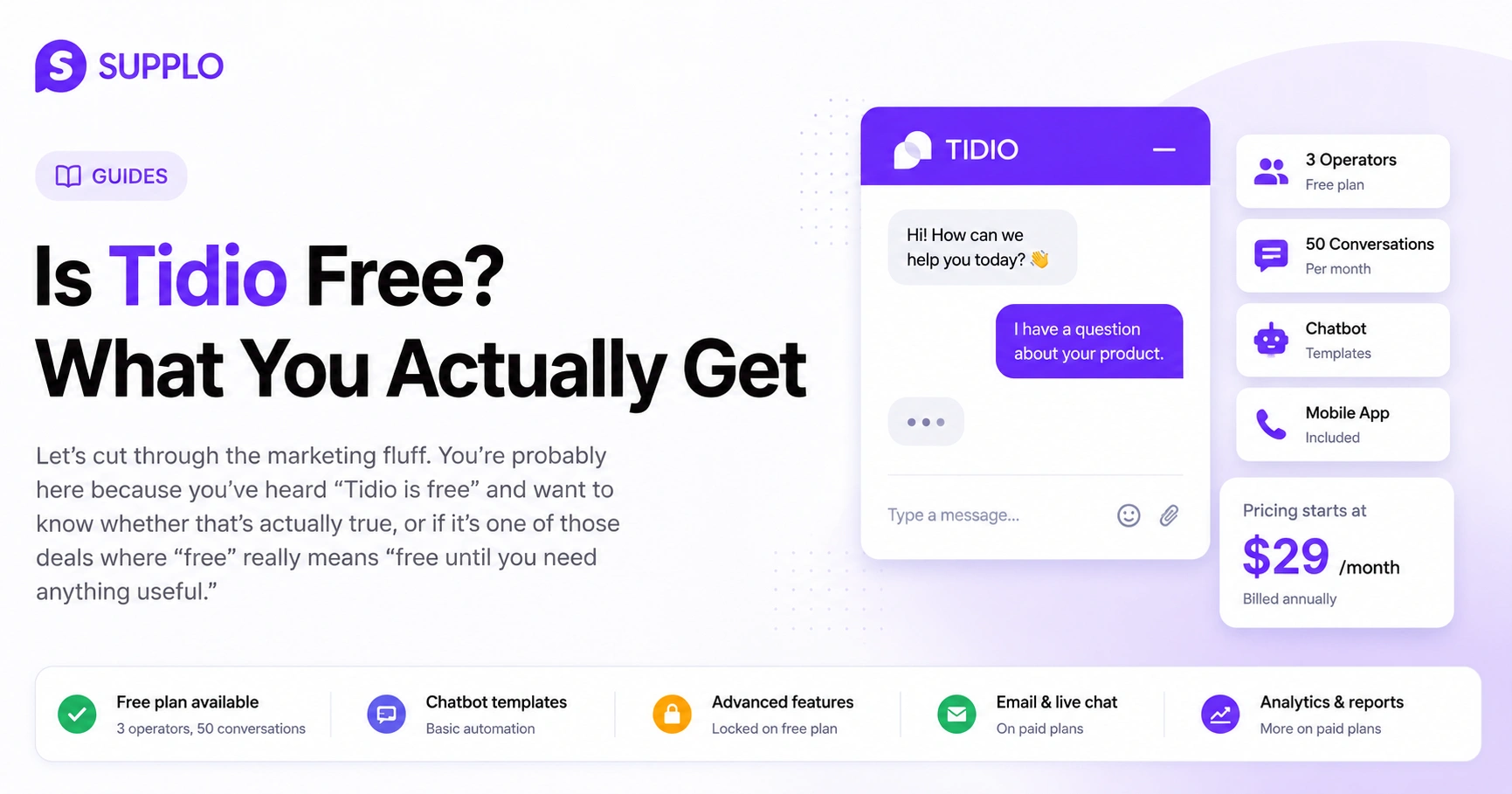
Let's cut through the marketing fluff. You're probably here because you've heard "Tidio is free" and want to know whether that's actually true, or if it's one of those deals where "free" really means "free until you need anything useful."
The honest answer? Tidio is free, but only if your needs are microscopic. For anyone actually running a growing business, that free plan tends to hit a wall fast. We'll break down exactly what you get, what you don't and when you should start looking elsewhere.
Quick Answer
- Tidio's free plan includes 3 operators and 50 conversations per month – fine for testing but not for scaling.
- Paid plans start at $29/month (billed annually) and add email support, more operators and chatbot improvements.
- For transparent, flat pricing and multichannel support, Supplo offers a practical alternative with self-learning AI and a unified inbox.
What Exactly Is Included in the Tidio Free Plan?
Here's the short version: you get basic live chat, a shared inbox (sort of) and a chatbot that's more of a template picker than a builder. The free plan gives you up to 3 operators and 50 unique conversations per month. You also get the mobile app, which is nice for checking messages on the go.
But here's where it gets sticky. Advanced automation triggers? Locked. The ability to build custom chatbot flows? Also locked. And forget about integrating with anything beyond basic website chat.
- Free forever? Yes, technically, but only if 50 conversations a month is enough for you.
- The chatbot builder is limited to pre-built templates. You're picking from their menu, not cooking your own.
- Email integration is there, but it's basic. You won't get the full shared inbox experience.
If you're a solo freelancer getting 10–15 chats a month, this could work. If you're a team of three handling actual customer volume, you'll feel the squeeze by week two.
How Long Does the Tidio Free Trial Last?
Tidio's paid plans come with a 7-day free trial. No credit card required upfront, which is always a nice touch. But here's the catch: that trial auto-converts to a paid plan if you forget to cancel before the week ends.
A week isn't much time to properly test a tool. You're rushing through setup, trying to figure out if it fits your workflow and the clock is ticking the whole time.
- Trial is per workspace, not per user. If you test with a small team, you're all sharing that 7-day window.
- No extensions. Can't push the start date or pause the trial.
- Downgrading is immediate. As soon as the trial ends and you don't pay, you lose access to all paid features, no grace period.
Tidio Paid Plans: Starter Cost and What Changes
The Starter plan runs around $29/month if you pay annually. That unlocks 10 operators, 2,000 unique conversations and access to advanced chatbot features. The biggest difference between free and Starter? Automation triggers. You can finally set up rules that route conversations, trigger responses and automate some repetitive work.
- Annual billing is required for that $29 price. If you want monthly, you'll pay more.
- Conversations reset monthly. You don't get to roll over unused chats to the next month.
- Higher tiers like Growth cost up to $59/month and add more operators and conversations.
The jump from free to paid is noticeable, but so is the price tag for the full feature set.
The Real Limitations of the Tidio Chat Free Version
Let's be blunt. Tidio's free version caps you at 50 unique conversations per month and 3 operators. That's roughly 1–2 conversations per day per person, assuming all three operators are active. For a growing business, that's not much.
You also miss out on:
- Multichannel support. No WhatsApp, no Instagram, no Telegram. Just website chat.
- Advanced chatbot features. The chatbot uses pre-built templates, not self-learning AI that improves over time.
- Reporting. You get basic stats, but nothing like detailed analytics on agent performance or customer satisfaction.
Here's the thing: If your business relies on customer conversations to drive sales or support, those 50 conversations disappear fast. A single busy day can wipe out your entire month's allotment.
Ready to see what a truly free trial looks like? Start your 14-day free trial of Supplo and test all features with no limits.
Does Tidio Have a Free Version for Customer Support?
Yes, Tidio does offer a free version for customer support. But it's built for small teams handling low chat volume, not for businesses scaling across multiple channels.
The free plan includes the basic chat widget, a shared inbox and email notifications. But again, you're restricted to website chat only, with no multichannel support. Chat history is limited, search functionality is basic and there's no self-learning AI to automate responses.
- No multichannel support in the free version. Website chat only.
- Chat history and search are limited, making it frustrating to find past conversations.
- No self-learning AI. You're on your own for automating responses.
Tidio Chat Support Options: What's Free vs. Paid
Here's where things get a bit tricky. Tidio's support options change dramatically depending on what plan you're on.
Free plan users get access to the knowledge base and community forums. That's it: no live support, no email support, no priority queue. If something breaks or you have a question, you're browsing help articles and hoping someone in the community has already answered it.
Starter plan and above unlock email support with a 24-hour response window. For higher tiers like Growth, you get priority chat and dedicated onboarding assistance.
- Free plan: Knowledge base and community forums only. No human support.
- Starter and above: Email support with a 24-hour response window.
- Growth and above: Priority chat and onboarding assistance.
Is Tidio Support Free or Do You Pay for Help?
Tidio support isn't free in the sense that a live agent is available when you need one. Free plan users are entirely dependent on self-service resources. That means knowledge base articles, community forums and hope.
Paid plans start including email support, but priority support, the kind where someone actually picks up the phone or responds in minutes, costs more. And onboarding? Training? Those are separate costs.
- Free tier: No ticket-based support. You're on your own.
- Email support: Starts at $29/month (Starter plan).
- Paid onboarding and training: Separate costs that add up quickly.
Tidio Free vs. a Smarter Alternative: What You Need to Know
Here's the honest take: Tidio's free plan is fine for testing the waters. But if you need multichannel support, AI-driven automation, or transparent pricing without per-seat fees, it falls short pretty quickly.
That's where Supplo comes in. Instead of capping you per agent or per conversation, Supplo charges a flat $0.04 per AI resolution and offers a unified inbox that handles email, chat, WhatsApp, Telegram, Instagram and Facebook. The AI learns from your knowledge base and past conversations, actually improves over time rather than relying on static templates.
Here's what makes Supplo different:
- No per-seat fees. You pay for the workspace, not every person on your team. Learn more about Supplo's pricing.
- Multichannel inbox. All your conversations- email, chat, social DMs- in one thread view. See how the inbox works.
- Self-learning AI. It gets better the more you use it, resolving up to 80% of tickets without human involvement. Explore the AI agent.
- Flat pricing, no surprises. $0.04 per AI resolution, not per seat per month.
Think about it: With Tidio, if you scale from 3 to 10 operators, your costs jump significantly. With Supplo, your pricing stays the same regardless of how many people you add to your team.
If Tidio's free plan feels too restrictive, try Supplo free for 14 days and get multichannel support, self-learning AI and flat pricing from day one.
How to Know If Tidio's Pricing Works for Your Business
Before you commit, ask yourself a few questions:
- How many conversations do you handle per month? If it's under 50, Tidio's free plan might actually work for you. If it's more, you're immediately looking at paid plans.
- How many operators do you have? Three or fewer? The free plan covers you. Four or more? You're paying per seat.
- Do you need multichannel support? Website chat only? Fine. Need WhatsApp or Instagram? You'll need a paid plan, or a different tool.
- How important is AI automation? If you want a chatbot that learns and improves automatically, Tidio's free plan won't cut it.
- Calculate the total number of operators × conversation volume before committing to a plan.
- Factor in hidden costs like priority support and onboarding.
- Compare per-seat pricing vs. flat workspace fees to see what actually scales for your business.
Is Tidio Actually Free?
After everything we've covered, here's the honest answer: Tidio is free, but only if your needs are extremely small. Three operators. Fifty conversations a month. Basic chat functionality. No multichannel support. No AI automation.
For testing? Absolutely. For a real business that's growing? Probably not.
Once you outgrow that free plan and you will if your business is successful, you're looking at $29+/month for the Starter plan and costs climb from there. The free plan is a starting point, not a long-term solution.
For a more scalable, transparent approach, consider tools like Supplo: flat pricing, no per-seat fees, multichannel support and an AI that actually learns. Your costs stay predictable even as your team grows.
- The free plan is functional but limited, good for testing, not scaling.
- Paid plans get expensive quickly with per-seat billing.
- Alternatives offer more features at comparable or lower flat rates.
Still deciding? Try Supplo free and see how transparent pricing and a unified inbox can work for your team: no per-seat fees, no hidden caps. Start your trial now.
Key Takeaways
- Tidio's free plan includes 3 operators and 50 conversations per month, fine for testing but not for scaling.
- Paid plans start at $29/month (billed annually) and add email support, more operators and chatbot improvements.
- For transparent, flat pricing and multichannel support, Supplo offers a practical alternative with self-learning AI and a unified inbox.
FAQ
Does Tidio have a completely free version?
Yes, Tidio offers a free version with up to 3 operators and 50 conversations per month. It includes basic live chat but lacks multichannel support, advanced automation and priority support.
How long is Tidio's free trial for paid plans?
Tidio's free trial lasts 7 days and gives you full access to the Starter plan features. No credit card is required upfront, but it automatically converts to a paid plan if not canceled.
What are the main limitations of Tidio's free plan?
The free plan caps you at 50 unique conversations per month and 3 operators. You also miss out on email integration, advanced chatbot flows and live customer support.
Does Tidio's free plan include customer support?
No, the free plan only provides access to a knowledge base and community forums. Live support requires at least the Starter paid plan.
Can I use Tidio for free on multiple channels?
No, the free plan only supports website chat. Multichannel integrations such as WhatsApp, Instagram and Facebook Messenger are available only on paid plans.
Is Tidio's pricing per seat or per workspace?
Tidio's pricing is per operator (seat-based), so costs increase as your team grows. This is different from flat-rate alternatives that charge per workspace regardless of team size.
If I cancel Tidio's trial, can I still use the free version?
Yes, you can downgrade to the free plan after canceling the trial. However, you'll lose access to all paid features immediately.
Compliance line: Supplo is not affiliated with any app or website. Please follow each app's terms and local regulations.