On this page
Customer support data gives you something surveys never will: the unfiltered truth about how people actually use your product. No sugarcoating, no, I'll rate it 4 stars to be nice: just real struggles, real workarounds, and real frustration.
If you're a product manager, support leader, or founder, you already know your inbox is full of signals. The hard part? Actually turning those signals into something useful. This guide will show you how to systematically collect, analyse, and act on customer support data to identify product gaps, prioritise features, and build a truly customer-driven roadmap.
We'll keep it practical. No fluff. Just workflows that work for teams of any size.
Quick Answer
- Support tickets reveal pain points surveys completely miss, unprompted, emotional, and specific. Bugs, confusion, missing features, it's all there.
- Build a simple tagging system (bug, feature request, user error, documentation gap) so you can spot trends without drowning in noise.
- Watch for recurring issues and volume spikes, not one-off complaints. That's how you find systemic problems instead of chasing ghosts.
- Create a structured feedback loop between support and product teams. Regular syncs and shared tools make insights actually actionable.
- Use AI tools for automated categorisation and sentiment analysis, because nobody has time to sort thousands of tickets manually.
Why Customer Support Data Is a Goldmine for Product Development
Here's the thing about support data: it's raw. It's not filtered through a survey form or a focus group moderator. It's a user who's stuck, frustrated, or confused, telling you exactly what went wrong. That's pure product intelligence.
Support interactions capture edge cases that QA teams never stumble across. They reveal the emotional weight behind feature requests, validating which problems actually matter to real people. When you combine these insights with product analytics, you get a complete picture of the user journey that neither source could give you alone.
The hidden cost of ignoring support signals
Ignoring your support data comes with a price tag you might not see coming. Unresolved pain points pile up. Users churn. Your support team keeps answering the same questions over and over, burning out while the product stays stagnant.
That's not just frustrating, it's expensive. Product stagnation drives up operational costs and erodes customer loyalty. And the worst part? You're sitting on the data that could fix it all.
How support tickets reveal real user pain points faster than surveys
Surveys give you broad strokes. They're useful for measuring satisfaction or spotting macro trends. But they rarely tell you exactly where someone got stuck.
Support tickets, on the other hand, are a play-by-play of failure. I clicked here, expected this to happen, got that instead. That's gold. Users don't fill out surveys when they're mid-frustration, they contact support. So your ticket queue is actually a real-time pulse on what's broken, confusing, or missing.
How to Analyse Support Ticket Data for Product Insights That Actually Matter
Raw data is just noise until you structure it. The goal here isn't to read every ticket; it's to find the patterns hiding inside them.
Start by deciding what matters. Not every complaint is a product problem. Not every feature request is worth building. But when the same issue shows up from different users across different days? That's a signal worth chasing.
Tagging and categorising tickets for product analysis
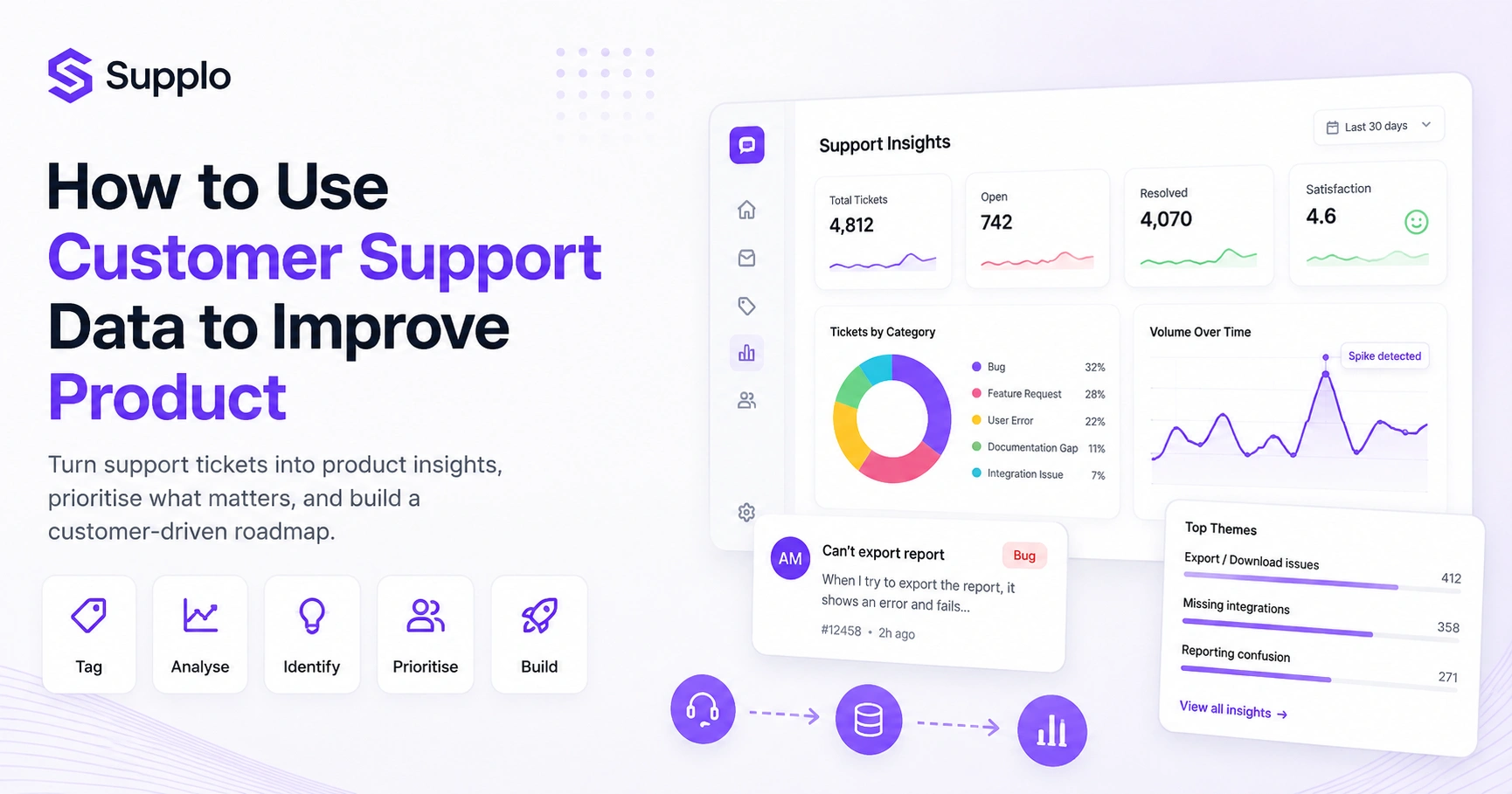
Consistent tagging is the foundation of useful analysis. Create a simple set of categories: Bug, Feature Request, User Error, Documentation Gap, and Integration Issue. Train your support team to use them consistently.
Yes, it takes discipline. But once you have clean tags, you can slice your data any way you want, by volume, by time period, by severity. AI tools can automate a lot of this, which is especially useful as your ticket volume grows.
Separating bugs, feature requests, and user errors
Not all tickets are created equal. Product teams need to know what they're looking at:
- Bugs, Something's broken. Fix it.
- Feature requests: Someone wants something new. Evaluate it.
- User errors: The UI is confusing. Improve it.
Each category needs a different response. Bugs are urgent. Feature requests need prioritisation. User errors? Those are design problems wearing support tickets as a disguise.
Extracting Product Insights from Support Tickets Without Drowning in Noise
Not every ticket contains a product insight. Some are just noise, one-off issues, user mistakes, temporary glitches. Your job is to find the signal without getting buried.
Focus on tickets that show a pattern, repeated frustration. Unexpected workarounds. Explicit requests for functionality that doesn't exist. The goal isn't to read everything, it's to identify the themes.
Using volume spikes to detect hidden product gaps
A sudden jump in tickets about a specific problem? That's your smoke alarm. It could mean a recent update broke something, a competitor launched a feature users now expect, or a long-standing issue finally hit a tipping point.
Volume spikes are among the most reliable signals of product gaps. They're hard to ignore because they show up in the numbers. Track them. Investigate them. They'll tell you where your product is failing before your churn metrics do.
Sentiment analysis on support conversations
What users say matters. How they say it matters too.
Sentiment analysis tools can detect frustration, urgency, or even delight in support conversations. If a specific workflow generates consistently negative sentiment, that's a red flag, even if the ticket volume isn't huge. Emotional data adds context to quantitative trends.
This helps product teams understand the impact of design choices. Numbers tell you what's happening. Sentiment tells you how it feels.
Want to see what your support data is hiding? Start a free 14-day trial at Supplo and let the AI agent tag, categorise, and surface product insights automatically, no manual sorting needed.
Leveraging Support Tickets for Your Product Roadmap
Support tickets are a great input for your roadmap. But they can also lead you astray if you're not careful.
The loudest voices in your queue don't always represent the majority. One angry user shouting about a niche feature doesn't mean you should drop everything to build it. Balance ticket frequency with strategic alignment and user segmentation.
Prioritising requests that align with your product vision
Every feature request should be evaluated against your core product vision. Does it move the product toward your strategic goals? Does it serve your target users? Or is it a distraction dressed up as a good idea?
Separate must-haves from nice-to-haves. The requests that strengthen your core offering should take priority. Everything else can wait.
Avoiding the vocal minority trap
This is the biggest pitfall in using support data for product decisions. A handful of passionate users can make a feature request sound urgent and widespread, even if only 2% of your user base cares.
Cross-reference feature requests with usage data. Check if the same request comes from different user segments. A feature requested by five enterprise clients might be more valuable than one requested by fifty free-tier users, depending on your business model. Look at volume, sentiment, and user value together.
Identifying Product Gaps from Customer Support Data
Product gaps don't always show up as explicit feature requests. Sometimes they're hidden in confusion, workarounds, and repetitive questions.
If your support team answers the same, how do I do this? question every day, that's not a training issue, it's a UX gap. Users are telling you something is missing or unintuitive. You have to listen.
Mapping recurring questions to missing features
When users repeatedly ask about a process that isn't intuitive or available, you've found a gap. Maybe they want to export data in a format that doesn't exist. Maybe they're trying to automate a workflow that requires manual steps.
Each recurring question is an opportunity. Either improve the feature, add missing functionality, or enhance your knowledge base to bridge the gap. Don't let the same question keep coming back unanswered.
When confusion in chat becomes a UX to fix
Support conversations that describe confusion, frustration, or clunky navigation are UX problems. Phrases like I wish I could just... or Why is this so hard? are gold.
Don't treat these as support issues. Treat them as design feedback. Every time a user struggles to complete a basic task via a live chat widget, log it as a potential UX improvement. That's how your interface gets better, by listening to the people who actually use it.
Building Feedback Loops from Customer Support to Product Teams
An effective feedback loop is what turns raw support data into real product changes. Without one? Insights get lost. Tickets get closed. Nothing changes.
The goal is a seamless flow of information between support and product teams, with clear ownership and accountability.
The weekly support insights sync workflow
Set up a recurring meeting for 30 minutes once a week. Support presents the top 3-5 recurring themes, critical bugs, or high-volume feature requests from their shared inbox. The product discusses how these insights fit into the current work or future roadmap.
That's it. Simple, structured, repeatable. This sync ensures support feedback is heard consistently and product teams stay connected to real user struggles.
Tools and tags to make feedback actionable
Use your existing tools to build the loop. Implement tags like product feedback or roadmap candidates that feed relevant tickets into your product management system. Integrate your support platform with your project management tool so insights become tasks.
For example, email ticketing systems can be configured to auto-tag based on keywords. The less manual work, the more likely the system is to be used.
Product Development Workflows with Customer Support Data
Integrating support data into product development means moving beyond reactive fixes. It's about using customer insights to shape design, development, and testing from the start.
Automation makes this scalable. When data extraction is handled by software, your product team can focus on solutions rather than sorting.
Automating feedback extraction with AI (like Supplo's agent)
Manual ticket analysis is slow and error-prone, especially as your business grows. AI-powered tools, like Supplo's AI agent, can automate categorisation, summarisation, and sentiment analysis in real time.
These tools surface trends and recurring issues without requiring someone to read every single ticket. They can consolidate insights from multiple channels, such as WhatsApp customer support, Telegram channel support, or Instagram DMs, into a single stream of actionable data.
Creating a closed-loop system between support and engineering
A closed-loop system means every ticket that reveals a product issue gets tracked, addressed, and communicated back to the customer. Support logs it. Product prioritises it. Engineering fixes it. Support closes the loop.
This cycle ensures that feedback doesn't vanish into a black hole. It builds trust with customers and creates a culture of continuous improvement.
Using Customer Feedback Data to Inform Product Strategy
Support data isn't just for fixing bugs, it's for shaping strategy. By analysing trends over time, product leaders can validate assumptions, anticipate needs, and keep the product aligned with market demands.
This is where support data graduates from tactical to strategic.
Quantitative vs. qualitative signals from support
Both matter. Here's the difference:
- Quantitative signals, ticket volumes, tag frequency, and resolution times. These tell you what is happening and how often.
- Qualitative signals, actual conversation transcripts, user quotes, and emotional tone. These tell you why it's happening and how it feels.
Quantitative data gives you scope. Qualitative data gives you context. You need both to make informed strategic decisions.
Shaping quarterly roadmaps with ticket trends
Consistent ticket trends can directly shape your quarterly roadmap. If users keep requesting a specific integration or struggling with the same onboarding step, that's not noise; that's direction.
Look for patterns that indicate shifting user needs or market changes. These trends are early warning systems for opportunities and threats alike. Use them to inform the next development cycle.
Support Ticket Analysis for Feature Requests – A Practical Template
Feature requests pile up fast. Without a system to manage them, they become noise. A simple template helps you filter, score, and prioritise requests objectively.
How to score and rank feature requests from tickets
Build a simple scoring system. Consider four factors:
- Frequency: How many users asked for this? (1-5 points)
- User Value, How much impact for key segments? (1-5 points)
- Strategic Alignment: Does it fit your vision? (1-5 points)
- Effort: How complex is it to build? (1-5, lower score = higher effort)
Sum the scores and rank accordingly. This gives you a data-driven way to decide what gets built next.
When NOT to build based on support data
Sometimes the right answer is no. Here's when to hold off:
- Don't build for a single edge case.
- Skip requests that don't fit your product vision.
- Avoid building solutions for symptoms instead of root causes.
- Be wary of requests from users outside your target demographic.
Always cross-reference support insights with analytics and strategic goals. Build for the right users, the right reasons.
Creating a Customer Feedback Loop for Product Development That Scales
As your business grows, your feedback loop has to grow with it. That means moving from manual processes to automated systems that efficiently capture, analyse, and distribute insights.
Scaling also means closing the loop with customers and showing them that their feedback actually matters.
Communicating changes back to customers (closing the loop)
When a user's feedback leads to a change, tell them. A simple "thanks for your suggestion"-"we built this because of you,"-goes a long way.
This builds trust and encourages more feedback. You can communicate individually (reply to their ticket) or collectively (changelog, release notes, in-app message). Either way, closing the loop shows you're listening.
Measuring whether product changes actually reduced support tickets
The ultimate test: did your product change reduce ticket volume for the specific issue you addressed?
Track it. Count tickets related to that bug or feature request before and after the change. If the number drops, your feedback loop is working. If it doesn't, you may have missed the root cause.
This is where Supplo's pricing model, flat per workspace, not per seat, can make a difference. Your bill won't balloon just because your team grows, even as ticket volume effectively decreases.
Common Pitfalls When Using Customer Service Data for Product Strategy
Support data is powerful, but it's easy to misinterpret. Watch out for these traps.
Confirmation bias and data cherry-picking
It's human nature to look for data that supports what you already believe. This leads to cherry-picking tickets that validate your favourite feature idea while ignoring those that challenge it.
Actively seek out data that contradicts your assumptions. Encourage devil's advocate discussions. Be willing to change your mind based on what the data actually says.
The risk of over-rotating on angry users
Angry users are loud. They're not always representative.
Over-prioritising their demands can lead to building features that serve a small, vocal minority while alienating your broader user base. Distinguish between valid frustration about core functionality and intense opinions about specific preferences.
Always validate angry feedback against larger patterns, customer segments, and product analytics before making roadmap changes.
FAQ
How do I start analysing support ticket data to gain product insights?
Begin by tagging every ticket with one of the following categories: bug, feature request, user error, or documentation gap. Look for patterns across time, not individual complaints. Tools like Supplo can automate this tagging with AI, making analysis much faster.
What's the best way to prioritise feature requests from support tickets?
Score each request by frequency (how many users asked), user value (what tier or segment), and alignment with your product vision. Avoid building just because a few loud users asked; focus on patterns that appear across different customer groups.
How do I identify product gaps from support conversations?
Look for recurring questions about processes that should be obvious or automated. If multiple users ask how to do [core function], that's a UX gap. Ticket language like "why can't I just…" or "I had to find a workaround" is a direct signal.
Should I treat every support ticket as a product insight?
No. Isolated complaints, temporary glitches, or one-off edge cases are noise. Focus on patterns, repeated issues across multiple users over time. The goal is to find systemic problems, not every individual frustration.
How do I close the feedback loop with customers after a product change?
Notify users who submitted related tickets when a fix or feature ships. Using what you asked, we built messages in-app or via email. Closing the loop builds trust and encourages more high-quality feedback in the future.
What tools help automate the extraction of product insights from support data?
AI-powered support platforms like Supplo can automatically tag, categorise, and cluster tickets, surfacing product insights without manual sorting. Integrating your support tool with a product management board also simplifies workflows.
How often should product teams review support data?
At a minimum, weekly. A dedicated top-support patterns sync between support and product ensures that insights move fast. Monthly deeper dives help shape the broader product roadmap and identify strategic gaps.
What's the biggest mistake when using support data for product decisions?
Over-indexing on loud, angry users. Anger doesn't equal importance. Always validate support signals with product analytics and check if the same request comes from different user segments before committing roadmap resources.
Compliance line: Supplo is not affiliated with any app or website. Please follow each app's terms and local regulations.


