On this page
Let’s be real for a second. You’ve probably dealt with chatbots that feel more like brick walls than helpful assistants. They can't hold a thread, they forget your name and they definitely can't help you with anything beyond a basic FAQ.
That’s where agentic AI in customer support comes in. It’s not your average bot. It’s more like a self-sufficient support rep that can think, act and learn on its own. This guide breaks down exactly what it is, how it works and how you can get it up and running without a massive headache.
Quick Answer
- Definition: Agentic AI in customer support refers to autonomous AI agents that can analyze a customer’s problem, determine what to do, take action (such as updating an order or issuing a refund) and improve over time without needing a human to babysit every step.
- Key Capabilities: It can reason independently, use various tools (such as your CRM or ticketing system), remember past conversations, know when to hand off to a human and learn from its own mistakes.
- How It Works: It follows a simple loop: see the problem, think about it, do something, check what happened and remember the result.
- Deployment Steps: Connect your channels, feed it your help docs, set some rules, start with it in "suggest" mode and keep an eye on things for a few days.
Agentic AI Definition: What Makes an AI Agentic in Customer Support?
Think of the difference between a vending machine and a chef. A vending machine has set options; you press a button, you get a snack. A chef, on the other hand, sees your request, checks the pantry, thinks about what goes together and cooks you a meal that might be slightly different each time based on what’s fresh.
Agentic AI is the chef. It doesn't just match keywords. It plans its actions. If a customer says, "My order never showed up and I'm upset because I have a birthday party tomorrow," the AI doesn't just send a generic "Here's your tracking number" link. It looks up the order, sees it’s been delayed, notices the customer's frustration and can either offer a discount or send an apology email, all in one fluid conversation.
So what makes it agentic?
- It plans: It doesn’t just respond to the last message. It figures out the next best step.
- It uses tools to pull data from your CRM, update a ticket, or send a follow-up email.
- It remembers: It knows you called yesterday about billing, even if you emailed today about a different account.
- You set the rules: You tell it, "Never issue a refund over $50 without checking with me," and it sticks to that.
Key Agentic AI Capabilities for Customer Service Teams
The big jump from old-school automation to agentic AI boils down to five key skills. These aren't just nice-to-haves; they’re what actually makes this technology useful for a real business.
- Autonomous Reasoning: It figures out solutions, not just answers. It can handle multi-step workflows like unlocking an account, resetting a password and sending a confirmation email in one go.
- Multi-Tool Orchestration: Your CRM, ticketing system and email platform? It can talk to all of them at once. It doesn't need a human to click around three different browsers.
- Memory Persistence: This is a huge one. A customer can start a chat on WhatsApp, get interrupted, then email you two days later. The AI picks it up from where it left off, not from scratch. No more explaining the same problem twice.
- Escalation Intelligence: It knows its limits. When something is out of its depth (like a legal request or a very angry VIP), it hands off to a human with a full summary of what happened and what's been tried. It’s a warm handoff, not a cold transfer.
- Self-Improvement: It learns from its wins and losses. When a human agent corrects a reply, the AI notes that for next time. It gets smarter every week.
How Does Agentic AI Work in Support?
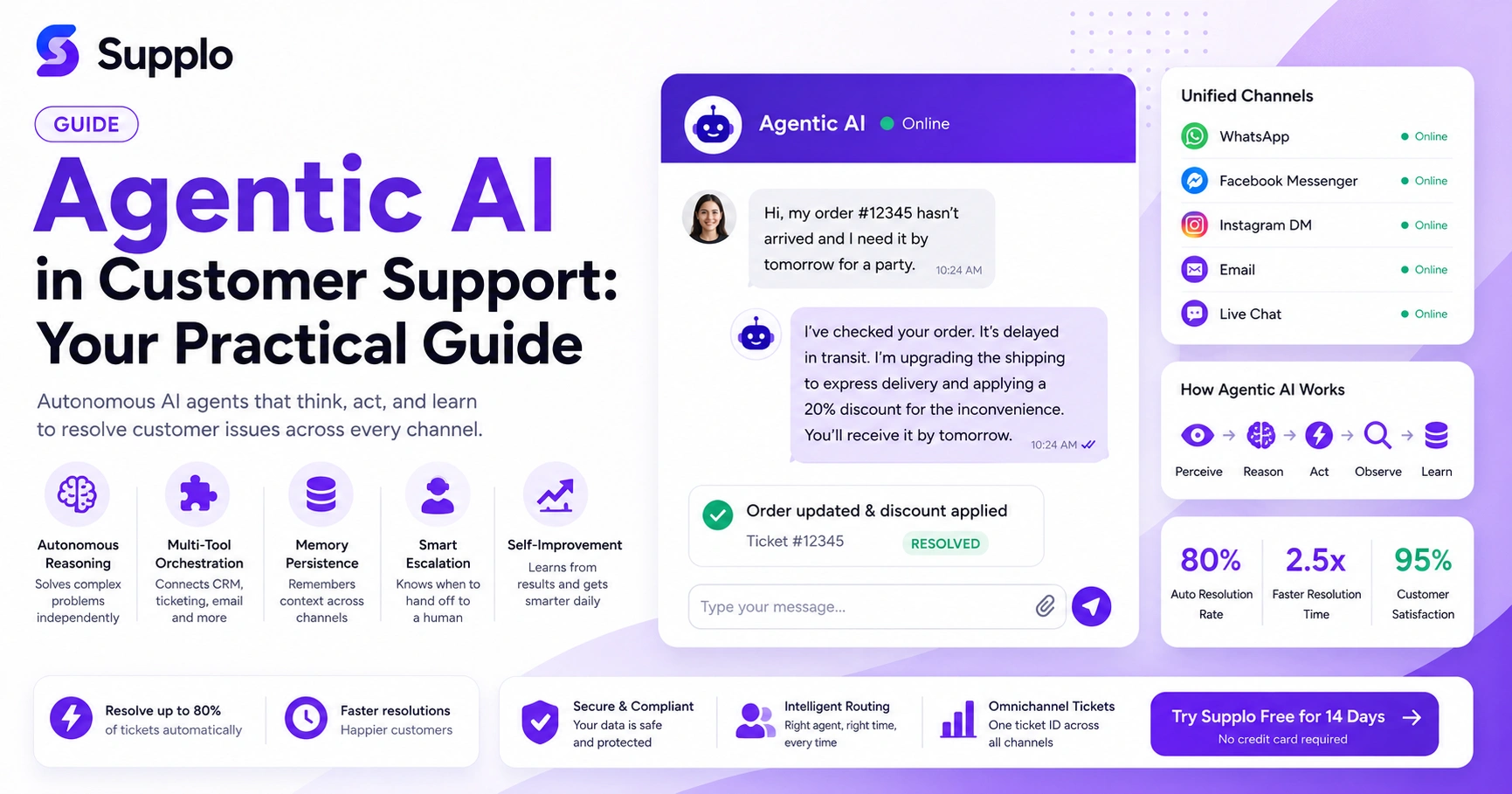
It’s a constant, lightning-fast loop. Imagine a ticket comes in via your live chat widget. Here’s what happens, in order:
- Perceive: The AI sees the message. It identifies the customer from their email or session data. It detects the language (Spanish, Japanese, or English?).
- Reason: It compares the problem against your knowledge base and all previous similar tickets. “Ah, a password reset request. I have three different ways to solve this.”
- Act: It performs a solution. It could send a direct “Reset Password” link. Maybe it looks up the user in the CRM and sends a temporary code. It doesn’t just say it will do something; it does it.
- Observe: It watches what happens next. Did the customer close the ticket? Did they reply with another question?
- Learn: If the solution worked flawlessly, it logs it as a success. If the customer came back with "This didn't work for me," it flags that pattern for review.
All of this happens in a few seconds, not minutes.
Agentic AI Customer Service Explained: From Chat Widget to Ticket Resolution
The whole experience starts the second a visitor types in your website chat widget or sends a message to your WhatsApp Business number. The AI doesn't just reply. It treats every interaction like a real ticket with a real lifecycle.
It greets the customer, figures out the issue, pulls relevant history (like "Hey, I see you bought this last month"), resolves it if it can, updates your internal ticketing system automatically and attaches a tag. If that same customer ends the chat and emails you two days later, the AI picks up the same conversation. It's one thread, not a new start.
- No more channel hopping: The same AI brain works across your email, live chat, Instagram DMs and Messenger.
- No more manual entry: Tickets are created automatically, with tags and priority levels already set.
- No more cold handoffs: When a human gets involved, they see the full history and the AI’s suggestion for the next step.
Unifying Channels with Agentic AI: How to Set Up WhatsApp, Facebook Messenger and Instagram DM Support
The real magic happens when you stop treating your inboxes as separate silos. Unifying channels means connecting WhatsApp, Facebook Messenger, Instagram DMs, email and live chat into a single shared inbox where the AI can see everything.
Setup is simpler than you might think. Most platforms, like Supplo, let you connect each channel via API.
- WhatsApp: Connect your WhatsApp Business API. The AI can send order confirmations, answer shipping questions and escalate to you when needed.
- Facebook Messenger: Authenticate your business page. The AI handles common FAQs and routes requests for private info (like billing details) straight to a human.
- Instagram DMs: Link your Instagram business account. The AI can reply to product questions, shipping updates and general DMs without you lifting a finger.
- Email: Connect your support@ email inbox. The AI drafts replies and flags any security or billing issues for a human to review.
- Live Chat Widget: Embed it on your site. The AI greets visitors and starts resolving issues before you’ve even had your morning coffee.
Compliance Note: Supplo is not affiliated with any app or website. Please follow each app's terms and local regulations.
Agentic AI for Omnichannel Ticket Resolution: Automated Ticketing That Actually Works
Here’s the goal: a customer starts a conversation on Instagram, continues over email and resolves it via WhatsApp. With agentic AI, all of that lives under one single ticket ID. The full context is preserved.
The AI handles the easy stuff automatically: password resets, order status checks, cancellation requests. For the harder tickets, it prepares a handoff summary for your human team. So when you pick up the case, you already know the customer’s name, their issue, what the AI tried and why it needs a human.
- Single ticket ID across channels: No more duplicates. No more lost conversations.
- Customer can switch channels mid-conversation: They don't have to explain themselves again.
- AI resolves the simple stuff: It handles the 80%, letting your humans focus on the 20% that actually needs their brainpower.
Intelligent Ticket Routing: How Agentic AI Assigns the Right Agent Every Time
Old-school routing is just a round-robin. Next person in line gets the ticket. Agentic AI is smarter than that. It doesn't just look at who's free. It looks at who is best for this ticket.
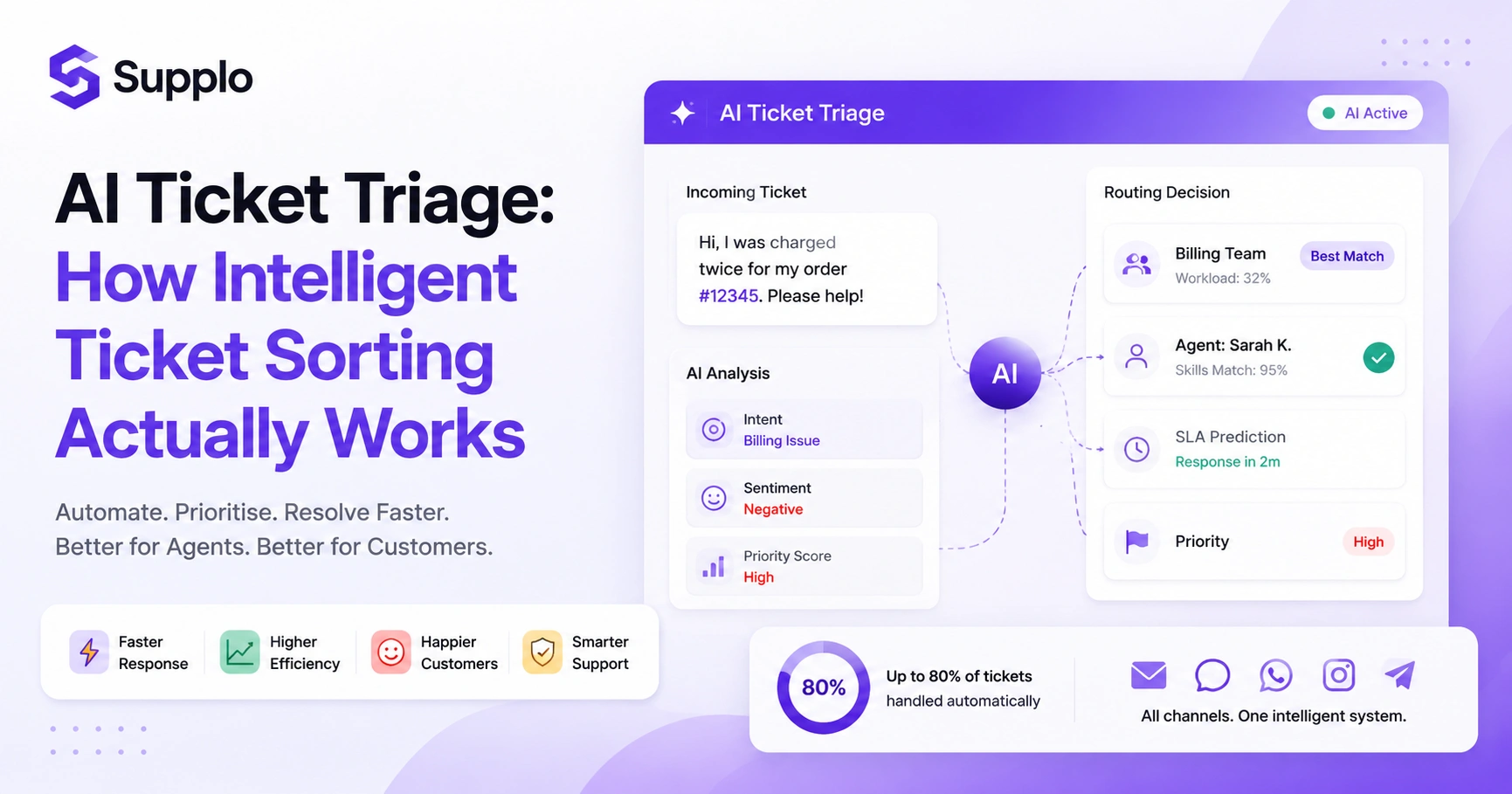
It evaluates the language (Spanish query? Send it to Maria). It judges the sentiment (Frustrated VIP? Send it to a senior agent). It looks at the product category (Technical issue? Send it to the tech team). This means fewer transfers, shorter resolution times and a much better experience for both you and your customers.
- Skill-based routing: Tickets get matched to agents who actually know the topic.
- Language matching: Non-English tickets go straight to someone who speaks that language.
- Priority scoring: High-value or angry customers get routed faster.
- Dynamic reassignment: If an agent doesn't respond within a set time, the AI reroutes to the next-best option.
How to Train Your Agentic AI for Accuracy
You don’t need to be a coder. Training is more about curation than coding. Start here:
- Upload your knowledge base articles, FAQs and past resolved tickets.
- Set clear guardrails. Tell the AI what it absolutely cannot do (e.g., "Don't promise refunds over $50").
- Most platforms let you review and approve or correct the AI's replies. Do this for the first week.
- Start small. Focus on your top 20 most common ticket types. Get those perfect, then expand.
- Set a confidence threshold. If the AI is below, say, 85% sure of an answer, it routes to a human. It’s better to say "I need help" than to guess and be wrong.
Common Pitfalls of Customer Support Automation with Agentic AI And How to Fix Them
This isn’t a magic wand. Here are the most common mistakes teams make and how to avoid them.
Pitfall 1: The AI handles a sensitive account change without a fail-safe.
- Fix: Set clear value limits. Anything over your threshold gets flagged for a human.
Pitfall 2: The AI launches without enough training data.
- Fix: Don't go live until you've fed it at least 100–200 real tickets from your history.
Pitfall 3: You treat WhatsApp and email as completely separate systems.
- Fix: Use a unified inbox that connects everything. The AI needs a single brain.
Pitfall 4: Customers feel trapped talking to a robot.
- Fix: Always offer a “Talk to a real person” option within the first two exchanges.
Deploying Agentic AI in Your Support Stack This Week
You can have this running by the end of the week. Seriously.
Day 1: Sign up for a platform like Supplo (a free trial is available). Connect your email and live chat widget.
Day 2: Upload your knowledge base and top 20 FAQs. Set your guardrails and escalation rules.
Day 3: Turn on the AI for email only, but set it to “suggest” mode. You review every reply before it sends.
Day 4-5: Review 100% of the AI’s replies. Correct anything wrong. That feedback becomes training data.
Day 6-7: Go live. Turn on the AI for WhatsApp and Messenger. Monitor for one more day, then let it run.
Key Takeaways
- Agentic AI: Autonomous agents that perceive, reason, act and learn.
- Key Capabilities: Autonomous reasoning, tool orchestration, memory, escalation and self-improvement.
- Work Process: Perceive, reason, act, observe, learn.
- Unified Channels: Connect WhatsApp, Messenger, Instagram, email and chat widget for a seamless experience.
- Omnichannel Resolution: One ticket ID for all channels, with the AI resolving up to 80% of requests.
- Intelligent Routing: Skill-based, language-matched and priority-scoring.
- Training Tips: Upload knowledge base, set guardrails, review replies, start small.
- Common Pitfalls: Over-reliance, under-training and channel silos.
- Deployment Steps: Connect channels, upload training data, start in suggest mode, monitor, expand.
FAQ
Is agentic AI allowed for all customer support channels?
Yes, but you must follow each channel’s business messaging policies. WhatsApp requires a verified Business API account; Instagram and Facebook require a business account. Supplo is not affiliated with any app or website. Please follow each app's terms and local regulations.
Can agentic AI handle refunds and cancellations?
It can, but only if you set clear guardrails. Most teams allow the AI to process standard refunds up to a defined dollar amount (e.g., $50) and require a human for any amount above that. Always configure approval workflows for sensitive actions.
What happens if the AI gives a wrong answer?
The AI logs the error and you can correct it in the training interface. Over time, the model improves from corrections. For critical mistakes (e.g., wrong pricing), pause the AI, fix the knowledge base entry and retrain before re-enabling.
Does agentic AI work for multilingual support?
Yes, most agentic AI platforms translate incoming messages and can reply in the customer’s language. However, always review AI replies for cultural or tonal accuracy before going fully automated in non-English channels.
How long does it take to train the AI for my business?
Most teams see good results after training on 100–200 past tickets and 20+ knowledge base articles. Basic setup takes a few hours; full optimization takes about one week.
Can agentic AI integrate with my existing CRM or ticketing system?
Most agentic AI platforms offer API access and native integrations with common CRMs, help desk tools and ecommerce backends. Check your platform’s integration list before committing.
What should I NOT let agentic AI do?
Never let the AI access sensitive personal data like full credit card numbers, Social Security numbers, or account passwords. Avoid handling legal requests, account deletions, or anything requiring formal verification autonomously.
How can I monitor the AI’s performance?
Regularly review AI-generated replies, especially during the first week. Monitor metrics like First Response Time (FRT), Resolution Rate and CSAT scores. Use the platform’s analytics to identify and correct any recurring issues.
Compliance line: Supplo is not affiliated with any app or website. Please follow each app's terms and local regulations.