On this page
Who It Is For
Look, we've all been there. Your inbox is overflowing, your team is burnt out, and that mountain of unread tickets keeps growing. It's exhausting. But here's the thing: a support ticket backlog doesn't have to be your permanent reality. With the right approach, AI can help you clear the queue and keep it from coming back. This guide is for anyone drowning in repetitive tickets who's ready for a smarter way.
Quick Answer
- AI can handle 60–80% of support tickets on its own by learning directly from your knowledge base.
- Stop repeat questions first (think: password resets, order status) before they snowball into a full-blown backlog.
- A unified inbox is your secret weapon; it keeps tickets from getting lost across email, Instagram DMs, and your website chat.
- Forget vanity metrics. Track backlog age and agent satisfaction instead of just "AI response rate."
Why Your Support Ticket Backlog Keeps Growing and Why Humans Alone Can't Fix It
Let's be real for a second. Your backlog isn't growing because your agents are lazy. It's growing because predictable, repetitive questions flood in faster than people can answer them. Password resets. "Where's my order?" "Did my payment go through?" Each one looks small on its own, but stack 50 of them up and suddenly your team's Tuesday is gone.
Here's what's really happening:
- A backlog starts small. A busy day turns into three. Then a week. Suddenly you're staring at 200+ tickets nobody's touched.
- Hiring more people sounds like the fix, but it's expensive and slow, and it doesn't solve the repeat-question problem.
- There's a psychological toll too. Agents answering the same thing over and over get demoralized. Speed drops. Burnout creeps in.
- Backlogs love predictability. Product launches, holiday rushes, email campaigns- they all trigger spikes you can see coming.
- The real fix? Stop asking humans to do work a machine can handle in seconds.
What Is AI Ticket Backlog Automation? And What It Isn't
Let's clear something up. AI ticket backlog automation means using an AI agent to resolve the easy, repetitive tickets automatically- you know, the ones that eat up 80% of your team's time. It's not about replacing your support staff. It's about letting them focus on the stuff that actually needs human judgment: refund disputes, tricky bugs, sensitive escalations.
Here's what good automation looks like:
- It resolves, not just replies. The AI completes the interaction, not just acknowledges it.
- It learns from you. A smart system pulls answers from your own knowledge base and past conversations, not generic internet junk.
- It handles handoffs gracefully. If the AI can't help, the ticket goes to a human with full context. No one has to retype their problem.
- It doesn't charge you per resolution like it's 2015. Some tools charge up to $0.99 per auto-answer. That pricing actively punishes you for automating more.
Audit Your Ticket Inbox to Find the Deflectable 80%
Before you automate anything, you need to know what you're dealing with. Grab your last 200 resolved tickets and sort them by type: account issues, billing, shipping, product questions, and the rest. Chances are, 60–80% of them are the same 10 questions dressed up differently. Those are your "deflectable" tickets, the ones a well-trained AI can handle instantly.
Here's your game plan:
- Use your tool's tagging feature to export ticket categories by volume.
- Look for timing patterns. Do Monday mornings spike after weekend orders?
- Watch for tickets that take your agents less than 2 minutes to resolve; those are prime automation targets.
- Don't forget the DMs. Social channels like WhatsApp and Instagram often hide tickets from your main count.
- Build a simple spreadsheet: question type, frequency, average handle time, and whether a knowledge base article already exists.
Set Up a Self-Learning AI Agent That Actually Understands Your Customers
Your AI needs to understand what customers are asking, not just match keywords. A self-learning AI agent ingests your knowledge base, chat transcripts, and docs, then uses that context to give accurate, natural-sounding answers. It should also handle multiple languages, because backlogs often grow when teams can't respond quickly in a customer's native language.
Start small and improve:
- Begin with 5–10 common questions and your best agent responses. Train the AI on those.
- Look for a tool with confidence scoring. If the AI is less than 95% sure, it hands off to a human.
- Make sure it can pull real-time data, such as order status, from an API for live answers.
- Test it on edge cases: misspellings, slang, partial questions ("track order 123" should work).
- Remember: the goal isn't 100% automation. It's 100% accuracy on the tickets the AI chooses to answer.
Deflect Repeat Tickets Before They Create a Backlog
The fastest way to shrink a backlog? Stop tickets from forming in the first place. AI ticket deflection means intercepting a customer at the point of contact- your website chat, email, or social DM- with an immediate, accurate answer. If it's a simple question, the AI resolves it right there. If it's complex, the AI gathers context (order number, issue description) and creates a well-formed ticket for a human to review. That alone saves your agents 3–5 minutes per interaction.
Here's how deflection works in practice:
- Be visible everywhere. Website chat widget, auto-email responses, WhatsApp greetings- the AI should be ready at every entry point.
- Example: a customer DMs "Where's my order?" The AI checks the system and replies with tracking info. Done.
- If unsure, the AI asks clarifying questions before escalating. "Can you share your order number?" collects the info a human would need anyway.
- Expect a 40–70% reduction in inbound volume, depending on your product and the quality of your knowledge base.
- Pro tip: offer a "self-service path" first, link to an FAQ or video, before offering a live agent.
Automatically Resolve Stuck Tickets with AI Ticket Resolution Automation
Stuck tickets, the ones sitting untouched for 3+ days, are the worst part of any backlog. Maybe an agent got sidetracked. Maybe the ticket fell through the cracks. Whatever happened, AI can help here too. A good system scans your unresolved queue, finds tickets that match known solutions, and automatically applies the fix or sends the right response.
Example: a ticket that says "I forgot my password" that's been open for 4 days. The AI can instantly send a reset link and instructions. No human needed. That dead weight just vanished.
Set it up right:
- Program the AI to auto-process tickets older than 48 hours that match a known solution pattern.
- Use time triggers: if a ticket hasn't been touched for 24 hours and it's a simple question, auto-resolve it.
- Make sure the AI can handle multi-step requests ("Cancel order #123 and issue a refund").
- Have a fallback: if confidence is too low, reassign to a senior agent and flag as priority.
- Monitor the auto-resolution rate weekly. A drop usually means your knowledge base needs updating.
Unify Every Channel So Backlogs Don't Hide in DMs
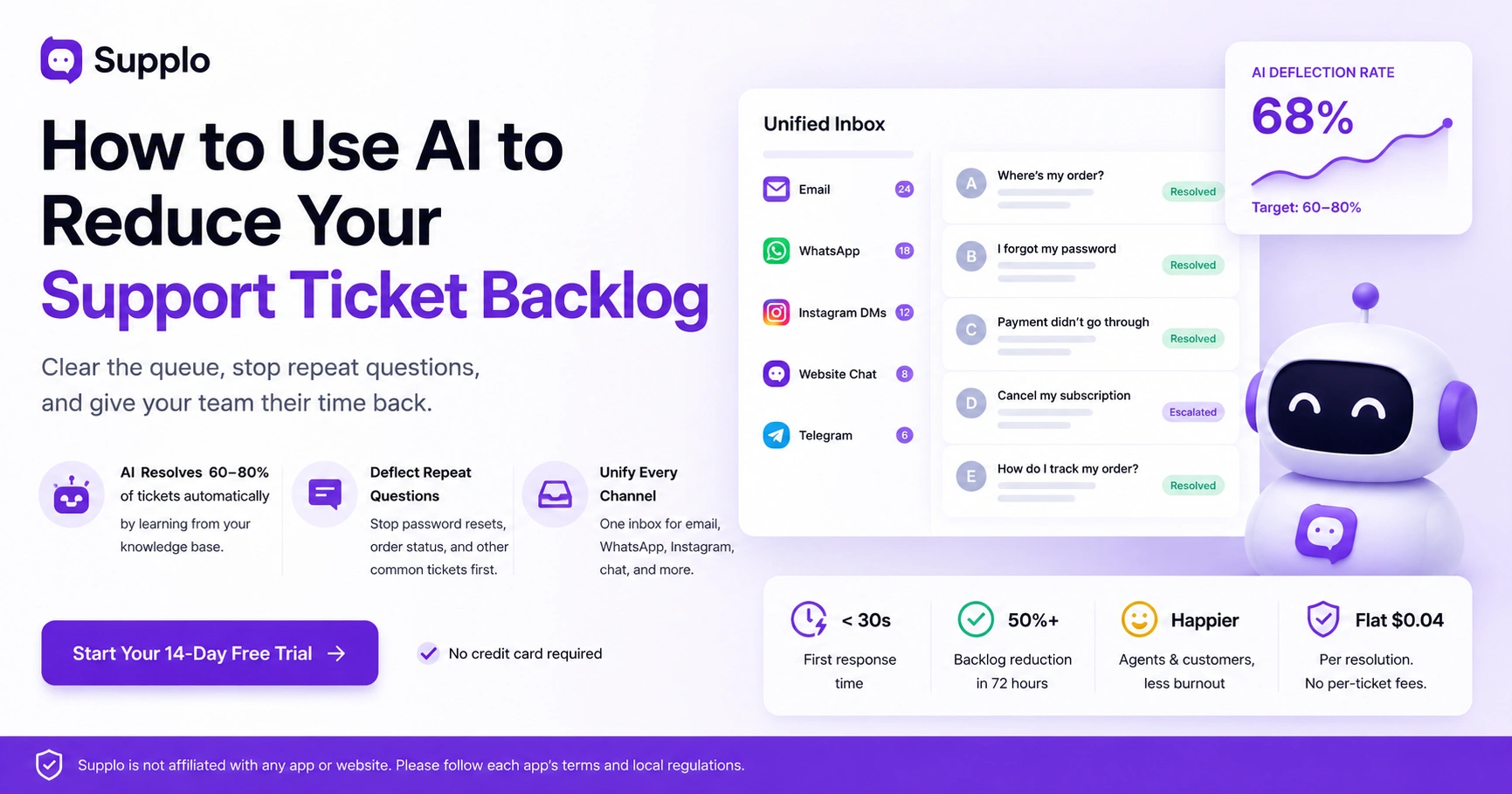
Here's a dirty secret about backlogs: they often survive because tickets get lost across channels. Email, website chat, WhatsApp, Instagram DMs, Telegram- they all have their own inboxes. Agents miss messages on less-monitored channels, and your backlog grows silently. The fix is a unified inbox that threads every conversation into a single chronological view.
Why this matters:
- Without unification, a customer might email and DM on WhatsApp, creating two tickets for the same issue. Your queue just doubled.
- A unified inbox deduplicates by customer identity. One issue equals one thread, no matter the channel.
- Social DMs are especially sneaky. They don't have "ticket numbers." They sit unread.
- The AI should handle all channels equally. A WhatsApp question gets answered the same way an email would.
- Multichannel support without a unified inbox isn't multichannel support. It's chaos with a nicer label.
The Real Cost of a Backlog: Why $0.99/Resolution Tools Make It Worse
Here's something nobody talks about: some support tools charge you up to $0.99 for every automated resolution. Think about that. If you deflect 80% of your tickets, you're paying almost a dollar per ticket. That pricing model actively discourages automation. The more tickets you deflect, the more you pay.
Supplo takes a different approach: a flat $0.04 per resolution. That makes automation genuinely cost-effective, not just a fancy idea.
What that looks like in real numbers:
- At $0.99 per resolution, solving 10,000 tickets costs you $9,990.
- At Supplo's $0.04 rate, the same 10,000 tickets cost $400.
- Flat per-workspace pricing means your bill doesn't balloon as your team grows or automates more.
- Don't forget hidden costs: complex tool training, seat-based pricing, integration headaches.
- Choose a tool whose pricing aligns with your goal: reducing tickets, not inflating them.
How to Measure AI Efficiency on Your Support Tickets
Stop tracking "AI response rate." That's a vanity number. Instead, measure what actually matters for your backlog:
- Deflection rate, percentage of tickets the AI resolves completely. Target: 60–80%.
- First response time should drop to under 30 seconds for automated tickets.
- Backlog size, check daily. It should shrink, then stabilize at a manageable level (say, under 50 tickets).
- Customer satisfaction on AI-resolved tickets: use a quick post-resolution survey.
- Agent handle time on escalated tickets should drop because the AI provides context.
Here's your real test: one week after implementation, is your oldest ticket less than 24 hours old? And does your team feel less overwhelmed? If yes, the AI is working as intended.
How to Clear Your Backlog in 48–72 Hours
You don't need a month for this. Seriously. Here's a rapid-fire plan:
Day 1: Audit your top 10 ticket types. Build a simple knowledge base for them. Keep it short; you can expand later.
Day 2: Connect your channels (email, WhatsApp, website chat) to a unified inbox. Turn on your AI agent for those 10 questions.
Day 3: Review the backlog. Manually clear the oldest 20% of tickets (most are abandoned anyway). Let the AI handle new incoming tickets.
Within 72 hours, expect a 50%+ reduction in active tickets and a dramatic drop in response time. A few tips:
- Start with just 5–10 FAQs. Perfection is the enemy of progress.
- Use a free trial (Supplo offers 14 days) to test without commitment.
- Batch-resolve old "stuck" tickets using a mass-response template that offers a resolution or a self-service link.
- Tell your team to focus only on escalated tickets for the first 48 hours.
- After week one, review what the AI got wrong and update your knowledge base. This is where improvement happens fastest.
Supplo is not affiliated with any app or website. Please follow each app's terms and local regulations.
Key Takeaways
- AI can resolve 60–80% of support tickets automatically by learning from your knowledge base.
- Focus on deflecting repeat questions (password resets, order status) before they create a backlog.
- Use a unified inbox to prevent tickets from getting lost across email, social DMs, and chat widgets.
- Measure success by backlog age and agent satisfaction, not just "AI response rate."
FAQ
Can AI really reduce my support ticket backlog without making customers angry?
Yes. When the AI is trained on your actual knowledge base and handles only questions it's confident about, customers actually prefer the instant response over waiting 24 hours for a human.
How long does it take to see results from AI backlog automation?
Most teams see a 40–60% reduction in active tickets within the first week, assuming a clean knowledge base and proper channel unification.
What types of tickets should I NOT automate with AI?
Avoid automating refund disputes, complex technical issues, sensitive account security issues, or anything requiring human empathy (such as cancellations due to a death in the family).
Do I need a dedicated IT team to set up AI to address the ticket backlog?
No. Modern tools like Supplo require no coding; upload your knowledge base and connect channels via simple integrations.
Is it safe to use AI for customer support across WhatsApp and Instagram DMs?
Yes, as long as you follow each platform's terms of service. Supplo is not affiliated with any app or website. Please follow each app's terms and local regulations.
What happens if the AI answers a customer incorrectly?
The customer should always have a clear path to a human agent. A good system logs every AI response so you can audit and fix mistakes in your knowledge base.
Can I try AI backlog automation for free before committing?
Yes. Supplo offers a 14-day free trial with full access to the AI agent and unified inbox, including WhatsApp, Telegram, Instagram DMs, and email.
Compliance line: Supplo is not affiliated with any app or website. Please follow each app's terms and local regulations.


