On this page
Customer support can feel like you're constantly trying to catch up. Messages pile up, response times stretch and your best agents end up answering the same question for the tenth time that day. This guide walks you through exactly how to use automation for first response, the smart way, not the set it and forget it way.
We're talking to support managers, ops leads and business owners who want to scale without burning out their team. If you're drowning in repetitive tickets, watching your response times creep up, or just tired of typing, let me check on that order fifty times a day. This is for you.
This isn't about replacing your people. It's about giving them room to do the work that actually needs a human brain.
Quick Answer
- First-response automation uses AI to instantly acknowledge, categorise, and often resolve initial customer messages.
- Reliability comes from training the AI on your specific knowledge base and conversation history.
- It covers channels like email, website chat, WhatsApp, Telegram, Instagram DMs and Facebook Messenger.
- The goal is to resolve 50-80% of repetitive questions automatically, reserving human agents for complex issues.
- A well-implemented system dramatically cuts response times and boosts customer satisfaction.
What Does First Response Automation Actually Mean for Your Support Team?
Let's be real: first-response automation sounds like buzzword bingo. Here's what it actually means: software that reads a customer's message the second it lands, figures out what they need and replies instantly. Across email, live chat, Instagram DMs, WhatsApp, wherever.
This isn't your grandpa's autoresponder that says, "Thanks, we'll get back to you." A proper system draws on your actual knowledge base, reviews past conversations, and checks the customer's data to answer common questions on the spot. When things get complex, it hands off to a human, with full context, not a blank ticket.
Most teams confuse this with canned replies. They're not the same thing. Real automation understands what the customer needs. A good setup covers email, website chat, WhatsApp, Telegram, Instagram and Facebook Messenger from a single inbox, so nothing falls through the cracks.
The whole point? Free your team from 50–80% of repetitive tickets. Password resets. Order status. What are your hours? A well-trained AI handles those. The tricky stuff still goes to your people.
Why Immediate Response Automation Is Non-Negotiable for Modern Customer Service
Here's a hard truth: customers expect answers in minutes, not hours. Suppose your first reply takes longer than five, satisfaction tanks. And yeah, they'll go to a competitor who responds faster. Immediate response automation isn't a nice-to-have anymore; it's what separates "I'll get back to you" from actually getting back to them.
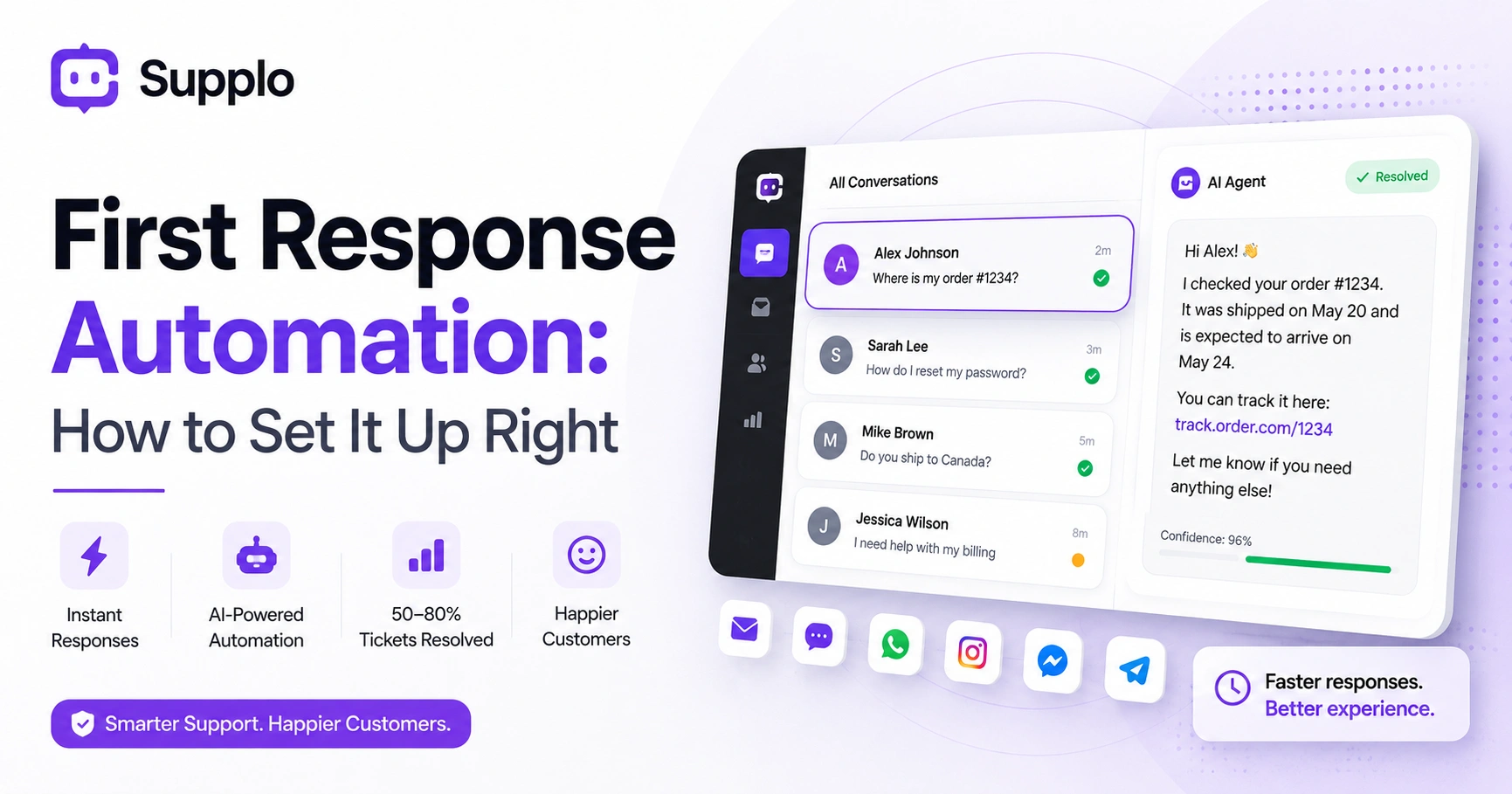
Speed is the biggest driver of customer satisfaction. Full stop. A slow first response means frustrated customers, repeat contacts and a queue that never shrinks. But here's the thing, immediate doesn't mean robotic. A good AI can say Hey Alex, I see your order #1234. Let me check the status while your human agent is still booting up their laptop.
The risk? If your immediate response is generic-"Thanks for contacting us"-it actually annoys people. It has to add value. Tools like Supplo's AI agent go beyond auto-reply by resolving simple tickets outright before a human ever sees them. That's the difference between automation that helps and automation that gets in the way.
The Real-World Setup: How to Automate Your First Contact Without Breaking the Customer Experience
Automating first contact isn't about flipping a switch on a chatbot. You need to map your most common questions, connect your knowledge base and train your AI on real conversations. The good news? It's simpler than it sounds if you use a platform that unifies your channels.
Start with your top ten first-contact scenarios. Where's my order? How do I reset my password? Do you ship to Canada? Teach your AI those exact answers.
Don't automate what you can't explain. If your knowledge base is a mess, your automated first response will be a mess too. Fix your KB first. Use a shared inbox so the AI can see the full thread across email, chat, and social DMs. It can't help if it only sees half the conversation.
Set a confidence threshold. If the AI is less than 90% sure of the answer, it should default to Thanks, I'm connecting you to a human. Test with a small team first. Let your agents review the AI's replies for a week before turning it loose on all inbound traffic.
AI for First Response: Choosing Between Simple Chatbots and Self-Learning Agents
Not all AI is created equal. Simple rule-based chatbots are fine for directing traffic, Press 1 for billing, but they don't actually solve anything. Self-learning AI agents, like the one we built at Supplo, analyse your knowledge base and past conversations to write unique answers for each customer. The difference lies in reliability: a rule bot fails when the question isn't exact, whereas a learning agent handles nuance naturally.
Rule chatbots are cheap and fast to set up. They also break the moment a customer asks something slightly different from your script. Self-learning AI improves over time. Every conversation it handles (or fails at) trains it to be better tomorrow.
The AI chatbots' first response hype often sells you a dream. Look for platforms that show you exactly what the AI learned and let you correct it. Supplo's AI agent is transparent about its limits; if it can't answer, it hands it off with a full log, no ghost tickets.
How to Use AI for First Response to Handle High-Volume Channels Like Email and Social DMs
Email and social DMs (Instagram, Facebook Messenger) are the highest-volume channels for most teams. They're also the slowest to reply to manually. AI for first response automates the whole triage process: it reads the message, checks your knowledge base and drafts or sends a reply in seconds. For social channels like Instagram or WhatsApp, the AI can even translate messages, so you can support customers in any language without adding headcount.
For email ticketing, the AI generates a reply based on thread history and your tone guidelines, then either sends it or queues it for review. For Instagram DMs: the same AI that handles live chat handles direct messages, no separate tool needed. For WhatsApp customer support: use Supplo's WhatsApp Business API integration to auto-reply with order confirmations, shipping updates, or FAQs. The key metric? First response resolution rate: How often does the AI actually solve the issue in that first reply?
Supplo is not affiliated with any app or website. Please follow each app's terms and local regulations.
Managing First Response Workflows
First response management automation works best when you have clear rules. Define which ticket types the AI owns (password resets, order status, FAQs) and which require a human immediately (refund disputes, technical escalations, abuse reports). Use tags and priorities to automate routing so the human gets full context, not just a ticket number. The trick is to design your workflow so the handoff feels seamless to the customer.
Set up topic-based routing. If the customer says cancel my subscription, the AI can acknowledge, verify their identity and route to billing immediately. Use sentiment detection. If the AI detects frustration or angry language, it should skip the auto-reply and escalate to a senior agent. Monitor your handoff rate. If the AI is handing off more than 50% of tickets, your training needs work.
Supplo's inbox shows a single thread for every customer, so the human picks up exactly where the AI left off. No repeating themselves. No, as I said before.
How to Use Customer Service Automation for First Response Without Losing the Human Touch
The biggest fear? You'll sound like a robot. You won't, if you do it right. Use your brand's tone. Add a human name to the AI's replies. Always include an opt-out, something like I can help with this now, or I'll connect you to a real person. The AI should sound like a helpful teammate, not a walled garden.
Customers actually prefer fast, accurate answers over waiting for a human, as long as they know a human is available.
Write AI prompts in your voice. If your brand is informal (Hey, what's up?), the AI should match that energy. Never hide the fact that it's AI. Quickly, Supplo's AI assistant builds more trust than pretending to be human. Let customers type agent or human at any point to override the automation. This is table stakes for trust.
The best automation feels invisible. The customer gets what they need fast and thinks about the tool only if something goes wrong.
Setting Up an Automated First Response in Under an Hour
You can have a basic automated first response live in about 45 minutes. Seriously.
Start by connecting your channels, website widget, email and maybe WhatsApp or Instagram DM, into one inbox. Then upload your top 20 FAQs into your knowledge base. Finally, set your AI agent to auto-reply with answers pulled from that content. That's it. The first time a customer asks Do you ship to Canada? The AI will answer instantly from your shipping policy.
Use a platform like Supplo that combines inbox, AI and automation in one tool. No coding or middleware needed.
Write your welcome message. Something like Hi! I'm Supplo. I can answer questions fast. If I can't help, I'll get a human for you. Test the flow yourself. Send a test message from each channel and see what the AI returns. Adjust your KB if answers are wrong. Start with automated replies only (the AI drafts, you approve). Move to auto-send once you trust the accuracy.
Ready to test your own automated first response? Start a free 14-day trial at Supplo.io. Connect one channel, upload your FAQs and see how fast the AI replies, no credit card required.
What to Do When Your Automated First Response Fails And How to Make It Reliable
Even the best AI will stumble sometimes. When it does, the fix is almost always your knowledge base. If the AI gives a wrong answer, check what source it pulled from. Update that KB entry, or add a new one. If the AI hands off too often, your training data is incomplete.
Reliability isn't a one-time setup. It's a continuous loop of review, update and retrain.
Supplo is transparent about what the AI learned and why it chose a specific answer so that you can fix issues fast.
Common failures:
- The AI answers confidently but incorrectly. Fix: tighten your KB with precise, scoped answers.
- The AI hands off every ticket. Fix: feed it more conversation history and use review mode to approve answers.
- The AI misses context (e.g., a customer says it's broken with no details). Fix: Set up follow-up questions that prompt the AI to request the order number or issue type.
Track your escalation rate weekly. A healthy rate for typical B2C support is under 30%.
Supplo is not affiliated with any app or website. Please follow each app's terms and local regulations.
Struggling with low AI accuracy? Let Supplo's self-learning agent handle it. It improves with every ticket. Start free at Supplo.io and see your handoff rate drop within a week.
Your First Response Automation Playbook
You've got the principles. Now it's time to pick the tool that won't let you down.
The right platform handles email, website chat, WhatsApp, Telegram, Instagram, and Facebook Messenger from a single thread-based inbox, so your AI works across all of them. Look for transparent pricing (flat per workspace, not per seat) and an AI that learns from your own data, not generic scripts.
Supplo fits that bill. Self-learning AI that resolves up to 80% of incoming tickets at a flat $0.04 per resolution, not the $0.99 you'd pay elsewhere. Free numbers, instant activations, rentals available. 200+ countries, fast OTP delivery, privacy-friendly, non-VoIP options included.
Start your free 14-day trial at Supplo.io. Connect one channel to your knowledge base. Test the AI on real customer scenarios. If you're on a legacy tool like Intercom or Zendesk, you can migrate in minutes. Supplo imports your existing data.
The goal isn't to fire your support team. It's to give them time to handle hard problems while the AI handles the repetitive ones.
Stop paying per seat and per resolution. Supplo gives you a self-learning AI to handle the first response, a unified inbox and flat workspace pricing. Start your free trial today at Supplo.io. No hidden fees, no setup costs.
Key Takeaways
- First response automation uses AI to provide instant, contextual replies to customer inquiries across all channels.
- The system should be trained on your specific knowledge base and conversation history for accurate and reliable responses.
- Prioritise platforms that offer a unified inbox to manage all communications and ensure AI has full context.
- Clearly define when AI handles an issue completely and when it seamlessly hands off to a human agent.
- Maintain a human touch by using your brand's voice and always offering an easy way to speak with a live agent.
- Regularly monitor performance metrics such as first response time, first contact resolution, and handoff rate to ensure continuous improvement.
FAQ
Is it legal to use AI for automatic first responses to customers?
Yes, it is legal in most jurisdictions, including GDPR countries and US states, as long as you disclose that an AI is involved. Transparency builds trust. Supplo is not affiliated with any app or website. Please follow each app's terms and local regulations.
Why might my automated first response fail to impress customers?
The most common reason is that the reply sounds generic or irrelevant. If the AI doesn't pull from your real knowledge base or fails to address the specific question, customers get annoyed. Always test with real scenarios before going live.
Should I use a one-time setup for my automated response or continuously improve it?
You need continuous improvement. A static system will break as your products, policies and customer questions change. Schedule a weekly review of AI performance, check which tickets it handled and which it handed off.
What's the biggest mistake teams make with first response automation?
Automating too much, too fast. They turn on AI without mapping their common scenarios or training it on past conversations. The result is a flood of inaccurate replies that frustrate customers and create more work for the human team.
Can AI for first response handle upset or angry customers?
It depends. Most AI agents can detect negative sentiment and should immediately escalate to a human. Trying to resolve an angry customer with AI usually backfires. Set a rule: if the sentiment score drops below a threshold, hand off instantly.
How do I know if my automated first response is actually helping?
Track three metrics: first response time (should drop to under 30 seconds), first contact resolution rate (how often is the issue solved in that first reply) and handoff rate (should be below 30–40% for common queries).
What should I NOT use an automated first response for?
A: Don't use it for sensitive issues like identity verification, refund disputes over large amounts, or anything requiring human empathy, like layoffs or account terminations. Keep AI in the quick info zone.
Compliance line: Supplo is not affiliated with any app or website. Please follow each app's terms and local regulations.


