On this page
Let's be honest, most AI inbox tools out there are just glorified spam filters with a fancy label. A real AI inbox? That's different. It's a complete shift in how your team handles customer conversations: faster resolutions, consistent answers, lower costs, without losing the human touch when it matters most.
This is for teams drowning in ticket volume, inconsistent replies, or juggling five different chat apps like some customer support octopus. It's not for teams handling maybe three tickets a week, or anyone unwilling to build a half-decent knowledge base first.
Quick Answer
- A real AI inbox understands what a customer means, not just what they type.
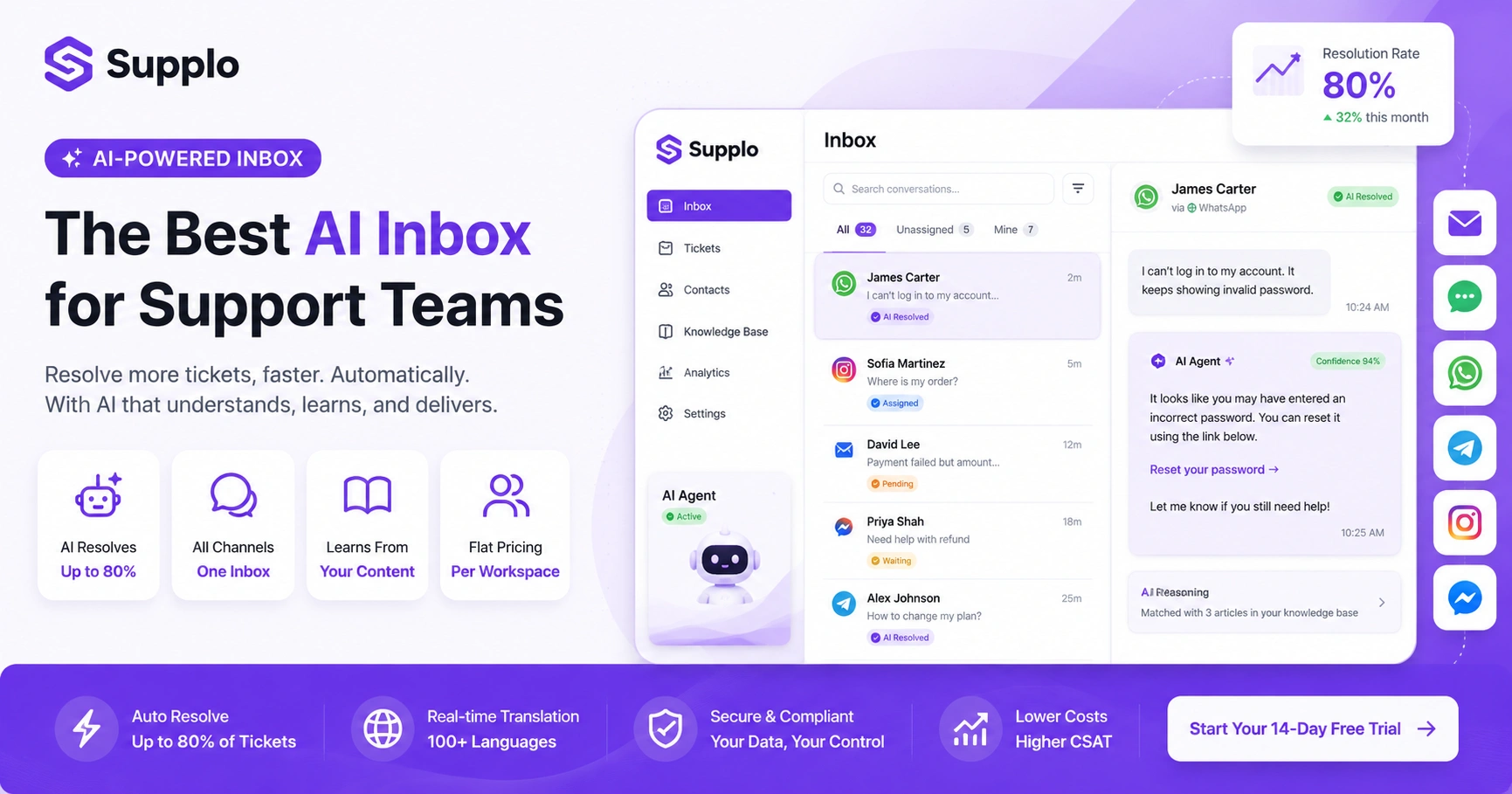
- It can suggest replies, draft responses, and even resolve tickets on its own using your knowledge base.
- The best ones achieve high-resolution rates (up to 80%) while maintaining a smooth human handoff.
- Look for multi-channel unification, AI that trains itself, and pricing that doesn't punish you for hiring.
- It should reduce the busywork- sorting, tagging, assigning- while keeping you in control.
- Bonus points for proactive support, real-time translation, and proper ticketing features.
What Makes an Inbox AI-Powered Instead of Just Automated?
Here's the difference in plain English. Automation follows rules you write. AI learns from patterns, past conversations, and your actual content.
A true AI inbox doesn't just slap labels on emails or auto-reply with canned nonsense. It reads a message, understands its intent, and decides what to do. If the answer lives in your knowledge base, it can resolve the ticket completely; no human needed. If it's unsure, it drafts a reply for your team to review.
Automation is a rules engine. AI is a reasoning engine.
The good ones even explain why they answered the way they did. Real-time translation? Built in, not bolted on. Be sceptical of anything calling itself AI that's really just keyword matching dressed up with macros.
Top AI Inbox for Customer Support: The One Feature That Separates the Good From the Great
Here's the truth: the best AI inbox for support teams isn't defined by how many features it lists on its landing page. Its resolution rate defines it.
The top solutions let an AI agent handle up to 80% of those repetitive, FAQ-level questions completely on its own. When it can't- when things get complex or emotional- it hands off to a human with full context. No repeating. No, let me transfer you to someone who can help, no lost history.
That seamless handoff is everything.
A proper shared team inbox brings email, chat, WhatsApp, Telegram, Instagram DMs, and Facebook Messenger into one thread-based view. No tab-switching. No context loss. Just one clean place to work.
Look for transparent AI; tools that show you what it knows and where it learned it. And pay attention to pricing. The best model is a flat fee per workspace, not per seat. That way, scaling your team doesn't spike your bill every time you hire someone new. It lets your AI agent, which automatically resolves incoming tickets, perform at its best without costing you an arm and a leg.
AI-Powered Support Inbox Features: How to Know What's Real and What's Just Marketing
Marketing fluff is everywhere. Here's how to cut through it.
Real AI inbox features include a self-learning system that scans your knowledge base and past tickets for accuracy. It shows a confidence score before auto-resolving anything. It supports multiple languages natively; no awkward plugins required.
If a system can't explain why it answered the way it did? That's not AI. That's a black box.
Avoid anything that promises 100% automation without a human override. A truly smart system knows its limits. It tells you when it's unsure and asks for a human review. Look for a knowledge base that syncs automatically with the AI model; not one you have to update manually in two places. And make sure features like intent detection and sentiment analysis are included, not something they try to upsell you on later.
AI Customer Service Inbox Software: A Checklist for Buying the Right One
Shopping around? Here's what actually matters.
- Multi-channel unification: Everything in one inbox. No exceptions.
- Shared inbox view: Your whole team sees the same conversations.
- Self-training AI: It should learn from your content, not generic templates.
- Honest pricing: A 14-day free trial is standard. Pricing is flat per workspace, not per seat; hiring shouldn't feel like a penalty.
The software should also automatically verify customer identity upon inbound requests. No more manual lookups to figure out who's writing in. And it needs to handle multiple conversation threads in one unified inbox without making you switch tabs like you're channel-surfing.
Some solutions offer transparent per-resolution pricing (think $0.04 instead of $0.99) and support diverse payment options across different regions. Worth checking.
AI Inbox Features for Customer Support Teams That Handle High Volume
If your team is drowning in tickets, you need more than basic automation. You need an inbox that works for you.
High-volume teams need AI that prioritises urgency, detects duplicates, and auto-categorises by topic. The AI should suggest macros or snippets from past resolutions so your human agents move faster when they do step in.
Specifically, look for:
- Auto-categorisation by intent, product, or urgency, so nobody has to tag things manually.
- Duplicate detection across channels. Nothing worse than two agents answering the same customer query.
- Priority routing that escalates angry or high-value customers to humans faster.
- Real-time SLA tracking right inside the inbox view, so everyone knows what's urgent.
Try it free for 14 days; no credit card needed. See how a shared AI inbox handles your real support tickets. Start your free trial at Supplo.io.
AI Chat Inbox Capabilities You Should Expect
The bar keeps rising. Here's what your AI chat inbox should handle by now.
Real-time translation that actually works; agents and customers communicate in their own languages, and the AI handles the rest. Sentiment-aware escalation that catches frustration before it boils over. Proactive support based on browsing behaviour or cart abandonment.
And a widget. A good one. Loads in under a second, works offline without a full page refresh, and looks like it belongs on your site.
In-chat translation should be seamless. Proactive triggers should invite a chat based on specific customer actions. Offline message capture with AI pre-screening ensures no queries slip through the cracks. And mobile-first design? Non-negotiable for teams supporting customers on the go.
Shared Inbox with AI Automation: Does It Actually Reduce Manual Work?
Short answer: yes; if the AI is properly trained on your specific content.
A shared team inbox with AI automation significantly reduces email sorting, ticket assignment, and response drafting. But it takes upfront setup. You need to define which questions the AI can answer and which must go to a human.
Once it's set up? The system assigns conversations to the right team member based on topic and workload. It drafts replies your agents can review and edit before hitting send. A full audit trail keeps everything traceable; nothing gets lost. And critically, you still have full manual control whenever you need it.
That's the sweet spot: AI speed, human judgment.
AI Ticketing System Features That Prevent Tickets From Falling Through the Cracks
Lost tickets are a nightmare. Here's how to prevent them.
The best unified email ticketing features include automatic routing by skill set, SLAs that auto-escalate, and stale ticket alerts that reassign or notify a supervisor. Without these, tickets get orphaned in the shuffle.
Look for:
- Round-robin or skills-based assignment with solid fallback rules.
- Auto-escalation when a ticket passes its SLA limit.
- Real-time ticket status dashboards so managers actually know what's happening.
- Merge capabilities for tickets belonging to the same customer or issue to eliminate duplicate effort.
Tired of lost tickets and climbing per-seat costs? Switch to a shared inbox with AI that routes, escalates, and auto-resolves. Start your free trial.
AI Helpdesk Inbox Solutions: When Self-Service Becomes a Liability
Here's the uncomfortable truth: self-service is only as good as your knowledge base.
If your KB is outdated or incomplete, the AI will confidently give wrong answers. Fast. And confidently wrong is worse than slow and right. Self-service turns into a liability.
The best solutions flag those knowledge gaps. They let you update content without needing a developer. The AI displays a confidence score before offering a self-service resolution, so you know when to step in.
Look for a system that automatically syncs your knowledge base with the AI model and allows you to edit it directly from the inbox interface. The AI should suggest new help articles based on unanswered questions. And when a customer seems confused? It should gracefully hand off to a live person; no friction.
AI Customer Support Desk Features That Make or Break a Multi-Channel Strategy
Multi-channel sounds great in theory. In practice, most teams are just duct-taping separate tools together.
A true multi-channel AI support desk treats every conversation- email, chat, WhatsApp customer support integration, Telegram, Instagram, Facebook Messenger- as a single thread. If your team is toggling between tabs and logging into five different apps, you're not using a unified inbox.
All channels should appear in one thread-based inbox. An AI agent should answer consistently across all of them, drawing from the same knowledge base. And customers should be able to switch channels mid-conversation without losing their history. Start on chat, move to email, follow up on WhatsApp; all seamless.
Supplo is not affiliated with any app or website. Please follow each app's terms and local regulations.
Ready to go multi-channel without a headache? Supplo unifies email, chat, WhatsApp, Telegram, Instagram, and Facebook into a single thread-based inbox, with AI that learns your content. Start your 14-day free trial.
Key Takeaways
- A truly smart AI inbox uses AI to understand intent and autonomously resolve issues, not just to automate rules.
- Prioritise an AI solution that delivers a high resolution rate and seamless human handoffs with full context.
- Look for transparent AI with confidence scoring, native multilingual support, and self-learning capabilities built into your content.
- Ensure the software provides a unified, multi-channel shared inbox view and a practical, flat pricing model that supports team growth.
- The best AI inboxes for high-volume teams offer intelligent routing, duplicate detection, and proactive customer engagement.
FAQ
Is it safe to use AI inbox software for customer support?
Yes, if you choose a tool that lets you control data retention, uses encrypted connections, and follows your local regulations. Always check the provider's compliance and privacy policy before adding your customer data.
Can an AI inbox replace my entire support team?
No; AI inboxes handle repetitive, FAQ-level questions (up to 80% on average), but complex, emotional, or account-specific issues still need human judgment. The best setup combines AI speed with human empathy.
What happens if the AI gives a wrong answer to a customer?
Good AI inboxes include a confidence threshold setting: if the AI is unsure (below a set score), it hands it off to a human. You can also audit AI responses in the inbox to update your knowledge base.
Do I need to set up the AI inbox myself, or does the provider do it?
Most providers offer a self-serve setup with guided onboarding. Some, like Supplo, include migration assistance. You typically start by connecting your channels and importing your knowledge base.
What channels should a unified AI inbox support?
At minimum, email, live chat (website widget), WhatsApp, and Telegram. Stronger inboxes also support Instagram DMs and Facebook Messenger, and include an embeddable widget for your site. All channels should appear in one thread view.
Can an AI inbox translate customer messages in real-time?
Yes. Modern AI inbox software automatically detects and translates messages so your team can respond in their own language while the customer sees the reply in theirs. This is a standard feature, not an add-on.
What types of customer questions should I NOT rely on an AI inbox to answer?
Anything involving identity verification, payment details, legal complaints, or high-stakes account changes. These should always route to a human agent with specialised training.
Compliance line: Supplo is not affiliated with any app or website. Please follow each app's terms and local regulations.


