On this page
An AI-powered knowledge base isn't just another nice-to-have tool. It's the kind of thing that changes how your support team operates, day in and day out. When done right, it automates those repetitive questions (you know the ones), slashes costs and actually makes customers happier because they get answers fast. This guide is for any support team that wants to build an AI-powered knowledge base that doesn't just look good on paper but delivers real results, from the initial setup all the way through to ongoing tweaks and improvements.
Quick Answer
- An AI-powered knowledge base uses machine learning to understand customer intent and provide relevant answers.
- To build one, start with clean, structured data and choose a platform with strong integration and analytics features.
- Key benefits include lower cost per resolution, faster first-response times and higher agent productivity.
- Avoid common pitfalls, such as skipping data cleanup and omitting a human handoff for low-confidence queries.
What Exactly Is an AI Knowledge Base and Why Is It Different From a Standard Help Center?
A standard knowledge base is basically a digital filing cabinet. Helpful? Sure. But it expects your customers to do the heavy lifting, searching, scanning, hoping they land on the right article. An AI-powered knowledge base flips that script. It uses machine learning to actually understand what someone is asking, pull the most relevant answer in real time and serve it up in natural language. No more forcing people to guess the right search term.
- AI doesn't just index keywords; it understands context and synonyms, so when the order didn't arrive and the shipment was lost, the same help article applies.
- A true AI knowledge base platform learns from past conversations as well as your manually written docs, automatically filling gaps.
- Internal AI knowledge bases also let employees query company policies in natural language, cutting down internal IT and HR tickets.
- Unlike a static FAQ, an AI-powered help center can answer nuanced, multi-part questions and escalate only when it's uncertain.
The Non-Negotiable Features of a Modern AI Knowledge Base Platform
Here's the thing: not all AI knowledge base platforms are created equal. The best ones go way beyond just storing articles. You need automation that actually ingests your existing docs, a search engine that gets what users are really asking, personalization that tailors answers based on customer history and integrations that connect everything. Oh and analytics? Non-negotiable. You have to see what the AI is getting right, where it's missing the mark and which articles need a refresh.
- AI knowledge base automation should include automatic tagging, version control and suggested edits based on new conversation themes.
- AI knowledge base search must handle typos, long-tail queries and multilingual input without breaking the user experience.
- AI knowledge base analytics should surface top unanswered questions and content gaps so your team knows exactly what to write next.
- Look for AI knowledge base integration with your existing CRM, live chat, email ticketing and social messaging. One-way sync isn't enough.
How to Build an AI Knowledge Base for Customer Support
Start by auditing your current support data: past email replies, chat transcripts and existing help articles. Clean that data to remove outdated info and contradictory instructions. Choose an AI knowledge base solution that can import that content and begin training its model immediately. Set up a feedback loop so the system flags low-confidence answers, then iterate on those gaps weekly.
- Phase 1, Collect and sanitize: Export your five most-answered ticket categories and remove anything that's no longer accurate.
- Phase 2, Select and configure: Pick an AI knowledge base platform that offers pre-built integrations for your channels: widget, email, WhatsApp, Telegram, Instagram.
- Phase 3, Train and test: Run 50–100 real past tickets through the system and measure how many it answers correctly on the first try.
- Phase 4: Go live with handoff. Deploy the AI agent for common questions and set a clear escalation path for when human judgment is needed.
Want to see how an AI knowledge base handles real tickets? Start a free 14-day trial at Supplo and connect your data in under an hour.
Sourcing and Structuring Your Data for an AI Chatbot Knowledge Base
An AI chatbot knowledge base is only as good as the data it's trained on. Pull from your most-answered support tickets, onboarding guides, product documentation and internal runbooks. Structure each article as a clear question-and-answer pair or step-by-step guide. Avoid long, unstructured wall-of-text pages; AI models parse structured content much more reliably.
- Prioritize high-frequency queries: If 40% of your tickets are about billing, that category should have its own dedicated section in your AI internal knowledge base.
- Use consistent headings and tags: Format every article with a clear question-based headline (e.g., How do I reset my password?) so the AI can map query intent to the right answer.
- Include fuzzy variations: Add common misspellings and alternative phrasings to your training data to reduce false I don't know responses.
- Review and prune monthly: Knowledge decays as products change; schedule a monthly audit to update or archive stale articles.
Integrating Your AI Knowledge Base With Live Chat, Email and Social Messaging
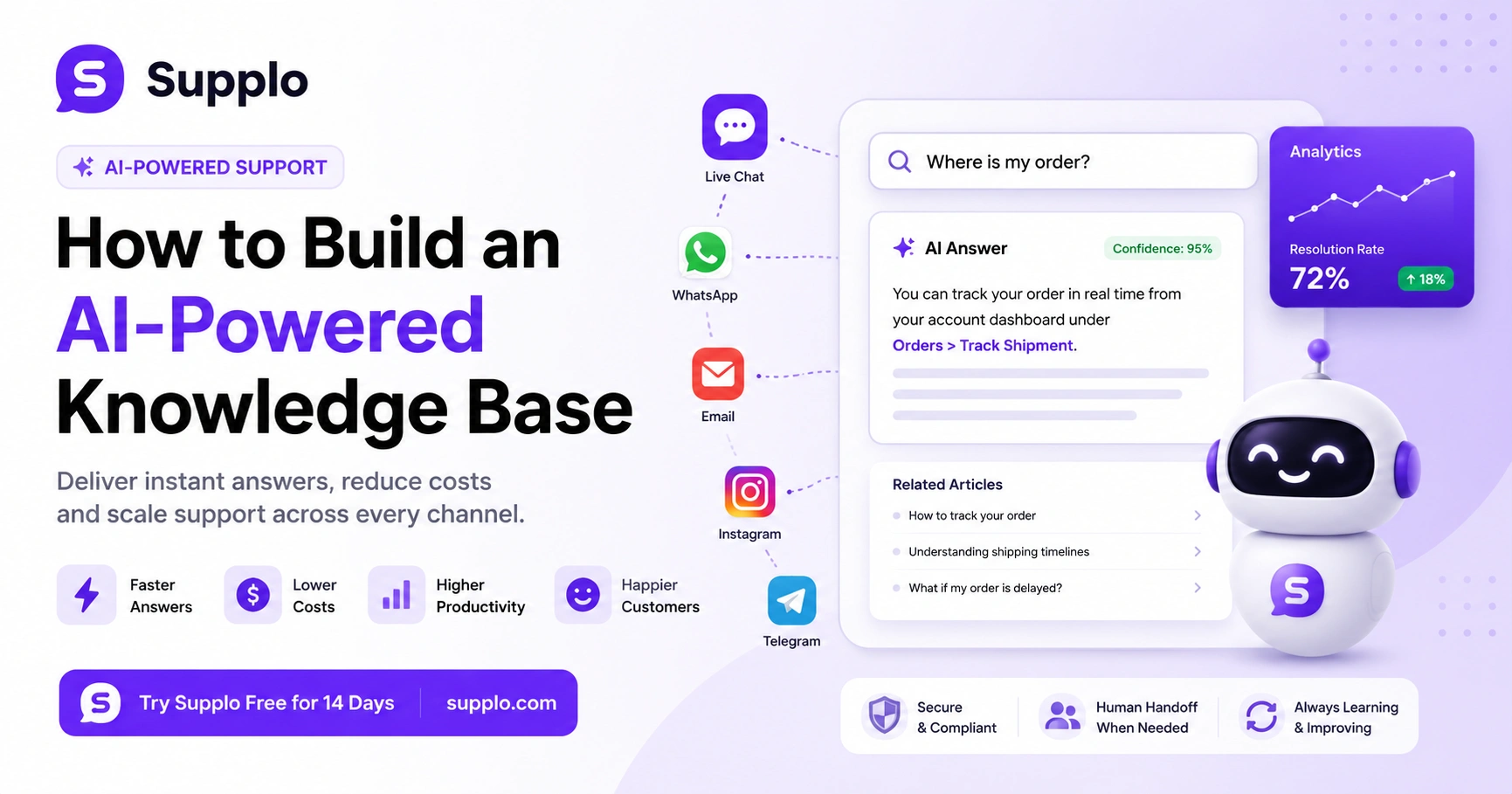
The real power of an AI knowledge base solution lies in its integration with every channel your customers use. Your AI should pull the same answers whether the user is typing in a website widget, responding to an email or messaging you on WhatsApp or Instagram DMs. A single thread-based inbox, like the one Supplo provides, keeps all those conversations unified so the AI has full context.
- Live chat widget: The AI answers directly in the chat window, with an option to click Talk to a human when needed.
- Email ticketing: The AI drafts a reply based on the knowledge base, which your agent can approve or tweak before sending.
- Social messaging (WhatsApp, Telegram, Instagram, Facebook): The AI handles common inquiries in each app's native interface, reducing response time from hours to seconds.
- Multilingual support: If your AI knowledge base platform translates answers automatically, you don't need separate articles for every language.
Integrate your knowledge base with Supplo's unified thread-based inbox for seamless omnichannel support.
How the Best AI Knowledge Base Software Learns and Adapts
Static knowledge bases are a graveyard of outdated articles. An AI knowledge base personalization engine observes which answers get a thumbs-up or thumbs-down, which queries trigger a human handoff and which keywords are trending. It then surfaces the most relevant result based on the customer's history, location or product version. Analytics turn that feedback into actionable content updates.
- Behavioural personalization: A returning customer sees answers tailored to their past issues; a new customer sees onboarding content first.
- Real-time analytics dashboards: Monitor resolution rate, escalation frequency and most-clicked articles to spot content gaps.
- Self-learning loops: When the AI is wrong, it logs the correct answer (from the human reply) and updates its model for next time.
- Custom user segments: Segment answers by customer tier, subscription plan or region without duplicating articles.
Key Benefits, Cost Savings, Agent Productivity and Customer Satisfaction
An AI knowledge base solution directly lowers support costs by resolving common questions without human involvement. That frees your agents to handle complex, high-value issues rather than answering 'Where is my order?' Fifty times a day. Faster response times also boost customer satisfaction (CSAT). Customers don't want to wait; they want answers instantly.
- AI knowledge base cost savings: Each automated resolution costs a fraction of a human reply. Supplo offers automated resolutions at a flat $0.04 each, compared to the industry standard of $0.99.
- AI knowledge base agent productivity: Agents handle 2–3x more tickets when the AI drafts responses and pre-populates customer context.
- AI knowledge base customer satisfaction: Surveys consistently show that faster first-reply times correlate with higher CSAT scores.
- Scalability without headcount growth: Your support capacity scales with ticket volume, not with team size, because the AI handles the bulk of tickets.
Compare Supplo to other platforms and see the cost and efficiency benefits firsthand.
Scaling Your AI Internal Knowledge Base Across Departments
Customer support isn't the only team that benefits from an AI internal knowledge base. IT, HR and operations can all feed their own documentation into the same system. Employees then ask the AI, How do I submit a travel expense? Or what's the password reset policy? And get an instant, vetted answer, reducing internal ticket volumes and resolution time.
- Department-specific access controls: Grant different roles access to different knowledge silos so HR policies and IT procedures stay separate.
- Shared search across teams: An employee in sales can find answers to product questions without opening a support ticket.
- Automated article suggestions: The AI notices repeated internal queries and prompts the relevant department to create or update an article.
- Training and onboarding: New hires query the AI internal knowledge base instead of interrupting senior colleagues, speeding ramp-up time.
Common Pitfalls When You Create an AI Knowledge Base And How to Avoid Them
The biggest mistake teams make when they create an AI knowledge base is assuming the AI will magically understand messy, unstructured content. If your articles are contradictory, outdated or buried in long PDFs, the AI will confidently give wrong answers. Another common pitfall is skipping the human handoff; customers get frustrated when they hit a wall of irrelevant AI responses.
Pitfalls:
- Garbage in, garbage out: Train your AI on clean, structured data first; don't dump 100 PDFs and hope for the best.
- No-confidence threshold: An AI should say, "I'm not sure," and hand off to a human rather than guess.
- Ignoring feedback loops: If you never review your AI knowledge base analytics, you'll miss growing content gaps.
- Overlooking multilingual nuance: Direct translation of English answers can sound robotic; use a platform that supports genuine multilingual learning.
Supplo is not affiliated with any app or website. Please follow each app's terms and local regulations.
What Success Looks Like for an AI-Powered Help Center
Track three core metrics: resolution rate (percentage of tickets the AI resolves without human touch), deflection rate (how many potential tickets were avoided because the customer found the answer in self-service) and average handle time (how quickly the AI responds vs. your previous manual process). A good AI-powered help center should resolve 60-80% of incoming tickets, freeing your team to focus on escalations and strategic projects.
- Cost per resolution: Compare the AI's automated resolution cost vs. your average cost per manual ticket. Savings usually exceed 50% in the first quarter.
- First response time: AI responds in seconds; track how that shift affects CSAT scores and churn rates.
- Agent satisfaction scores: Agents report lower burnout when they're not repeating the same answers all day and qualitative feedback is measured alongside quantitative metrics.
- Content gap closure: Watch your unanswered reports shrink over time as the AI knowledge base analytics guide your content team's priorities.
If your current AI knowledge base keeps delivering irrelevant answers, test the AI agent Supplo on your own support data. It's free to try and you'll see the difference within days.
Key Takeaways
- An AI-powered knowledge base uses machine learning to understand customer intent and provide relevant answers.
- To build one, start with clean, structured data and choose a platform with strong integration and analytics features.
- Key benefits include lower cost per resolution, faster first-response times and higher agent productivity.
- Avoid common pitfalls, such as skipping data cleanup and omitting a human handoff for low-confidence queries.
- Measure success by tracking resolution rate, deflection rate, cost per resolution and CSAT scores.
FAQ
What is an AI-powered knowledge base and how is it different from a regular FAQ page?
An AI-powered knowledge base uses machine learning to understand the intent behind a customer's question and automatically retrieve the most relevant answer. A static FAQ requires manual searching and doesn't adapt to new questions.
How long does it take to build an AI knowledge base for customer support?
Depending on your data quality and volume, initial setup can take one to three weeks. The first week focuses on cleaning and structuring your content, the second on configuration and integration and the third on testing and iterating.
Can an AI knowledge base handle multiple languages without separate article sets?
Yes, if your AI knowledge base platform includes translation capabilities. The AI can answer in the customer's language even if your source articles are written in English, as long as the system has been trained with multilingual support data.
What happens when the AI doesn't know the answer?
The AI should be configured to flag low-confidence queries and seamlessly hand them off to a human agent. A good platform also logs the correct answer after the human resolves the issue, so the AI learns for next time.
Is an AI knowledge base secure for internal company documentation?
Yes, if the platform includes role-based access controls. You can limit sensitive internal knowledge base sections to authorized employees only while keeping customer-facing articles fully public.
What metrics should I track to know if my AI knowledge base is working?
Track resolution rate (percentage of tickets deflected), first response time, cost per resolution and CSAT scores. A successful AI knowledge base should improve all four metrics within the first month.
Do I need a technical team to maintain the AI knowledge base?
Not necessarily. Most modern AI knowledge base platforms have intuitive dashboards for content updates and analytics. A non-technical support manager can usually review and refine articles with minimal help from engineering.
Compliance line: Supplo is not affiliated with any app or website. Please follow each app's terms and local regulations.


