On this page
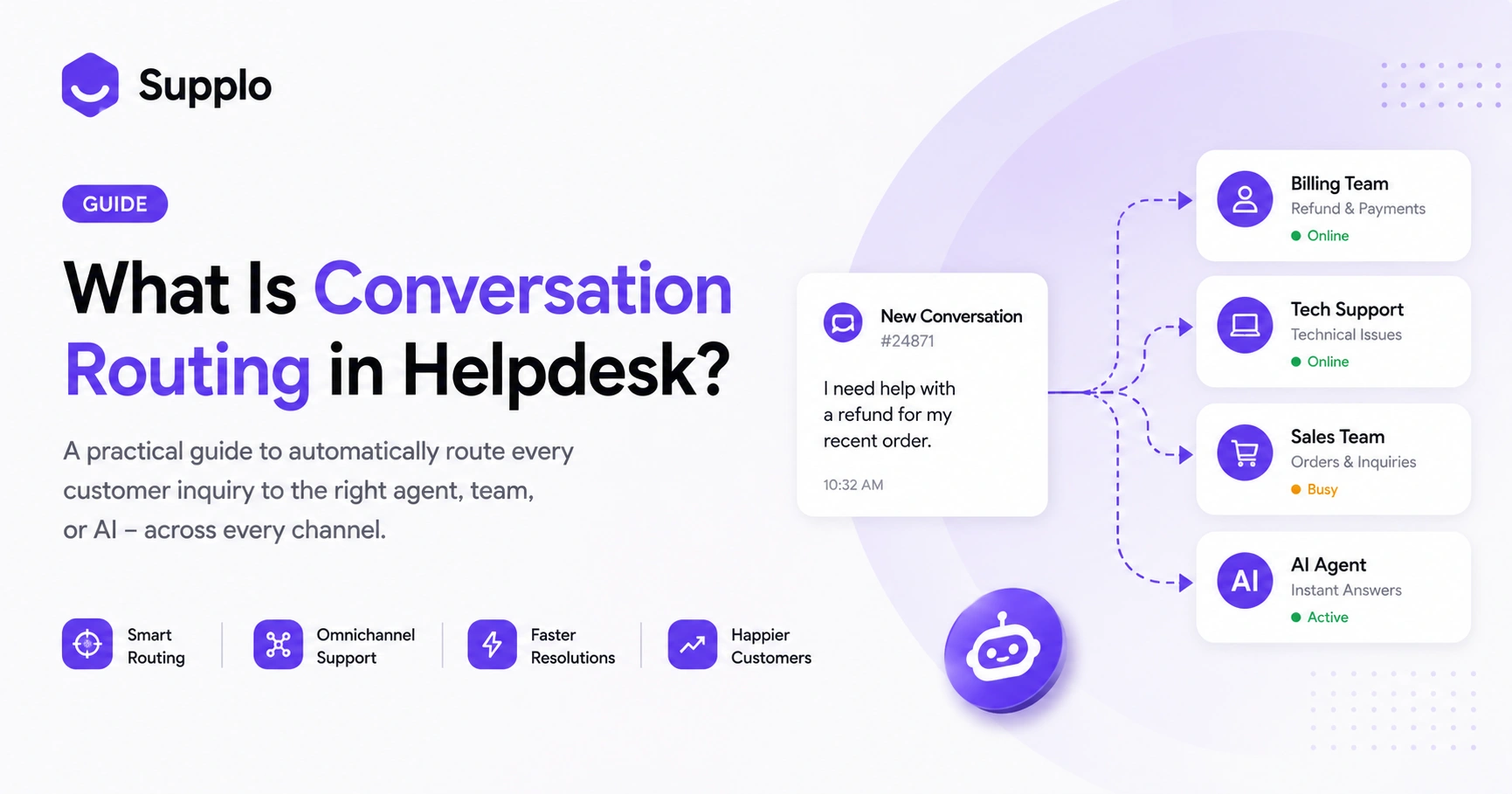
You know that feeling when a customer email lands in your personal inbox and you have to play detective to figure out who should actually handle it? That's the chaos conversation routing is designed to kill. At its core, what is conversation routing in helpdesk? It’s the system that automatically sends every incoming customer inquiry, whether it's an angry tweet, a billing question via email, or a "where's my order?" on WhatsApp, to the exact right person, department, or AI agent, without anyone having to tag or forward it manually. It's the backbone of efficient support, especially as your ticket volume grows.
This guide is for anyone with a support inbox that's starting to feel a little chaotic. Whether you're a solo founder wearing every hat or a team lead tired of "who's got this?" messages, conversation routing is your secret weapon. You should use it when you have more than one support channel, a team with different specialities, or just a growing pile of tickets that need to stop being a free-for-all.
Quick Answer
- Conversation routing automatically directs customer inquiries to the right agent or AI.
- It uses rules based on intent, channel, customer type, or agent skills.
- Omnichannel routing unifies messages from email, chat and social media into one view.
- AI-powered routing can resolve common queries automatically and hand off complex cases with full context.
- Start with simple rules (department, urgency, channel) and refine them as your needs evolve.
Helpdesk Conversation Routing Defined: What It Is and Why It Matters
Let’s cut to it: conversation routing is what stops your support inbox from being a dumpster fire. Instead of every ticket landing in one giant queue, an automated system evaluates each incoming message and sends it straight to the team or person who can solve it fastest.
Think about it this way: a tech support ticket about a login error shouldn't waste the time of your billing specialist. A VIP customer shouting "refund now!" should be able to skip the line without your other customers feeling neglected. That's the power of good routing. It's not just about being organised; it's about respecting everyone's time. Customers get faster answers and your agents stop wasting energy on tickets they can't solve.
- Route by intent: "billing" goes to finance, "bug" goes to engineering.
- Route by channel: WhatsApp tickets go to mobile support, email goes to a priority queue.
- Route by customer tier: VIPs skip the line, while the rest suffer.
- Route by language: Spanish messages are routed to Spanish-speaking agents.
- Route by availability: only send a ticket to someone who's actually online.
How Does Conversation Routing Work? The Flow From Ticket to Resolution
The magic happens in milliseconds. A customer types out a message and hits send. Your helpdesk's routing engine reads it, checks it against your rules and fires it off to the right destination, all before you've finished your coffee. It looks at keywords, the sender, where the message came from and who's actually available to work.
This entire flow, from ticket triage to agent workload balancing, happens without anyone having to click "assign." It's like having a super-efficient assistant who knows exactly where every problem belongs.
- Inbound messages trigger rule evaluation instantly.
- Keyword matching (e.g., "refund" triggers the billing queue).
- Round-robin assignment balances workload across team members.
- Time-based routing sends urgent tickets to on-call staff after hours.
- Fallback logic prevents orphan tickets when no rule applies.
Omnichannel Conversation Routing: Unifying Email, Chat and Social Media Messages
Ever had a customer ask a question on Instagram, then switch to email mid-conversation? If your support system treats those as two separate tickets, you've already failed. Omnichannel routing is the solution. It connects the dots so your system sees that customer as a single person with a single issue, no matter how many times they switch apps.
The routing engine sees the customer's full history and assigns the thread to the agent who already knows the context. No more "can you repeat your order number?" It just works.
- Route Instagram DMs, Facebook Messenger and Telegram into one inbox.
- WhatsApp ticket assignment routes based on phone number and conversation history.
- Email tickets are routed alongside chat for consistent response times.
- Cross-channel ticket management prevents duplicate work and ensures channel attribution.
- Customer context survives channel switches without manual intervention.
Supplo handles this seamlessly. Check out how we manage Instagram DMs and Telegram support in one unified system.
Unified Inbox Routing: Why a Single View Changes Everything
Five apps, five logins, five tabs, five different notification sounds- this is a support manager's nightmare. A unified inbox solves this by pulling all channels into a single chronological feed and then applying routing rules on top of it. Your team works from a single queue where every ticket is already assigned.
This eliminates the "who's handling this?" Slack message and cuts average handling time noticeably. It's like going from a messy desk with ten piles of paper to a single, clear workflow.
- One queue for email, live chat, WhatsApp, Telegram, Instagram and Messenger.
- Routing rules apply uniformly across all channels.
- Agents see the full conversation history before responding.
- No channel silos; email agents can handle chat tickets when volume spikes.
- Unified inbox routing prevents tickets from getting lost between apps.
Supplo Inbox brings together all your customer communications into a single, intuitive interface. From email to social media, manage every conversation without juggling tabs. Learn more about Supplo Inbox.
Intelligent Ticket Routing vs Automated Ticket Distribution: What’s the Real Difference?
Automated ticket distribution is like a fair but clueless referee; it just sends the next ticket to the next agent in line. It's fair, but it's dumb. Intelligent ticket routing, on the other hand, considers context: customer history, ticket sentiment, agent skill sets and even current workload. It sends a ticket not just to the next person, but to the right person.
- Round-robin is fine for identical tickets; intelligent routing handles nuance.
- Intelligent routing can detect angry customers and route to senior agents.
- Automated distribution ignores agent availability and skill level.
- Intelligent routing reassigns tickets if the first agent doesn't respond.
- AI-powered routing can even predict the best agent based on past performance.
AI-Powered Helpdesk Routing: When the Machine Hands Off to the Human
The dream: your AI handles the easy stuff and your humans only see the meaty problems. That's exactly what AI-powered routing does. The AI reads the question, checks your knowledge base and automatically sends an accurate answer. For the 80% of common questions- order status, password resets, store hours- the customer gets an answer instantly.
But when the AI hits something it can't solve, it hands off to the right human agent with full context attached. Your team picks up where the bot left off, no repeating needed.
- AI resolves common questions instantly: order status, password reset, hours.
- Handoff includes full conversation transcript and AI's attempted answer.
- AI learns from past tickets to improve routing accuracy over time.
- Pricing is transparent; Supplo charges a flat $0.04 per AI resolution.
- Human agents see only tickets that require human judgment.
Supplo's AI Agent handles the heavy lifting. When a human is needed, the AI hands off with full context. Discover Supplo AI Agent.
Best Practices for Helpdesk Routing: Rules That Work in the Real World
The biggest mistake teams make? Overcomplicating it from day one. Start with the basics: department, urgency and channel. Don't build a maze of 20 rules that creates more problems than it solves. The best teams start small, test and then gradually add more rules based on what actually breaks.
- Default to skill-based routing for technical vs general inquiries.
- Set up escalation rules for tickets older than 24 hours.
- Use time-based routing to cover after-hours and weekends.
- Test your routing with real customer scenarios before going live.
- Monitor routing failures; every unassigned ticket is a signal.
Supplo's Knowledge Base is the foundation for accurate AI responses and efficient agent support. Make sure your rules are backed by clear information. Explore Supplo Knowledge Base features.
Advanced Conversation Routing Strategies for Growing Teams
Once the basics are humming, you can start getting fancy. Layer in behavioural triggers such as sentiment analysis, purchase history, or support tier. You can build conditional chains that adjust routing in response to real-time events, such as a product launch or an outage. This turns your helpdesk from reactive to proactive.
- Sentiment-based routing: flag negative language to senior agents first.
- Tiered routing: free users get AI; paid users get priority access to human queues.
- Conditional logic: if agent queue > 10 tickets, overflow to backup team.
- Event-triggered routing: product launch? Route all related tickets to one team.
- Cross-channel reassignment: if a chat ticket goes silent, move it to the email queue.
Common Ticket Assignment Rules and When to Break Them
Round-robin is the most famous rule, but it's also the most abused. If you unthinkingly route everything in a circle, your best agent ends up resetting passwords all day. The trick is knowing when to break the rules, like when a VIP is involved or when an agent has context from a previous conversation.
- Round-robin assignment: good for identical inquiries, bad for specialised topics.
- Least-recently-assigned: fair but ignores skill and urgency.
- Most-recently-assigned: useful for follow-ups but risky for new tickets.
- Skill-based routing: the gold standard, but requires accurate agent tagging.
- Time-based routing: essential for global teams, but watch for burnout.
How to Set Up Cross-Channel Ticket Management Without the Headache
You don't need to be a tech wizard to set this up. The key is to start simple. Connect your email first, get the rules right, then add your live chat, then social media. Most teams try to wire everything at once and end up with a mess.
A tool like Supplo handles the cross-channel heavy lifting so you just set the rules once and they apply everywhere.
- Connect email first, then website chat widget, then WhatsApp and Telegram.
- Use the same routing rules across all channels for consistency.
- Supplo automatically unifies all channels into a single thread-based inbox.
- Test routing with a real customer persona across multiple channels.
- Monitor routing performance per channel and adjust individually.
Ready to stop juggling five inboxes? Set up conversation routing across email, chat, WhatsApp, Telegram and social media within a single workspace. Start your free 14-day trial at Supplo, no credit card required.
Supplo integrates with various communication channels, providing centralised management for your support team. Explore our solutions for WhatsApp Customer Support, Telegram Support, Instagram DMs and our Website Widget for seamless cross-channel ticket management.
Getting routing errors or orphan tickets? Supplo's AI logs every unmatched ticket so you can see exactly where your rules are failing. Fix them in minutes, not days. Try it for free.
Your support team deserves better than a messy inbox.
Supplo unifies your channels, routes intelligently and costs a flat rate per workspace, not per seat. No surprise bills, no complex setup. Pricing starts at $0.04 per AI resolution and your first 14 days are free. We support crypto (Binance Pay, Payeer), GCash, AmanPay, QIWI Wallet, DOKU, cards from Nigeria and South Africa, Skrill and Payoneer.
FAQ
What is the difference between automatic routing and manual assignment?
Automatic routing uses rules to instantly route tickets to the right agent, while manual assignment requires someone to read and redirect each ticket. Automatic routing is faster and scales better, but manual assignment gives you more control over edge cases.
Can conversation routing work across WhatsApp, email and social media simultaneously?
Yes, modern helpdesk tools like Supplo route tickets from WhatsApp, email, Instagram DMs, Facebook Messenger, Telegram and live chat into one unified inbox. The same routing rules apply across every channel, so a WhatsApp ticket and an email ticket from the same customer are handled consistently.
Is conversation routing secure for sensitive customer data?
Routing engines only read metadata such as keywords, intent and sender ID; they don't store the full message content unless you configure them to do so. For sensitive data, ensure your helpdesk is GDPR-compliant and follows each app's terms.
Supplo is not affiliated with any app or website. Please follow each app's terms and local regulations.
How many routing rules do I actually need to start?
Start with three: route by department, route by urgency and route by channel. Most small teams get 80% of the value from these three rules. Add more only when you see a specific failure pattern in your queue.
What happens when no routing rule matches an incoming ticket?
The ticket is routed to a default queue, usually assigned to a general support team or the most recently available agent. Good helpdesk systems log these as "unmatched" so you can build a new rule and prevent it from happening again.
Can the AI handle routing without human oversight?
The AI can handle common routing decisions automatically, but you should review routing logic weekly at first. AI-powered routing learns from past tickets and improves over time, but human oversight catches edge cases the model hasn't seen yet.
What's the biggest mistake teams make with conversation routing?
Overcomplicating the rules before testing them. Teams build 20 rules on day one, then wonder why tickets disappear. Start small, test with real tickets and add complexity gradually based on what actually breaks.
Compliance line: Supplo is not affiliated with any app or website. Please follow each app's terms and local regulations.


