On this page
How to Write a Customer Support Policy, and Why Does Your Business Need One?
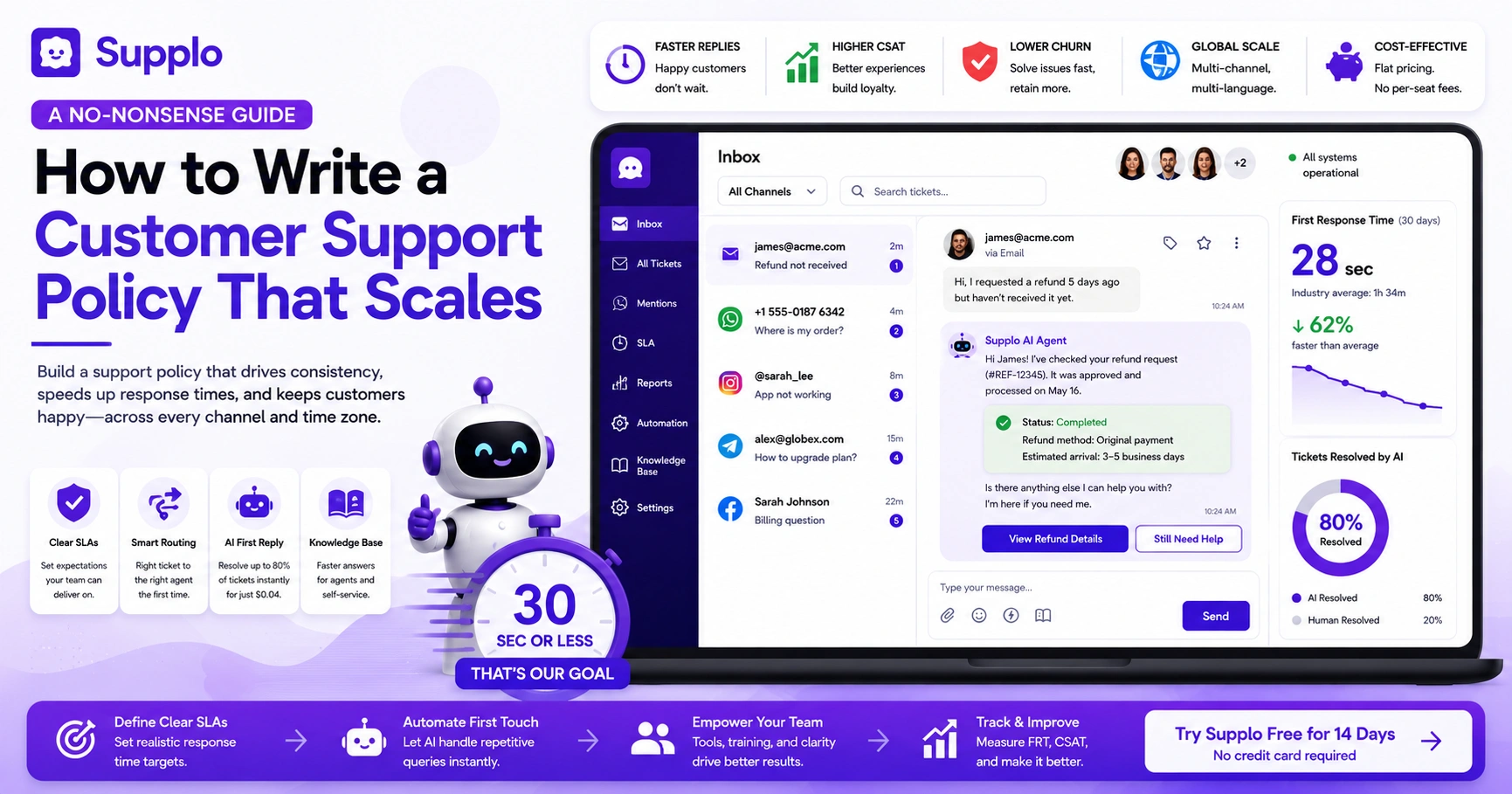
A customer support policy is your official playbook for how your team handles inquiries, complaints, and escalations. It sets clear expectations for response times, communication channels, and resolution steps. Without one, you risk inconsistent experiences, missed SLAs, and frustrated customers who feel they're talking to a black box.
Let's be real, customers notice when your support feels disjointed. One day they get a reply in 10 minutes; the next they're waiting 48 hours. That's not just confusing; it erodes trust. A solid policy stops the chaos before it starts.
- Reduces team confusion; everyone knows the exact steps for common scenarios. No more "wait, what do I do with a billing complaint?"
- Protects your brand reputation by ensuring every customer gets the same high-quality experience. Consistency builds loyalty.
- Forms the foundation for training new hires and evaluating performance. You can't coach what you haven't documented.
- Directly supports compliance requirements in regulated industries (finance, healthcare, etc.). Regulators love a paper trail.
Learning how to write a customer support policy isn't just about checking a box; it's about building a system your team can actually follow.
The Core Components of an Effective Customer Support Policy
An effective customer support policy covers five essential pillars: communication channels, response-time SLAs, escalation triggers, knowledge-base usage, and after-hours coverage. It should also define how your team handles sensitive data, refunds, and repeat issues. Think of it as the instruction manual for delivering consistent, reliable support.
Break it down like this:
- Channel rules: Which channels are monitored (email, live chat, WhatsApp, etc.) and when. Don't promise Instagram DMs if nobody's watching them at 2 AM.
- SLA tiers: Critical issues receive a 1-hour response; standard questions receive a 24-hour response. Be honest about what you can actually deliver.
- Escalation triggers: What happens when a ticket sits unanswered for 4+ hours or a customer asks for a manager. Define it before it happens.
- Knowledge-base integration: Every agent should start by checking the KB before crafting a reply. Why reinvent the wheel?
- After-hours protocol: Who owns the overnight shift, and how emergencies get flagged. Your team deserves to sleep, but your customers need to know someone's awake.
Customer Support Policy Best Practices for Global, Multi-Channel Teams
Global support means accommodating different time zones, languages, and cultural expectations in a single unified inbox. Best practices include offering real-time translation, setting time-zone-aware SLAs, and using automation to handle repetitive, language-agnostic tasks. Your policy should explicitly state how you handle multi-language tickets and whether you use in-house translators or AI-powered tools.
Here's what actually works when your team spans 12 time zones:
- Language handling: Specify when to use translation tools versus hiring native speakers. There's no shame in AI translation for basics.
- Time-zone routing: Route tickets to the team that's currently awake for faster first replies. Your Singapore rep shouldn't be answering 3 AM New York calls.
- Channel priority: Some channels (like live chat) demand faster responses than email. Live chat is immediate; email can wait a few hours.
- AI as a first responder: Let AI handle FAQ-level questions so humans focus on complex cases. It's not about replacing people; it's about freeing them up.
- Cultural sensitivity notes: Brief guidelines on tone and formality for different regions. A casual "hey" might work in the US but flop in Japan.
Supplo unifies all these channels into one workspace, so your global team never misses a beat, whether they're on WhatsApp, Instagram, or email.
How to Write a Company Support Policy That Aligns with Your Brand Voice
Your support policy should reflect your brand's personality, not a generic corporate script. A playful brand, like a gaming app, can use casual language; a B2B SaaS company should stay professional yet approachable. Define your brand's tone spectrum, from "emergency serious" to "happy chatbot", and give examples so agents know how to adjust.
The trick is making it actionable:
- Write sample replies for different scenarios (happy, frustrated, confused customer). Show, don't just tell.
- Include a "voice cheat sheet" with do's and don'ts (e.g., "Never say 'Please be patient.' Say 'I'm on it.'"). Small word swaps make a huge difference.
- Train your AI agent to match your brand voice for automated responses. Nothing kills trust faster than a robotic "We value your inquiry."
- Ensure policy language itself matches your internal culture; if you're flat and transparent, write that way. Don't use corporate-speak if you're a startup that wears hoodies.
Writing a Business Customer Support Strategy That Scales from Day One
A scalable support strategy starts with triage, categorizing tickets by severity, type, and channel, then routing them to the right agent or automation. Your policy should define how AI handles first-line tickets and when a human takes over. Build for today's team size, but write the policy so it works when you triple your customer base.
Think about these building blocks:
- Ticket categorization: Bug report, feature request, billing issue, general question. Each gets a different treatment.
- AI vs. human threshold: Define which tickets AI can resolve fully and which must reach a human. Generally, simple FAQs go to AI; emotional complaints go to people.
- Capacity planning: Establish a rule of thumb (e.g., one agent per 1,000 active users). It's not perfect, but it's a starting point.
- Escalation path for overflow: What happens when all agents are busy. Queue them up or auto-escalate.
- Reporting cadence: Weekly metrics on resolution time, satisfaction, and escalation rates. What gets measured gets improved.
Supplo's AI agent can handle the heavy lifting here, auto-categorizing and routing tickets so your team only sees what really needs their brainpower.
Customer Support Policy for Small Business: Keep It Simple, Keep It Human
Small businesses don't need a 50-page policy. Start with a one-pager covering: hours of operation, response-time promise, and how customers reach a human (or AI). The best small-business policies are honest: if you can't offer 24/7 live support, say so and give customers a clear way to leave a message or use self-service options.
Here's your short-and-sweet framework:
- Keep it human: Your policy should sound like it was written by a person, not a legal team. If you're a two-person shop, say "We'll get back to you within 2 hours during business hours."
- Leverage automation: A simple AI agent can handle nights and weekends for a flat fee. Supplo's AI doesn't charge per seat, so you get 24/7 coverage without adding headcount.
- Define your "no" gracefully: When you can't help, explain why and offer an alternative. "We don't do refunds after 30 days, but here's a credit for next month."
- Budget-friendly tip: Use a shared inbox (like Supplo) to avoid per-seat pricing. Flat-rate works wonders when you're bootstrapping.
- Review quarterly: Your policy will evolve as you grow; don't let it get stale. A six-month-old policy is already half-expired.
Enterprise Customer Support Policy: Compliance, SLAs, and Audit Trails
Enterprise policies must address compliance standards (GDPR, HIPAA, SOC 2), detailed SLAs with penalties, and audit trails for every ticket. Your escalation matrix should be clearly documented, with roles, RACI charts, and notification trees. Expect enterprise clients to review your policy during vendor due diligence; make it a selling point, not a liability.
Enterprise buyers are a different breed. They want proof, not promises. Cover your bases with:
- Compliance clauses: Data retention, encryption, right to be forgotten. Make it explicit.
- SLA tiers: Gold, Silver, Bronze based on contract value or issue criticality. Your top-tier clients get the fastest lane.
- Audit trail requirements: Every action timestamped and tagged with agent ID. If it's not documented, it didn't happen.
- RACI matrix: Who is Responsible, Accountable, Consulted, and Informed for each ticket type. Clarity prevents finger-pointing.
- Review cycle: Policy re-evaluated every 6 months or after any compliance update. Set a calendar reminder now.
How to Define Customer Support Escalation: The Escalation Matrix Framework
An escalation matrix maps out exactly who is notified at each severity level and within what time frame. Typical levels are L1 (frontline), L2 (specialist), L3 (engineering/management). Your policy should define triggers, such as escalating after 4 hours with no update, when a VIP customer is affected, or when a security issue is reported.
Here's a practical way to structure it:
- Severity levels: P1 = system down, P2 = major feature impacted, P3 = minor bug, P4 = question. Be specific about what counts as "down."
- Time-based triggers: No response in X minutes? Auto-escalate to the next level. 30 minutes for P1, 4 hours for P3.
- Role-based notification: L1 agent → L2 team lead → L3 manager → VP. Everyone knows their place in the chain.
- Cross-team escalation: Security team, billing team, product team gateways. Sometimes a ticket needs three departments.
- Document the matrix clearly: Use a flowchart or table to make it actionable rather than theoretical. A PDF that nobody reads is worse than no policy.
How to Write an Escalation Policy
Your escalation policy is the "when and how" part of your support policy. Start by defining the triggers: timeouts, customer demands, technical complexity, or safety concerns. Then write the routing instructions, who gets notified, via which channel (email, Slack, SMS), and expected response time. Keep it simple: "If the ticket is unhandled for 2 hours, escalate to L2."
Let's look at a concrete example:
- Example trigger: A customer replies to a solved ticket with "I'm still having the same issue." → Reopen and escalate to original agent. Never let a reopened ticket rot in the queue.
- Routing rules: Use tags or automation to push tickets to the correct queue. Supplo's email ticketing makes this automatic.
- Communication protocol: Internal escalation is silent to the customer; external escalation is communicated with a heads-up. "I've passed this to our senior team, and they'll follow up within an hour."
- Over-communication rule: When in doubt, escalate rather than let the ticket rot. Happy customers forgive fast escalations; they don't forgive silence.
- Post-escalation review: After resolution, a brief note on why it escalated and how to prevent it from happening again. Continuous improvement is the whole point.
Building Escalation Procedures Customer Service Teams Can Actually Follow
The best escalation procedures are baked into your tools, not just a PDF. Use automated workflows to trigger escalations when SLAs are breached, or a ticket is flagged. Your team should be able to escalate in one click, and the next-level agent should be instantly notified. Test the process quarterly with dry runs.
Practical steps that make it stick:
- One-click escalation: Make it easy for agents to hand off a ticket without leaving it. Supplo's unified thread-based inbox does exactly this.
- SLAs for escalation responses: L2 has 30 minutes to acknowledge, L3 has 1 hour. Don't let the buck stop anywhere.
- Document known issues: If "error X" is common, create a macro response and escalation path. Save your team the guesswork.
- Avoid escalation fatigue: Every escalation should produce a learning outcome. If the same thing escalates weekly, fix the root cause.
- Use reporting to spot patterns: Frequent escalations on the same topic? Fix the root cause, not the symptom.
Implementation: How to Roll Out Your New Policy Without Losing Your Team
Rolling out a support policy isn't a memo; it's a change management exercise. Start with a pilot team, gather feedback, then iterate. Use your shared inbox or AI agent to enforce the policy automatically (e.g., auto-assign tickets to the right queue). Don't expect perfection on day one; give your team a 30-day grace period to adjust.
Here's a rollout plan that won't make your team roll their eyes:
- Soft launch: Test with your top 5 agents for one week. Let the early adopters iron out the kinks.
- Documentation: Your policy should live in your knowledge base and be searchable. Supplo's knowledge base integration makes this seamless.
- Training session: Walk through real tickets and apply the policy together. Theory is great; practice is better.
- Feedback loops: Create a Slack channel or weekly sync for policy questions. Make it safe to say "this doesn't make sense."
- Metrics to watch: First response time, resolution time, escalation rate, CSAT. Let the data tell you if it's working.
Supplo is not affiliated with any app or website. Please follow each app's terms and local regulations.
Does your escalation policy keep getting ignored by the team?
That's a tool problem, not a people problem. Supplo's shared inbox makes escalation one click away- no more lost tickets. See how it works in 5 minutes. Try Supplo for free →
Your customer support policy is only as good as the tools that enforce it.
Supplo unifies email, live chat, WhatsApp, Telegram, Instagram, and Facebook Messenger into one workspace, with AI that learns from your policy. Pricing is flat per workspace, not per seat. Start free. Check out Supplo’s flat pricing →
Key Takeaways
- Start with the basics: Define your channels, SLAs, and response times before you write anything else. Everything flows from there.
- Build an escalation matrix: Map out severity levels (P1–P4) and exactly who gets notified at each stage. Don't leave it to chance.
- Let AI enforce the rules: Use automation to route tickets, track SLAs, and escalate when triggers are hit. Your team will thank you.
- Keep it alive: Review your policy every 6 months and update it based on real ticket data. A living document beats a dusty PDF.
FAQ
What is a customer support escalation matrix?
An escalation matrix is a structured chart that defines who handles a ticket at each severity level (L1, L2, L3) and within what time frame. It ensures that complex or urgent issues reach the right person quickly, without chaos.
How long should my customer support policy be?
It depends on your business size. Small businesses can get away with a one-page policy; enterprise teams often need 10–15 pages covering SLAs, compliance, and escalation protocols. The key is clarity over length.
Do I need to include legal language in my support policy?
If you handle customer data or operate in regulated industries (e.g., healthcare, finance, EU), yes, include references to GDPR, HIPAA, or CCPA. For most small businesses, keep legal language to a minimum and focus on practical service promises.
How often should I update my customer support policy?
Review it every 6 months or after any major change (e.g., a new channel, team expansion, or compliance update). A stale policy creates confusion and erodes trust.
Can AI handle my entire support policy?
AI can enforce the policy (auto-routing, SLA tracking, auto-replies), but it shouldn't write the policy. Use your team to define the rules, then let AI execute them. Supplo's AI agent can handle up to 80% of incoming tickets based on your policy.
What is the biggest mistake businesses make when writing a support policy?
Writing it in a silo, without input from the actual support team. Your policy needs to be practical for the people who will use it every day.
Should my support policy include a refund or chargeback process?
Only if you sell physical goods or digital products; for SaaS, include your cancellation and refund window (e.g., 14-day money-back). Clearly document the steps a customer must take to request a refund.
Compliance line: Supplo is not affiliated with any app or website. Please follow each app's terms and local regulations.