On this page
Why Reliability Is the First Factor When Choosing Remote Help Desk Solutions
When your support team is spread across time zones, a tool that crashes or loses context isn't just annoying. It's a revenue leak, plain and simple. You'd be surprised how fast customer trust erodes when a message gets lost between email and chat.
Reliability in remote help desk solutions comes down to consistent uptime, accurate ticket routing and a unified inbox that preserves every conversation. Without those basics, your agents end up patching together workarounds, juggling three tabs, copying and pasting context, praying nothing slips through. That kills response times and frustrates everyone involved.
- Uptime guarantees vs. actual performance: SLAs matter more when your team is global. A 99.9% uptime promise means less than 9 hours of downtime a year, but check the fine print on exclusions.
- The cost of context-switching: Unreliable tools force agents to bounce between platforms. Studies suggest it takes 23 minutes to refocus after an interruption. Do the math on that over a week.
- Data sync failures: Imagine a WhatsApp message that never reaches the shared inbox. The customer thinks they've been ghosted. You never even saw it.
- Scalability under load: What happens when you onboard 10 new agents overnight? Does the platform slow down, or does it handle the spike gracefully?
What to Look for in a Unified Inbox for Remote Agents
A good unified inbox for remote agents should feel like a single pane of glass, not a Frankenstein of glued-together integrations. You want to see everything in one place, not hunt through tabs.
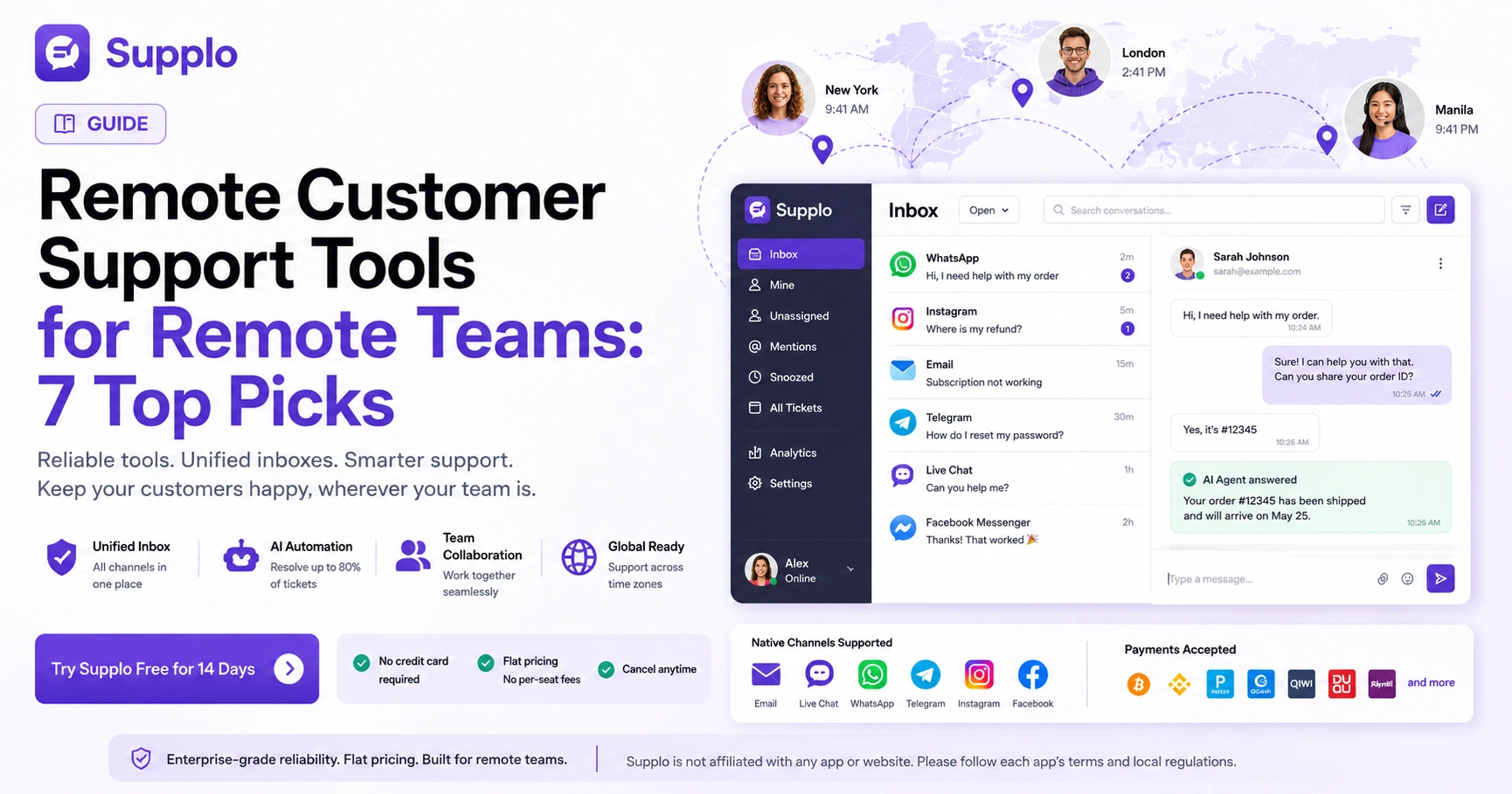
Native channel support is the key here. Look for built-in connections to email, live chat, WhatsApp, Telegram, Instagram and Facebook Messenger: no third-party middleware, no extra fees, no sync delays. Thread-based conversations matter, too; each ticket should keep the full history visible so agents don't have to ask customers to repeat themselves.
- Native vs. API-based channel connections: Native is more reliable because there's no intermediary to break. API-based integrations can fail when the third party updates its code.
- Thread persistence: A good inbox keeps the full conversation history visible, no more "as I mentioned in my previous email" nonsense.
- Agent presence indicators: Know who's online and available in real time. Nothing worse than assigning a ticket to someone who's already clocked out.
- Role-based access controls: Ensure remote agents only see what they need. Sensitive data stays locked down.
Best Remote Customer Service Software: Supplo – The Practical All-in-One Workspace
This is where things get interesting. Supplo was built specifically for remote teams that need enterprise-grade reliability without the enterprise price tag.
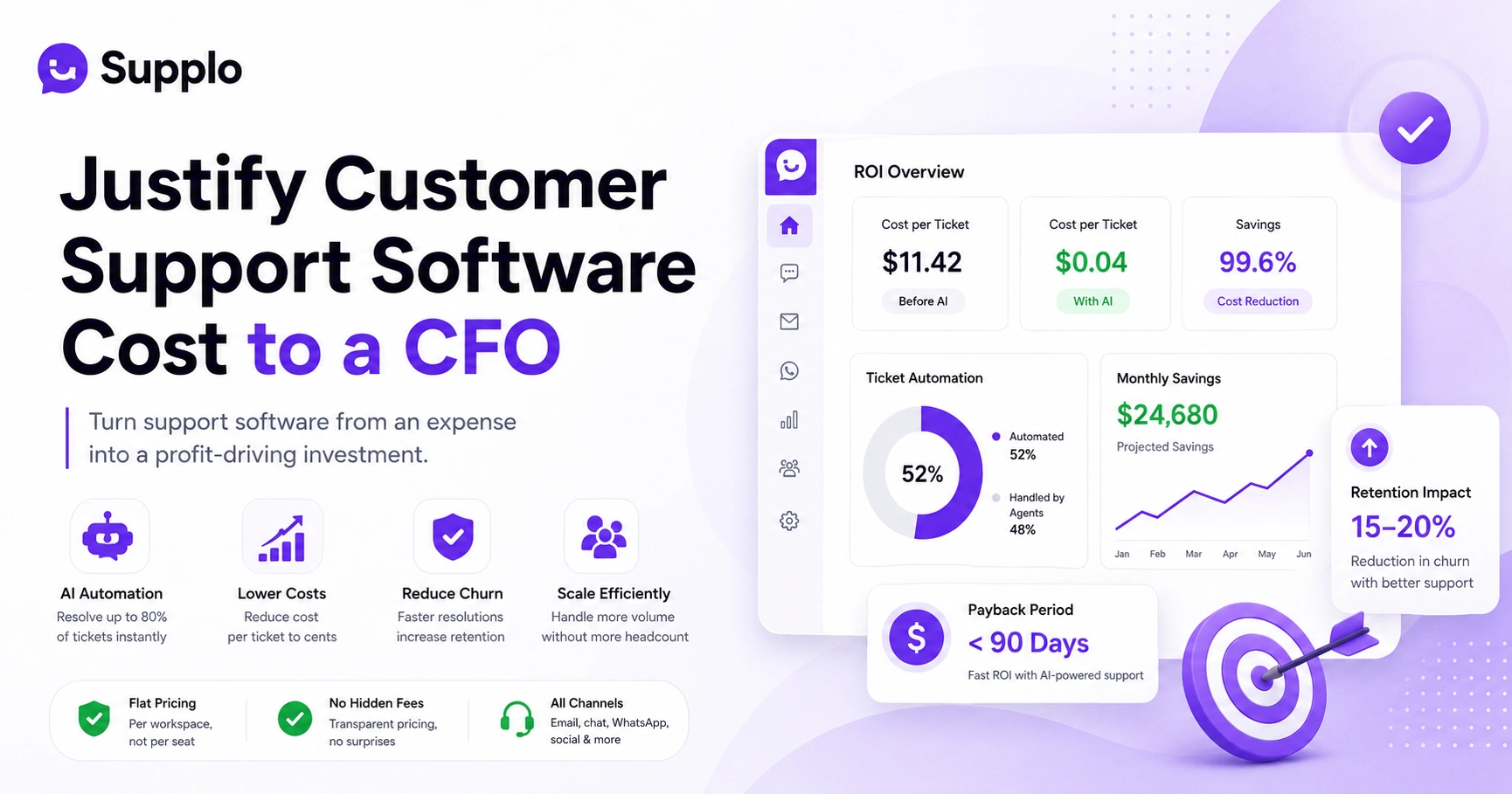
It combines a shared team inbox, a self-learning AI agent and multichannel support, email, website chat widget, WhatsApp, Telegram, Instagram DMs, Facebook Messenger- all in one workspace. The AI handles up to 80% of incoming tickets automatically, at a flat rate of $0.04 per resolution. When it can't answer something, it hands it off cleanly to a human agent with full context intact.
What's that mean for your team? Your remote agents only deal with the complex stuff. No more copy-pasting answers about shipping times or business hours.
- Flat per-workspace pricing: No per-seat fees. Your bill stays predictable even when you add 10 new agents next month.
- AI that learns: It trains on your knowledge base and past conversations, so answers get more accurate over time.
- Built-in translation: Support customers in any language without hiring translators.
- 14-day free trial: No credit card required. Test it with your actual workflow before committing.
- Compliance line: Supplo is not affiliated with any app or website. Please follow each app's terms and local regulations.
Best Remote Customer Service Software: A Legacy Contender with a Unified Inbox
One well-known platform offers a robust unified inbox and powerful automation rules; it's a solid choice for larger remote teams that need deep customization.
The ticketing system is strong, with SLAs and escalations that work well for structured workflows. There's also an extensive app marketplace if you need to connect niche tools. But here's the catch: per-seat pricing gets expensive fast. And the setup process? It often requires dedicated admin time to configure properly.
- Strong ticketing system with SLAs and escalations.
- Extensive app marketplace for integrations.
- Steep learning curve for new remote agents.
- Pricing that scales poorly with team size.
For established enterprises with dedicated admin staff? It works. For growing teams? Might be overkill.
Best Remote Customer Service Software: A Developer-Focused Omnichannel Platform
Technical teams love this one. It takes an API-first approach with highly customizable workflows that can route cross-channel support requests, email, chat and social into a single view.
If your team has in-house developers who can tweak automations and build custom integrations, this platform gives you incredible flexibility. But here's the thing: you need those developers. Without them, the flexibility becomes a liability. Non-technical remote teams often struggle to maintain the system or troubleshoot issues.
- Highly customizable via APIs and webhooks.
- Excellent for product-led companies with in-house dev resources.
- Limited out-of-the-box AI capabilities without add-ons.
- Can become expensive with premium features and per-agent pricing.
Best Remote Customer Service Software: A Simple Shared Inbox for Small Remote Teams
For very small teams, say 2 to 5 agents, who primarily handle email and live chat, a lightweight shared inbox can be enough.
The interface is clean and collaboration features like internal notes and assignments work well. Setup takes minutes and the cost is low. But you'll hit limitations fast if you need native support for social channels like Instagram or WhatsApp. Your agents end up switching tabs or using workarounds, which defeats the purpose of a unified inbox.
- Low cost and fast setup.
- Good for email-heavy support workflows.
- Limited multichannel support (no WhatsApp, Telegram, or Instagram).
- No AI automation for common queries.
Best Remote Customer Service Software: An Enterprise-Grade Cross-Channel Support Tool
This is the heavy hitter for large-scale remote operations. Advanced analytics, SLA management, multi-brand support- it has everything enterprise teams need for granular control and high-volume routing.
The reliability is unmatched at scale. But you pay for that in cost and complexity. Implementation can take weeks and per-seat pricing gets prohibitive for growing teams. Plus, there are usually high minimum seat counts and long contracts.
- Robust reporting and performance dashboards.
- Multi-brand and multi-language support out of the box.
- High minimum seat counts and long contracts.
- Overkill for teams under 50 agents.
How to Set Up a Reliable Multichannel Customer Support Workflow for Remote Teams
Start by mapping every channel your customers actually use: email, website chat, WhatsApp, Instagram, Telegram and make sure your chosen tool supports them natively. No workarounds, no middleware.
Then create a shared inbox where every message becomes a ticket. Set clear ownership rules- round-robin, skill-based, or availability-based- so nothing sits unassigned. Configure your AI agent to handle repetitive questions, such as order status or business hours. Finally, test the handoff between AI and human agents to ensure context stays intact.
- Step 1: Audit your current channels. Drop the ones with low ROI.
- Step 2: Configure auto-assignment rules for remote agents across time zones.
- Step 3: Train your AI agent on your knowledge base and past conversations.
- Step 4: Set up escalation triggers for sentiment, keywords, or repeated queries.
- Step 5: Run a 1-week pilot with a subset of agents before full rollout.
- Compliance line: Supplo is not affiliated with any app or website. Please follow each app's terms and local regulations.
The Hidden Costs of Remote Agent Collaboration Software And How to Avoid Them
The sticker price isn't the only cost. Many remote agent collaboration tools charge per seat, which punishes growing teams. They also nickel-and-dime you for features like AI, analytics, or extra channels.
Then there's the hidden cost of setup time. Some platforms require weeks of configuration before your team can use them productively. And training? A steep learning curve eats into productivity for months.
To avoid all this, look for:
- Flat-rate pricing instead of per-seat fees
- Native channel support (no paid add-ons for WhatsApp or Telegram)
- Usable out of the box, minimal setup required
- Transparent AI usage fees; some platforms charge per resolution, which adds up fast.
- Per-seat pricing vs. flat workspace pricing: At 20+ agents, flat pricing typically saves 40-60%.
- Integration costs: Paying for middleware to connect WhatsApp or Telegram is unnecessary with native support.
- Training time: A steep learning curve eats into productivity for weeks.
- AI usage fees: Some platforms charge per resolution. Supplo charges $0.04 flat.
- Payment note: Supplo supports payments via Crypto, Binance Pay, Payeer, GCash, AmanPay, QIWI Wallet, DOKU, cards from Nigeria and South Africa, Skrill and Payoneer.
Which Remote Help Desk Solution Wins for Reliability?
For most remote teams, the winner balances reliability, cost and ease of use. Supplo stands out because it delivers a truly unified inbox, self-learning AI and flat-rate pricing, all without requiring a developer to set up.
Legacy tools are reliable but expensive. Lightweight tools are cheap but limited. Supplo hits the sweet spot for teams that want enterprise-grade reliability without the enterprise headache.
- Best for growing teams (5–50 agents): Supplo.
- Best for large enterprises (50+ agents): Enterprise-grade tool.
- Best for small teams (2–5 agents): Simple shared inbox.
- Best for technical teams: Developer-focused platform.
FAQ
What is the most reliable remote customer service software for global teams?
The most reliable tools offer native multichannel support, a unified inbox and AI automation. Supplo is a top choice because it combines all three with flat-rate pricing and no per-seat fees, making it scalable for global teams.
Can remote customer service software handle WhatsApp and Instagram DMs?
Yes, but only if the platform offers native integrations. Supplo natively supports WhatsApp, Telegram, Instagram DMs, Facebook Messenger, email and website chat in one shared inbox, so no third-party middleware is needed.
How does AI automation work in remote help desk solutions?
AI automation learns from your knowledge base and past conversations to answer common questions automatically. Supplo's AI agent resolves up to 80% of incoming tickets and hands off to a human when needed, keeping response times fast.
Is remote customer service software secure for handling customer data?
Reputable platforms use encryption, role-based access controls and compliance with data protection regulations. Always check the provider's security documentation and ensure they offer audit logs for remote agent activity.
What should I look for in a unified inbox for remote agents?
Look for native channel support, thread-based conversations, agent presence indicators and role-based permissions. A good unified inbox should let you manage all messages in a single view without switching tabs.
How much does remote customer service software typically cost?
Costs vary widely. Per-seat tools can become expensive as your team grows, while flat-rate platforms like Supplo offer predictable pricing. Supplo starts with a 14-day free trial and charges a flat per-workspace fee.
Can I try remote customer service software before committing?
Yes. Supplo offers a 14-day free trial with no credit card required, so you can test the unified inbox, AI agent and multichannel features with your remote team before making a decision.
Compliance line: Supplo is not affiliated with any app or website. Please follow each app's terms and local regulations.