On this page
Quick Answer
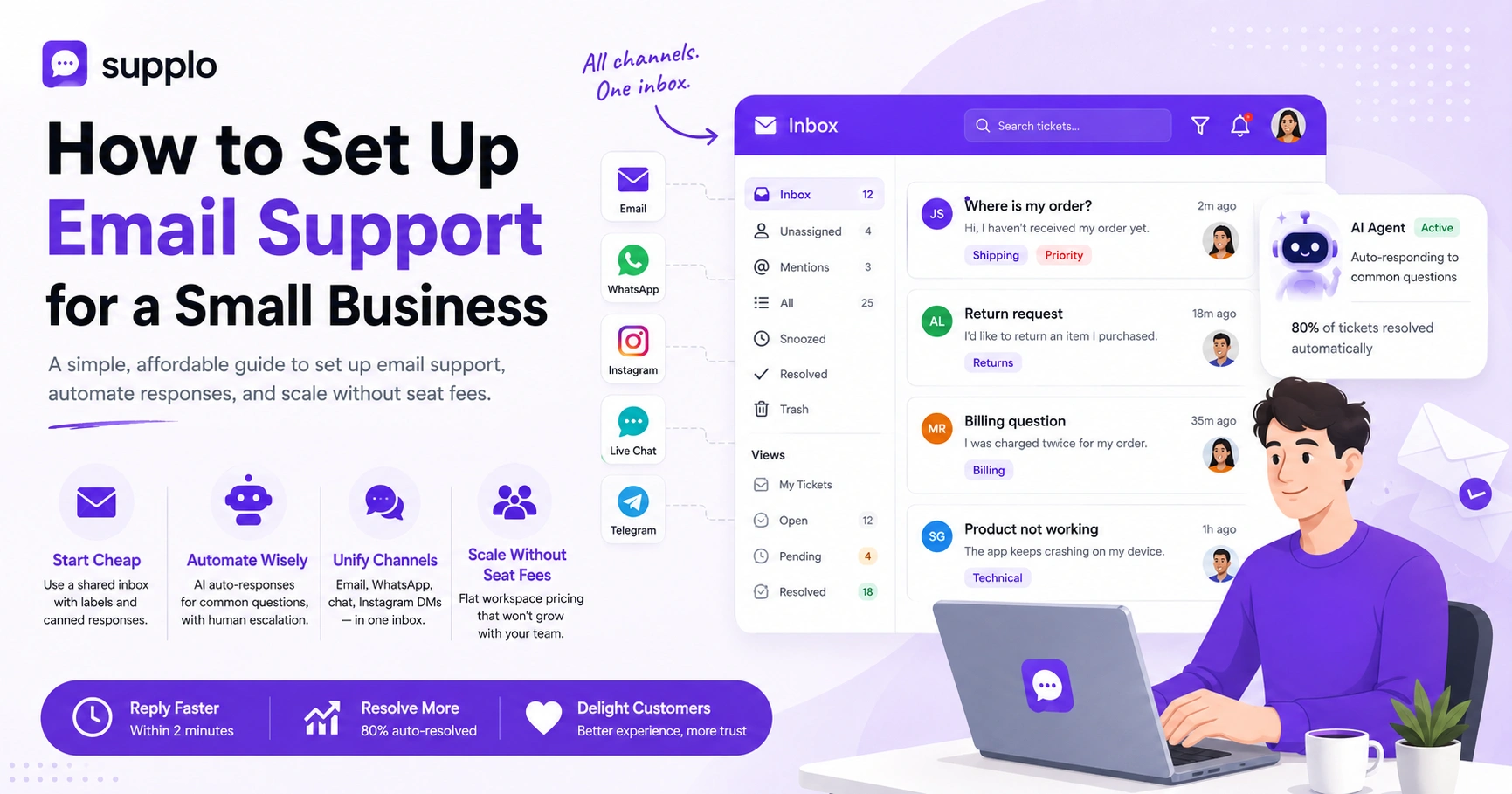
Look, setting up email support for a small business doesn't have to be complicated or expensive. Here's the short version:
- Start cheap: Use a shared Gmail inbox with labels and canned responses before buying software.
- Automate wisely: Set up AI auto-responses for common questions, but always let customers escalate to a human.
- Unify channels: A proper email helpdesk should also handle WhatsApp, chat, and Instagram DMs
- Scale without seat fees: Choose a platform with flat workspace pricing so your cost doesn't explode as your team grows (like what Supplo offers)
That's the gist. Now let's dig into the nitty-gritty.
Why Your Small Business Needs a Dedicated Email Support System
Let's be honest, relying on a personal Gmail or Outlook inbox for customer support is a ticking time bomb. I've seen it happen too many times. One missed email, one reply-all gone wrong, and suddenly you've got an angry customer posting about it on social media.
A dedicated email support system does three things really well: it prevents missed messages, keeps your team organized, and ensures nothing falls through the cracks. For a small business, this isn't just about looking professional; it's about building trust by responding to every customer promptly.
- A shared inbox prevents team members from stepping on each other's toes (no more "I thought YOU replied to that!")
- Email tickets that disappear into spam folders? That's revenue walking out the door
- Customers expect a response within 24 hours; a system helps you track that commitment
- It creates a reliable audit trail for disputes and service improvement
The Cheapest Way to Start: Setting Up a Shared Inbox Without Expensive Software
You don't need a $100/month tool on day one. Seriously. The cheapest email support for a small business often starts with forwarding all support emails to a shared Gmail inbox or a simple email alias (like [email protected]). From there, you can add basic labels, filters, and delegation rules before upgrading to a proper helpdesk.
- Use Gmail's "Multiple Inboxes" feature to separate support from personal mail
- Set up canned responses for your most common questions (you'll thank me later)
- Assign ownership of emails manually until you automate it
- This free setup works for up to 2-3 team members; then you'll need something more robust
Even with a free setup, use a proper domain email. [email protected] beats [email protected] every time. Trust matters.
How to Set Up Your First Email Helpdesk for a Small Business in 10 Minutes
You can move from a messy inbox to a proper email helpdesk in under ten minutes. No exaggeration. Sign up for a tool like Supplo, connect your email domain (Google Workspace, Microsoft 365, or any IMAP server), and you'll instantly have a shared team inbox with ticket tracking. No IT team required; point, click, and start resolving.
- Create an account on a small business email helpdesk software (like Supplo)
- Connect your support email (e.g., [email protected]) via IMAP or SMTP
- Invite 1-2 teammates and set basic roles (admin, agent)
- Configure your first auto-reply to acknowledge receipt
That's it. You're now running a proper support operation. Check out how Supplo's email ticketing makes this process dead simple.
Choosing the Best Email Ticketing System for a Small Business: Free vs Paid
The best email ticketing system for a small business balances cost, ease of use, and essential features. Free tools give you basic ticket creation but often cap your history or team size. Paid platforms like Supplo offer unlimited users at a flat workspace rate, no surprise per-seat fees, and an AI agent that actually resolves tickets.
Free options worth exploring:
- Zoho Desk (free tier)
- Freshdesk (free tier)
- HubSpot (free tier)
Paid with flat pricing:
- Supplo ($0.04 per AI resolution, no seat caps)
What to look for:
- Collision detection (two agents can't reply to the same ticket at once)
- Proper ticket history and search
- Multi-channel support (because email isn't the only game in town)
What to avoid:
- Tools that charge per agent if you have more than 5 support staff (that bill adds up fast)
Configuring Automatic Email Responses for Small Business
Automatic email responses are your 24/7 front desk. You can set up two types: an immediate "We got your message" autoresponder and a triggered response that answers a FAQ based on keywords. This small business customer service email setup step alone can cut your reply time by hours.
- Create a general acknowledgment message that sets expectations (e.g., "We reply within 4 hours")
- Use keyword-based triggers to send automated responses to "shipping status" or "returns."
- Always include a fallback: "If you need immediate help, reply with 'HUMAN'"
- Test your triggers with real customer emails before going live
Your first autoresponder doesn't need to be fancy. Just acknowledge the email and set expectations. Customers appreciate knowing when to expect a reply.
How to Use an AI Agent for Small Business Email Support Without Hiring a Team
An AI agent for small-business email support can handle repetitive questions like "Where's my order?" or "What's your return policy?" so your team can focus on complex issues. Tools like Supplo's AI Agent learn from your past conversations and knowledge base to answer accurately, and it only costs $0.04 per resolution, not $0.99.
- The AI auto-classifies emails into tickets and drafts responses
- It hands off to a human agent when it detects frustration or a question it can't answer
- You can train it with your FAQ and past resolved tickets
- It works in any language so that you can support international customers without translators
Think of it as hiring a junior teammate who never sleeps, never complains, and costs pennies per task.
Setting Up a Small Business Email Support Platform That Handles Multi-Channel (Email + Chat + Social)
Here's the truth: customers don't just email. They message you on your website chat widget, WhatsApp, Instagram DMs, and Telegram. A modern email support platform for a small business consolidates all these channels into one thread-based inbox. Supplo's inbox unifies them. Hence, your team sees the entire conversation history, regardless of where it started.
- Connect your email first, then add your website chat widget in one click
- Link WhatsApp and Telegram via API (Supplo supports both natively)
- All messages from Instagram DMs flow into the same ticket
- The inbox shows the source channel, so you know how to reply (e.g., SMS vs email)
Supplo is not affiliated with any app or website. Please follow each app's terms and local regulations.
Email Ticket Management for a Small Business: Organizing, Tagging, and Prioritizing
Good email ticket management for a small business means never losing track of a customer request. You need to tag emails by topic (billing, technical, general), prioritize urgent tickets (e.g., account cancellations), and assign them to the right person. A shared inbox with statuses like "Open," "Pending," and "Resolved" makes this effortless.
- Create tags for common categories: billing, feature request, bug report, feedback
- Set up auto-priority: emails with "urgent" or "cancel" in the subject line go to the top
- Use collision detection to stop two agents from replying simultaneously
- Archive resolved tickets weekly to keep your queue clean
Don't over-complicate your tagging system. Start with 3-4 categories and add more as you grow. Too many tags create confusion.
How to Train Your AI Chatbot for Small Business Email Support Using Your Knowledge Base
Your AI chatbot for small business email support is only as smart as the data you feed it. Start by uploading your FAQ, return policy, and shipping times into a central knowledge base. Then, let the AI learn from the 20-30 most common email conversations you've already solved. It will start auto-answering within a day.
- Use your existing documentation: "What's your refund policy?" → exact answer
- The AI scans past resolved tickets to understand context and tone
- You can review and approve AI-drafted replies before they send automatically
- Retrain monthly as you add new products or policies
The more you feed your AI, the smarter it gets. Think of it like training a new employee, except this one remembers everything on the first try.
Common Pitfalls in Small Business Email Support Setup and How to Avoid Them
The most common mistake? Using a personal inbox for business support. It's unreliable and unprofessional. Others include forgetting to set up an automatic fallback (if the AI can't answer, it should ask a human), ignoring spam filters, and not backing up your knowledge base. Avoid these, and your system runs like clockwork.
Pitfalls:
- Using a free email with no backup → emails get lost in spam
- Not testing AI auto-responses with real customer scenarios
- Over-automating, customers can tell when there's no human option
- Skipping analytics, you can't improve what you don't measure
How to Scale Your Small Business Email Support System as You Grow
When you go from 50 emails a day to 500, your setup needs to scale without breaking. The key is a system that adds team members without extra per-seat costs, uses AI to handle the flood of repetitive tickets, and keeps your knowledge base up to date. Supplo's pricing (flat workspace rate) and self-learning AI make this growth painless.
- Add team members freely. Supplo charges per workspace, not per person
- The AI learns from every new ticket, so your accuracy improves over time
- Set up automated workflows: tag, assign, and escalate based on rules
- Monitor your first response time and resolution rate weekly
Your support system should grow with you, not hold you back. If you're paying per seat, you're essentially being penalized for hiring good people. Flat pricing changes that.
Key Takeaways
- Start cheap: Use a shared Gmail inbox with labels and canned responses before buying software
- Automate wisely: Set up AI auto-responses for common questions, but always let customers escalate to a human
- Unify channels: A proper email helpdesk should also handle WhatsApp, chat, and Instagram DMs
- Scale without seat fees: Choose a platform with flat workspace pricing so your cost doesn't explode as your team grows (like Supplo)
FAQ
Can I use my personal Gmail for small business email support?
Yes, but it's risky. Personal inboxes lack team collaboration features, collision detection, and ticket history. A dedicated email support system prevents lost messages and looks more professional.
What is the cheapest email support system for a small business?
The cheapest option is a shared Gmail inbox with labels and canned responses. For under $20/month, you can upgrade to an email helpdesk with basic ticket management. AI-powered options like Supplo start free with a 14-day trial.
Do I need a separate email domain for business support?
Not strictly, but it helps. Using [email protected] instead of [email protected] builds trust. You can forward this domain email to any helpdesk tool.
How does AI email support work for a small business?
AI email support uses a chatbot or agent that reads incoming emails, understands the intent (e.g., "order status"), and either drafts a reply or sends it automatically. It learns from your knowledge base and past conversations.
Will an AI agent replace my customer support team?
No. AI handles repetitive questions, freeing your team to solve complex issues. It hands off to a human agent when needed. Think of it as a junior teammate who never sleeps.
Can I set up email support for multiple channels (WhatsApp, Instagram)?
Yes. Modern email support platforms like Supplo unify email, chat, WhatsApp, Telegram, Instagram DMs, and Facebook Messenger into a single inbox. This keeps your team from juggling six apps.
How do I measure if my email support system is working?
Track your first response time, average resolution time, and customer satisfaction (CSAT) score. A well-set-up system should reply to 80% of common questions within 2 minutes and resolve most within 24 hours.
Compliance line: Supplo is not affiliated with any app or website. Please follow each app's terms and local regulations.


