On this page
Ever had a customer ask, "How long until my problem is actually fixed?" That's the question: what is the mean time to resolution for customer support answers? Let's dig into what it really means, how to measure it honestly, and, most importantly, how to make it better without burning out your team.
What Is Mean Time to Resolution (MTTR)? A Clear Definition for Customer Support Teams
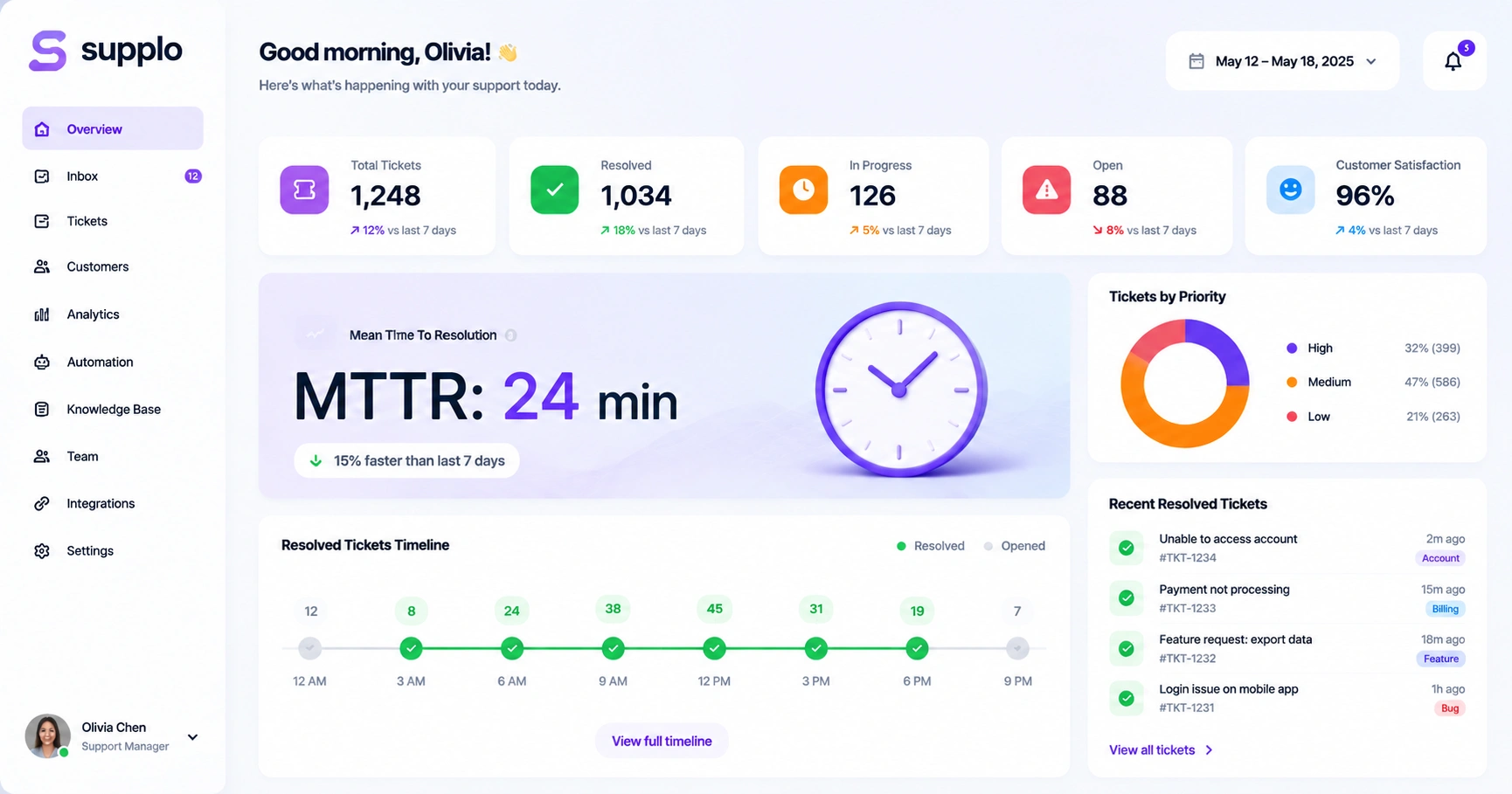
Here's the short version: Mean Time to Resolution (MTTR) measures how long it takes to fully resolve a customer's problem, from the moment they submit a request to when the issue is closed.
It's the metric that tells you, "Are we actually fixing things, or just replying quickly and hoping for the best?" Unlike First Response Time (which only measures your first reply), MTTR captures the whole messy journey: back-and-forth emails, escalations, research time, and that one ticket that somehow spans three days.
A few things to keep in mind:
- MTTR = total resolution time. Not just when someone said, "We're looking into it." The fix has actually to happen.
- It's your reality check. Fast first replies mean nothing if customers wait hours (or days) for real solutions.
- High MTTR usually points to something broken, inefficient processes, weak documentation, or agents stretched too thin.
- "Resolution" matters. It means the customer's problem is solved, not just acknowledged or kicked to another team.
Why MTTR Matters: The Real Importance of This Customer Service Metric
Here's the thing: customers don't care how fast you pick up the phone. They care how fast you solve their problem. MTTR is the metric that captures that.
A low MTTR builds trust. Customers notice when you fix things quickly, and they stick around because of it. Let it creep up, and you'll see it in your churn numbers before you know it.
- Slow resolution = unhappy customers. There's a direct line between high MTTR and low CSAT scores. People don't have patience for drawn-out fixes.
- Speed becomes your edge. In competitive spaces like SaaS or fintech, solving problems fast sets you apart from teams that drag their feet.
- MTTR shows you where things break. If you see a spike, you know exactly where to dig, whether it's a knowledge gap, a routing issue, or a tool that's failing you.
- Faster isn't always better. The goal isn't rushing through tickets. It's getting it right the first time. Sometimes a slower, thorough fix beats a fast half-answer.
How to Calculate MTTR: The Formula
The math is simple, but the execution? That's where teams trip up.
The formula: Total resolution time for all resolved tickets ÷ Total number of tickets resolved
Here's a real example:
Say you handled 100 tickets this week, and their total resolution time was 50 hours. That's 50 ÷ 100 = 0.5 hours, or an average MTTR of 30 minutes.
But here's where it gets tricky: you need to agree on when "resolution" starts and ends. Does it begin when the ticket lands in your inbox? When an agent picks it up? When someone replies? Pick one and stick with it.
Supplo is not affiliated with any app or website. Please follow each app's terms and local regulations.
Pro tips for accurate tracking:
- Only count tickets that were actually resolved in your reporting period.
- Use a platform (like Supplo) that auto-tracks time stamps; manual tracking invites errors.
- Pick a unit (hours or minutes) and commit to it across all your reports.
What Is a "Good" MTTR? Industry Benchmarks and Average Resolution Times
Honestly? No magic number works for everyone. A "good" MTTR depends on what you're selling, whom you're helping, and how complex your product is.
That said, here are some ballpark targets:
- SaaS companies: Under 12 hours for standard tickets, under 1 hour for critical issues
- E-commerce: Under 8 hours typically, though shipping complaints can push that higher
- Fintech and healthcare: Under 2 hours for urgent matters, sometimes under 30 minutes for payment issues
- Luxury brands: 24 hours might be fine if the experience is personalized
- Payment processors: 10 minutes, because every minute of downtime costs real money
Don't just chase an industry average. Benchmark against your own past performance first. A luxury brand with a 24-hour MTTR might be crushing it, while a fintech startup hitting 4 hours could be in trouble.
Customer Support MTTR Benchmarks by Industry (SaaS, E-Commerce, Fintech)
Let's get more specific. These numbers are guidelines, not gospel, but they'll help you figure out where you stand.
- SaaS: Most teams land between 6-24 hours for standard tickets. The top performers? Under 4 hours. They've usually got automation and strong knowledge bases in place.
- E-commerce: Typically 8-16 hours, though shipping errors and payment glitches can double that during peak seasons.
- Fintech: Under 30 minutes for transaction issues—every second counts when money's involved.
- Telecom and utilities: Expect 24-48 hours. Infrastructure problems are complex, and escalations take time.
- Travel and hospitality: A baseline of 4-12 hours, but expect spikes during holiday rushes.
- Healthcare: 12-24 hours is common, thanks to compliance layers and privacy requirements.
Remember: Your base matters more than any benchmark. If you're improving week over week, you're moving in the right direction.
Comparing Your MTTR Performance: How to Measure Against Industry Standards
So you've got your number. Now what?
Start by segmenting your data. Don't compare your chat MTTR to your email MTTR, they're different beasts. Break it down by priority, channel, and ticket type. Then look at peer benchmarks from credible sources (not random blog posts) in your vertical.
A few ground rules:
- Benchmarks change with team size. Small teams with 3-5 agents will naturally have higher MTTR than a 50-person support squad.
- Use a unified inbox. A tool like Supplo's inbox shows resolution times across email, chat, WhatsApp, and social DMs in one place. That's the only way to get a true comparison.
- Look at your longest tickets. The top 10% usually reveal the real bottlenecks. A single complex issue can drag your average way down.
- Don't game the metric. If you're way faster than the benchmark, check your ticket complexity. Are you handling only easy stuff? Or are you genuinely efficient?
How to Reduce MTTR in Customer Support: 5 Practical Strategies
Lowering MTTR isn't about working faster; it's about working smarter. Here's what actually moves the needle:
Strategy 1: Let AI handle the repetitive stuff. An AI agent can resolve up to 80% of common tickets without human help. That frees your team to focus on the complex issues that drag down your MTTR.
Strategy 2: Unify your inbox. When tickets live in separate silos (email here, chat there, WhatsApp somewhere else), things fall through the cracks. A shared inbox like Supplo's keeps everything visible, and no ticket gets forgotten.
Strategy 3: Build a knowledge base your agents can actually use. If your team spends 10 minutes searching for answers, MTTR will suffer. A good knowledge base gives them instant access to solutions.
Strategy 4: Automate ticket routing. Make sure billing questions go to the billing team, and technical issues go to the engineers. Smart routing cuts resolution time in half.
Strategy 5: Review your longest tickets weekly. Spend 15 minutes every Monday looking at the 5 most time-consuming tickets from the previous week. What went wrong? What can you fix to prevent it from happening again?
The Best Tools to Track and Lower Your Mean Time to Resolution
You can't improve what you don't measure. And you can't measure accurately without the right tools.
What to look for in an MTTR tracking tool:
- Multi-channel support. You need email, live chat, WhatsApp, Telegram support, Instagram DMs and Facebook Messenger in one dashboard. Siloed data means blind spots.
- Auto time tracking. Manual tracking is error-prone and wastes energy your team could spend helping customers. Supplo's email ticketing tracks everything automatically.
- AI that actually resolves tickets. Not just a chatbot that deflects. A self-learning AI that handles common issues end-to-end.
- Flat per-workspace pricing. Supplo's pricing means you don't pay more as your team grows. No surprises.
A quick reality check: If you're still tracking MTTR in a spreadsheet, you're probably getting wrong numbers. A unified platform catches edge cases, multi-day tickets, time zone differences, and "waiting on customer" pauses that spreadsheets miss.
Common Pitfalls When Measuring Ticket Resolution Time and How to Avoid Them
Teams mess up MTTR tracking in predictable ways. Avoid these and your data will actually be useful:
Pitfall 1: No consistent "resolution start" definition. Is it ticket creation? First agent assignment? First reply? Pick one and stick with it forever.
Pitfall 2: Ignoring "waiting on customer" time. Does the clock keep ticking while you wait for a customer to reply? It shouldn't. Use a pause/resume feature to stop the clock.
Pitfall 3: Not segmenting by channel. Chat tickets resolve faster than email tickets. Mixing them without segmentation gives you a meaningless average.
Pitfall 4: Only looking at the average. A few brutal tickets can skew your entire dataset. Track the median (50th percentile) and 90th percentile for real insight.
Pitfall 5: Changing your calculation method mid-year. Whatever you decide, document it and don't change it without clear reason.
A Quick-Start Action Plan to Slash Your MTTR Today
Want to see improvement in the next two weeks? Here's your game plan:
Days 1-3: Audit your current data. Track all resolution times for 3 days. The manual is fine for now, but even better, start a free trial of a tool like Supplo to automate it from day one.
Days 4-7: Pick your top two ticket categories (password resets and billing questions are common candidates) and create fast-reply templates or AI automation for them. This alone can cut your MTTR by 20-30%.
Days 8-14: Measure the impact. Compare your MTTR from week 1 to week 2. Did it drop? By how much? Adjust your knowledge base or escalation rules based on what you find.
Set a goal: Reduce your average MTTR by 10% in 14 days. Review progress every Monday morning with your team.
Key Takeaways
- MTTR Definition: Mean Time to Resolution measures the average time from ticket creation to full resolution. It's the real measure of how fast you solve problems.
- The Formula: Total resolution time ÷ Total resolved tickets. Simple math, but only if you track it consistently.
- Good Benchmarks: SaaS targets under 12 hours; Fintech under 2 hours; E-commerce under 8 hours. But your own past performance matters more than industry averages.
- To Reduce It: Use AI for common tickets, unify your channels in one inbox, and measure the median, not just the average.
FAQ
Is MTTR a legal or compliance requirement in customer service?
No, MTTR is an operational metric, not a legal requirement in most industries. However, in regulated sectors like finance or healthcare, a consistently high MTTR could raise concerns during audits if it delays critical responses.
Can a high MTTR ever be a good thing?
No, a high MTTR is never an indicator of good performance. It signals that customers are waiting too long for solutions. If you see a high MTTR, investigate ticket complexity, agent capacity, or process inefficiencies.
How do I calculate MTTR for a single complex ticket?
For a single ticket, MTTR is simply the total time from ticket opening to full resolution. If the ticket spans multiple days, track only working hours, or use a pause/resume feature in your support tool to exclude waiting time.
What is the difference between MTTR and First Response Time (FRT)?
FRT measures how long it takes for a customer to get the first reply, while MTTR measures the total time to full resolution. You can have a fast FRT but a terrible MTTR if your first reply is unhelpful and requires multiple follow-ups.
Can I use MTTR to compare different support channels?
Yes, but you must segment your data by channel. Chat MTTR is typically under 1 hour, email MTTR is often under 12 hours, and social media MTTR can vary widely. Comparing chat to email MTTR without context is misleading.
What tools can I use to automate MTTR tracking?
Supplo and other unified inbox platforms automate MTTR tracking across email, chat, WhatsApp, and social media DMs. Manual tracking in spreadsheets is error-prone, especially for multi-channel support.
How often should I review my MTTR data?
Review your MTTR weekly for operational changes and monthly for trend analysis. Daily reviews are only necessary if you're in a high-urgency industry like payments or healthcare.
Compliance line: Supplo is not affiliated with any app or website. Please follow each app's terms and local regulations.


