On this page
E-commerce success hinges on stellar customer support and today, that means meeting your customers where they spend most of their time: on WhatsApp. This guide is for online store owners, customer support managers and e-commerce strategists looking to leverage WhatsApp to improve customer satisfaction, streamline operations and drive sales. We'll cover everything from setting up the WhatsApp Business API to building intelligent chatbots that resolve customer queries round the clock.
Quick Answer
- Implement WhatsApp Business API: Essential for scaling e-commerce support without violating WhatsApp's terms.
- Utilise a shared team inbox: Centralise all WhatsApp conversations, assign tickets and maintain conversation history.
- Automate low-risk, high-volume queries: Use AI for order status, FAQs and returns initiation to reduce human workload.
- Prioritise human touch for complex issues: Directly handle refunds, damaged goods or escalated complaints.
- Train AI on your specific knowledge base: Generic bots fail; custom-trained AI provides accurate, timely answers.
Why WhatsApp is a Non-Negotiable Channel for E-Commerce Support
Let's be real, your customers are already living inside WhatsApp. Over 2 billion people use it daily. For e-commerce, that means your support channel needs to meet them where they already are, not force them into a clunky email portal or a live chat they have to check from a desktop. WhatsApp delivers 98% open rates within minutes, making it the fastest way to resolve order issues, answer pre-sale questions and reduce cart abandonment by simply being present.
WhatsApp's end-to-end encryption is a trust signal for customers sharing order details and payment confirmations. Unlike email threads that get buried, WhatsApp messages feel personal and immediate, reducing customer anxiety. For high-volume stores, a dedicated WhatsApp channel cuts support response time from hours to seconds. It creates a searchable history of every customer interaction, which is gold for your team's continuity.
Setting Up WhatsApp Business API for Your Online Store
The WhatsApp Business API is the only legitimate way to run automated, high-volume support for an e-commerce store without getting your number banned. It connects your store's backend (like Shopify, WooCommerce or custom setup) to WhatsApp, enabling order notifications, automated replies and a verified business profile. Setup involves applying through a Business Solution Provider (BSP), verifying your business and passing Meta's review process, which typically takes 1-3 days. For seamless WhatsApp customer support, choosing the right BSP is crucial.
You'll need a separate phone number for the API; it cannot be a personal WhatsApp or existing WhatsApp Business app number. Meta's template messaging is required for proactive notifications (order shipped, delivery update, payment reminder). You can manage session-based conversations (free within 24 hours of the last customer message) and pre-approved templates. Many platforms (Shopify, HubSpot) have direct API integrations, but standalone tools like Supplo offer a simpler, unified interface.
A quick heads-up: Supplo is not affiliated with any app or website. Please follow each app's terms and local regulations.
How to Manage E-Commerce Queries on WhatsApp Without Losing Your Mind
Managing dozens or hundreds of WhatsApp conversations manually is a recipe for burnout. The key is a shared team inbox that threads every customer message, from order cancellations to size queries, into a single view, so no message goes unseen. You need tagging for priority (e.g., urgent return), internal notes for team handoffs and automations for repetitive questions like Where is my order?
Avoid the personal phone trap: create a dedicated work number for the API or use a multi-agent platform. Use canned responses for common answers (e.g., shipping policies, refund timelines), but personalise the greeting. Set clear response-time SLAs; customers on WhatsApp expect faster replies than via email (aim for <5 minutes for rush, <2 hours for standard). Most CRMs and support tools (including Supplo's inbox) let you assign conversations to specific team members and track metrics.
Building an Effective E-Commerce WhatsApp Chatbot
A WhatsApp chatbot for e-commerce isn't just about dumping an FAQ into a bot and walking away. Effective bots understand context, like whether a customer is asking about a specific order versus inquiring about a product category and can escalate to a human seamlessly. The best modern approach uses a self-learning AI that reads your knowledge base and past conversations, so it gets better at answering accurately over time.
Start with three core intents: order status, return initiation and product availability; nail these before adding more. Design fallback paths: when the bot doesn't know an answer, it should hand off to a human with full conversation history. Avoid loop hell: never send a customer in circles; every bot response should either resolve the issue or immediately offer a human. A flat-rate pricing model (like Supplo's $0.04 per resolution) makes scaling the bot economically viable for high-volume stores. Pricing is flexible and supports payments via crypto, Binance Pay, Payeer, GCash and more for international stores.
Automating WhatsApp Support for Online Stores: What to Automate, What to Keep Human
Automation on WhatsApp is powerful but dangerous if overdone. Automate everything that is low-risk and high-volume: order confirmations, shipping updates, password resets and basic where is my order status checks. Keep human-only anything involving refunds over a certain threshold, damaged goods handling or escalated complaints where empathy is critical. The rule: if a mistake would cost you a customer, a human should handle it.
Use automated triggers based on order status changes (e.g., Shipped triggers a WhatsApp notification with tracking link). Do NOT automate the collection of sensitive data (payment details, passwords) via WhatsApp; redirect customers to a secure portal. Customer sentiment detection is key: automate replies for neutral/positive sentiment, but automatically escalate if negative language is detected by your AI agent. Test every automated flow with 10 real customers before going live; what makes sense in logic often fails in practice.
Using a WhatsApp Order Bot to Handle Status Checks and Returns
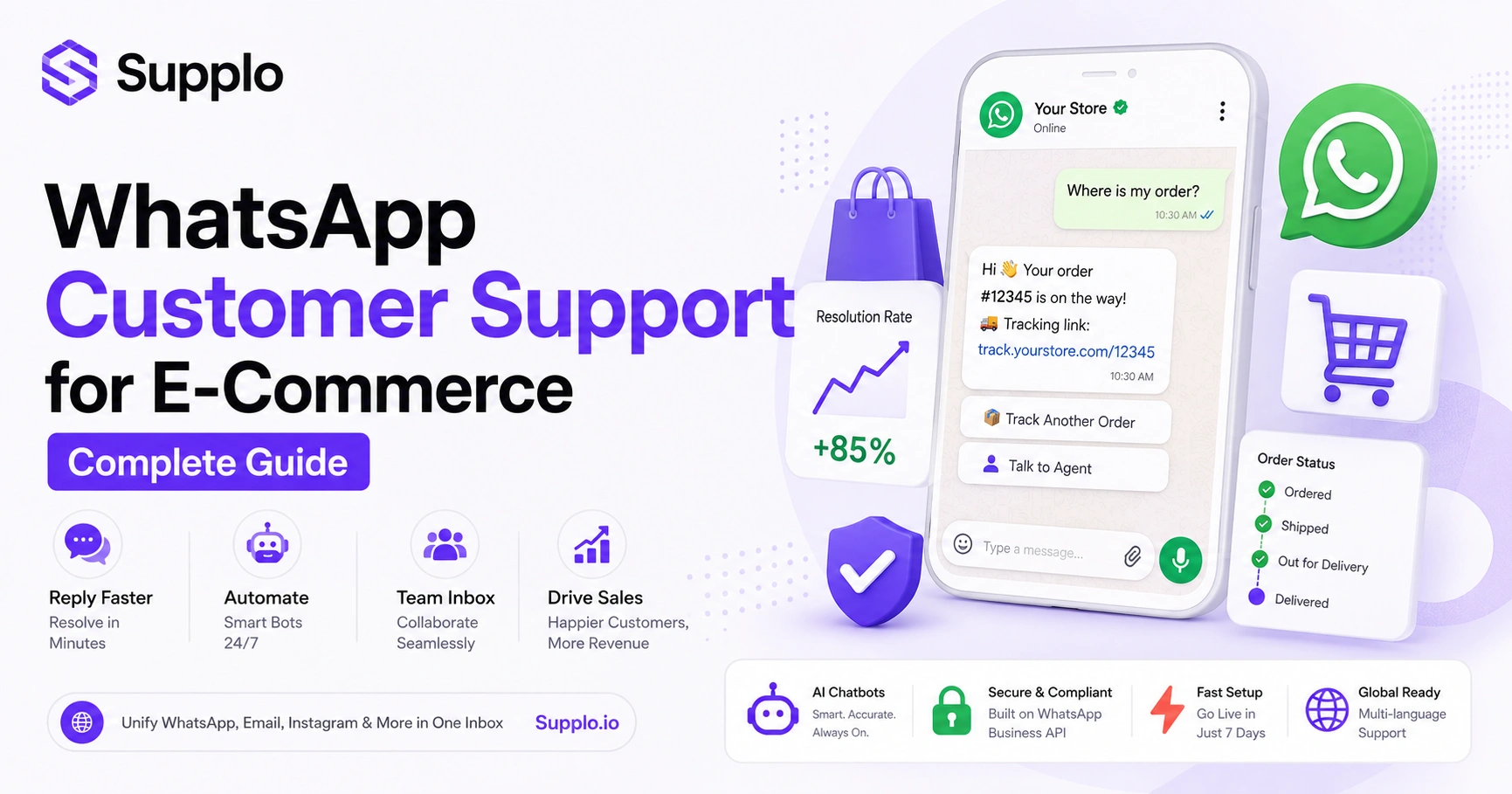
Order status and returns make up roughly 60-70% of all e-commerce support tickets. A dedicated WhatsApp order bot lets customers type a simple phrase, such as "Where's my order?" or "Start a return," and automatically pulls order data from your store's backend to give an instant answer. This slashes ticket volume dramatically while keeping the customer experience snappy.
Integrate your bot with your e-commerce platform's API (Shopify, WooCommerce, Magento) to pull real-time order data. For returns, the bot should collect reason, photos (if needed) and order number before routing to human approval. Use rich media, send a quick video of how to pack a return or a photo of the exact shipping label. A good order bot can reduce your order status ticket volume by up to 80% within the first month.
Best Practices for WhatsApp Retail Support That Actually Builds Trust
Customers trust WhatsApp because it feels personal, but that trust shatters the moment you act like a robot or a spammer. Best practices include always identifying your store (use a branded profile photo and description), never sending marketing without prior consent and replying in the customer's language; WhatsApp supports over 40 languages natively. And remember: speed matters, but accuracy matters more; a wrong answer on WhatsApp spreads faster than one in email.
Set a custom away message with an estimated response time; never leave a message on read without follow-up. Use quick reply buttons for common actions (Check Order, Talk to Agent) to speed up the conversation. Every team member handling WhatsApp needs training on tone; this is not email, so be conversational but professional. Monitor your meta-business message quality rating; low scores can restrict your messaging capabilities.
What to Do When Your E-Commerce WhatsApp Chat Fails (Troubleshooting)
WhatsApp failures typically fall into three buckets: message delivery failures (your bot didn't send), business API review rejection (Meta blocked your template) or customer dissatisfaction (the bot gave a wrong answer). First, check your webhook logs for delivery errors. Second, re-read Meta's template policy; failed reviews are usually due to unclear opt-in language or missing variables. Third, if customers are complaining, your bot likely needs better intent detection or a faster path to human escalation.
Common API error codes: 131026 (rate limit hit), 131031 (blocked message), 131045 (template rejected). If your API review is rejected, the most common fix is to rewrite your opt-in message to state the types of messages the customer will receive clearly. For customer complaints, immediately switch to live human support via a platform with email ticketing and review the bot's conversation transcript to see where it went wrong. Avoid ghost number syndrome; if your number stops responding, customers will report it, risking permanent suspension.
If your WhatsApp API application keeps getting rejected or your templates fail, test your setup risk-free on Supplo. Our team handles API registration and template approval during onboarding, so you don't waste days debugging Meta's review process.
Why Most AI Chatbots for WhatsApp E-Commerce Fail And How to Fix It
Most AI chatbots for WhatsApp e-commerce fail because they're trained on generic data instead of your specific store's content. A bot that doesn't know your return policy, product specs or typical customer questions will deliver incorrect answers, frustrate customers and ultimately drive people away. The fix is a self-learning AI that ingests your knowledge base and past tickets, then continuously improves by flagging uncertain answers for human review.
Generic bots cost more per resolution ($0.50-$1+) than specialised tools like Supplo ($0.04 per resolution). A bot that answers confidently but incorrectly is worse than one that says, "I don't know" and hands off cleanly. Over-engineering the bot (too many intents, complex flows) leads to maintenance headaches; start simple, then expand. The best indicator of bot readiness: can it answer your top 10 support questions with 95% accuracy before going live?
Putting It All Together: Your 7-Day Plan for WhatsApp Customer Service for Online Retail
Day 1: Get your WhatsApp Business API approved with a dedicated number. Supplo is not affiliated with any app or website. Please follow each app's terms and local regulations. Day 2: Connect it to your e-commerce platform (Shopify, WooCommerce, etc.). Day 3: Build your automated order status and return FAQ flows. Day 4: Train your AI on your top 10 support questions. Day 5: Test the bot with 10 real customers and fix failures. Day 6: Set up team workflows and response SLAs. Day 7: Go live, monitor key metrics (response time, resolution rate, sentiment) and iterate. This plan turns WhatsApp into your highest-performing support channel in just one week.
Use a platform like Supplo to unify WhatsApp, email, Instagram and more in one inbox; managing multiple tools is unnecessary complexity. Check Supplo's transparent pricing. Track the first-contact resolution rate; if it's below 70%, your bot needs improvement. Activate WhatsApp's rich media (images, videos, product catalogues) to reduce text-only confusion. After one month, review the top 5 queries the bot couldn't answer and add them to your knowledge base.
Ready to build your WhatsApp support system? Start your free 14-day trial at Supplo.io, no credit card required and you'll have your first bot flow running within an hour.
Managing customer support across WhatsApp, email, Instagram and more doesn't have to mean multiple logins and growing bills. Supplo unifies everything into one inbox with a flat workspace price. See how it works at Supplo.io.
FAQ
Is it legal to use WhatsApp for customer support in e-commerce?
Yes, with the WhatsApp Business API. Using a personal WhatsApp number for support violates Meta's terms and can result in your number being banned. The API is designed for business messaging and complies with local data privacy laws when properly configured.
Why do my WhatsApp notification templates keep getting rejected?
Meta rejects templates that sound spammy, don't clearly state opt-in or lack proper variable placeholders. Ensure your template says something like Order updates from [Store Name] - reply STOP to opt out. Also, always include customer name and order ID as variables.
Can I use a one-time number rental for WhatsApp API?
Not safely. Most rental numbers are recycled or used for spam, making them prone to bans when tied to Meta's Business API. Always use a fresh, dedicated number that you own to avoid sudden disconnection during peak sales.
What should I NOT use a temporary WhatsApp number for?
Never use a temporary or rented number for payment confirmations, account logins or sensitive order data. These numbers can be reclaimed by others, exposing customer data and violating data protection laws such as GDPR or CCPA.
My chatbot stopped responding after a week. What happened?
Likely one of three things: your API quota was hit (too many messages per day), your webhook connection broke (server or authentication issue) or Meta flagged your business due to low quality ratings. Check your business manager dashboard for alerts.
How do I integrate my Shopify store with WhatsApp support?
You can either use Shopify's native WhatsApp integration (limited) or connect via a third-party platform like Supplo that links Shopify order data to your WhatsApp API. The platform automatically pulls order details so that the bot can answer status queries without manual entry.
Can my AI chatbot handle multiple languages on WhatsApp?
Yes. Modern self-learning AI (like Supplo's) can automatically translate messages and reply in the customer's language. This is critical for international e-commerce stores that serve customers across different regions.
Compliance Line: Supplo is not affiliated with any app or website. Please follow each app's terms and local regulations.


